
Standard Postcard Sizes in Inches, Millimeters, and Pixels


Five sizes cover almost every postcard, in three unit systems. Here is each one in inches, millimeters, and pixels, plus the USPS size rules and DPI chart that get you a correctly sized order.
The standard postcard size is 4 by 6 inches, which is 101.6 by 152.4 millimeters and 1200 by 1800 pixels at 300 DPI. The other common sizes are 5 by 7, 5.5 by 8.5, 6 by 9, and 6 by 11 inches. Only 4 by 6 mails at the USPS postcard rate, since the postcard-rate ceiling is 4.25 by 6 inches. Design at 300 DPI at final size and add 0.125 inch of bleed.

Start here
Every standard postcard size at a glance
A postcard is one fixed rectangle measured three ways. A 4 by 6 inch card is 101.6 by 152.4 millimeters and 1200 by 1800 pixels at 300 DPI. Lock the physical size to your postage goal, build the file at the matching pixel dimensions, and add 0.125 inch of bleed. The chart below turns that idea into exact numbers for all five sizes.
Watch it printed
See direct mail postcards on the press, in 135 seconds
Why postcard size decides postage, design, and impact

Postcard size is the first decision you make and the one that quietly controls everything after it. The size sets how much you can say, how the card looks in the mailbox, and, most importantly, what it costs to mail. Get it right up front and your file, your postage, and your budget all agree. Guess at it and you can end up with artwork that mails at a higher rate than you planned.
There are really only five sizes worth knowing, and the whole rest of this guide is built around them. Each one is a fixed rectangle you can express in inches, millimeters, or pixels, so a European designer measuring in millimeters and a US mail house measuring in inches are talking about the exact same card. Once you lock the size, you can set up a file that prints sharp and mails at the rate you want.
The two workhorses are 4 by 6 inches for the lowest postage and 6 by 9 or larger for standout presence. When you are ready, our direct mail postcards print and mail in one order, and the full postcard printing range covers every size and stock in the table below.
The five standard postcard sizes in inches and millimeters
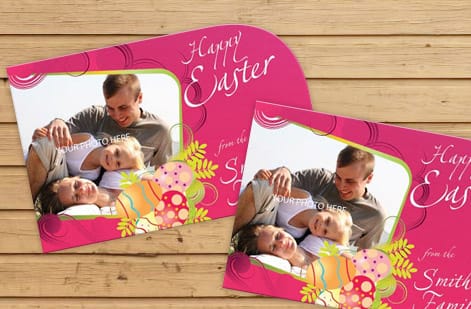
A 4 by 6 inch card, 101.6 by 152.4 millimeters, is the size most people picture when they think postcard. It is compact, cheap to mail, and fits every USPS sorting machine, which is why it dominates direct mail. Step up to 5 by 7 inches, 127 by 177.8 millimeters, when a card doubles as an invitation or announcement and wants a little more room to breathe.
The 5.5 by 8.5 inch size, 139.7 by 215.9 millimeters, is exactly half a letter sheet, which makes it a natural fit for offers, menus, and anything with more copy. Move up again to 6 by 9 inches, 152.4 by 228.6 millimeters, when you want the card to physically dominate the mailbox stack. The largest common size, 6 by 11 inches, 152.4 by 279.4 millimeters, is the go-to for real estate and every-door routes where presence beats postage savings.
Only the 4 by 6 mails at the USPS postcard rate. Everything larger mails at the letter or flat rate, so weigh the extra postage against the extra impact. If you want a shape that breaks the rectangle entirely, our custom shaped postcards cut to any outline you supply.
Postcard dimensions in centimeters and the A-series sizes
A designer in Europe measures the same card in centimeters and reaches for the A-series, so here is where the five US sizes land against both. None is an exact A-series match, which is why a file built for A6 needs its edges checked before it prints at 4 by 6.
| US size | Centimeters | Millimeters | Closest A-series size |
|---|---|---|---|
| 4 x 6 in | 10.2 x 15.2 cm | 101.6 x 152.4 mm | A6, 10.5 x 14.8 cm, slightly wider and shorter |
| 5 x 7 in | 12.7 x 17.8 cm | 127 x 177.8 mm | Between A6 and A5, no direct match |
| 5.5 x 8.5 in | 14 x 21.6 cm | 139.7 x 215.9 mm | A5, 14.8 x 21 cm, almost the same |
| 6 x 9 in | 15.2 x 22.9 cm | 152.4 x 228.6 mm | Larger than A5, smaller than A4 |
| 6 x 11 in | 15.2 x 27.9 cm | 152.4 x 279.4 mm | No A-series equivalent |
To convert any size yourself, multiply inches by 2.54 for centimeters or by 25.4 for millimeters. Keep the file at the US trim size in the configurator so the price and the USPS class match what actually prints.
USPS size rules that keep you at the postcard rate
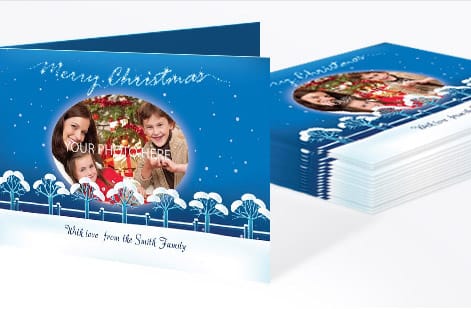
USPS charges a lower price for a mailpiece that qualifies as a postcard, and the qualification is purely about size and thickness. To mail at the postcard rate a card must be rectangular, at least 3.5 inches high by 5 inches long, and no larger than 4.25 inches high by 6 inches long. It also has to be between 0.007 and 0.016 inch thick, which most postcard stocks satisfy comfortably.
| Mailpiece size | USPS class | Rate tier | Aspect ratio, length divided by height | Thickness |
|---|---|---|---|---|
| 3.5 x 5 in minimum, up to 4.25 x 6 in | First-Class Mail postcard | Postcard rate, the cheapest tier | 1.3 to 2.5 | 0.007 to 0.016 in |
| Over 4.25 x 6 in, up to 6.125 x 11.5 in | First-Class Mail letter | Letter rate | 1.3 to 2.5 | Up to 0.25 in |
| Over 6.125 x 11.5 in | First-Class Mail flat | Flat rate, the most expensive | No ratio test | Up to 0.75 in |
Of the five standard sizes, only the 4 by 6 sits in the top row. The 5 by 7, 5.5 by 8.5, 6 by 9, and 6 by 11 all mail as letters, and none of them is large enough to be a flat. Every one of the five clears the aspect ratio test, so the only thing that moves you between tiers is the size itself.
The practical takeaway is a hard ceiling: 4.25 by 6 inches. A standard 4 by 6 card sits just inside it, which is why that size is the default for cost-driven campaigns. The moment a card grows past 4.25 by 6, it stops being a postcard in the eyes of USPS and mails at the letter rate, and past 6.125 by 11.5 inches it becomes a flat.
None of this means bigger is wrong. It means bigger is a choice you make on purpose, trading a few cents of postage for a card that is harder to ignore. For the full rulebook, our guides on USPS postcard guidelines and postcard mailing dimensions break down the thresholds size by size.
EDDM postcard sizes and the flat-size rule
Every Door Direct Mail turns the USPS size logic upside down. A postcard-rate card has to stay small, but an EDDM piece has to be big enough to count as a flat. USPS asks for a piece that is more than 6.125 in high or more than 11.5 in long, up to 12 by 15 in, and no thicker than 0.75 in.
That is why the every-door sizes you see most are 6.5 by 9, 6.5 by 11, 6 by 12, 8.5 by 11, and 9 by 12 in. A standard 6 by 11 card misses the rule by a fraction on both edges, so step up to 6.5 by 11 or 6 by 12 before you build an EDDM file. Orientation does not matter to USPS, landscape and portrait both mail, as long as the address block and indicia sit where the carrier expects them.
Our EDDM file setup guide walks through the indicia and the address panel, and direct mail postcards print and mail the run in one order.
Postcard size in pixels: the 300 DPI cheat sheet
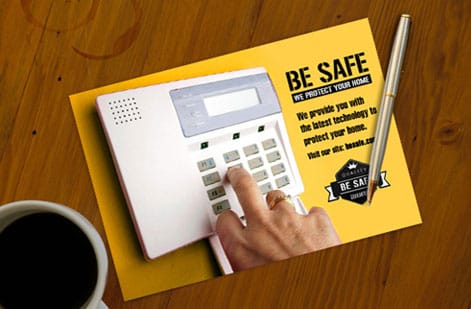
Pixels are where a lot of postcard files go wrong. A pixel count on its own means nothing until you tie it to a resolution, and print needs 300 DPI, meaning 300 dots of ink per inch. To find the pixel size for any postcard, multiply each dimension in inches by 300. A 4 by 6 card is 1200 by 1800 pixels, a 5 by 7 is 1500 by 2100, a 6 by 9 is 1800 by 2700, and a 6 by 11 is 1800 by 3300.
Build your canvas at those exact numbers and every photo, logo, and line of type lands sharp on paper. The trap is designing at screen resolution, roughly 72 DPI, which looks fine on a monitor and then falls apart on press. If a supplied image is smaller than the pixel target for your size, do not scale it up, because enlarging only stretches the pixels you already have.
When you add the standard 0.125 inch bleed to both edges, add 75 pixels to each dimension, so a 4 by 6 file becomes 1275 by 1875 pixels. If you want the full reasoning behind resolution and press setup, our guide to creating print-ready files walks through DPI, CMYK, and bleed together.
Design guidelines that survive the cut
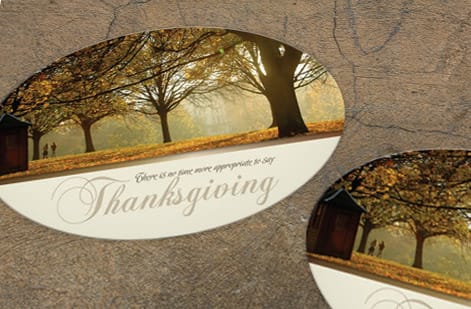
Three lines govern every postcard file. The trim is where the blade cuts, at your chosen size. The bleed is 0.125 inch of artwork past the trim on all four sides, so any background that reaches the edge keeps going and no white sliver appears if the cut drifts. The safe margin is 0.125 inch inside the trim, and it is where all your text, logos, and the address block have to live.
On a card built to mail, plan the back before you design the front. Reserve the lower right area for the recipient address block, keep the upper right corner clear for postage or an indicia, and leave the left portion for your message and return address. Design in CMYK so your on-screen color matches the ink, and keep small text a solid black rather than a four-color mix so fine letters stay crisp.
Follow those rules and cropping stops being a gamble. For the persuasion side of the layout, headline, offer, and call to action, our guide on how to design a postcard covers the ten elements that turn a correctly sized card into a response.
Order the right size and let the price update live
Once the size is settled, ordering is the easy part. Pick your size in the configurator, choose the stock and finish, set the quantity, and the total updates live so you can see exactly how a heavier card or a larger run moves the number. For mailed campaigns, direct mail postcards fold printing and postage into a single order, and our team can handle the mailing side through our direct mail services.
If you are torn between a compact 4 by 6 at the low postcard rate and a commanding 6 by 9, order a small run of each and test which one pulls better before scaling. The size table above and the live specs below give you every number you need to build the file correctly the first time.
Prefer to skip file setup entirely? The standard printing collection and ready-made postcard designs let you order a correctly sized card without preparing artwork from scratch.
Wally sizes your postcard three ways at once
Inches, millimeters, and pixels for the same card
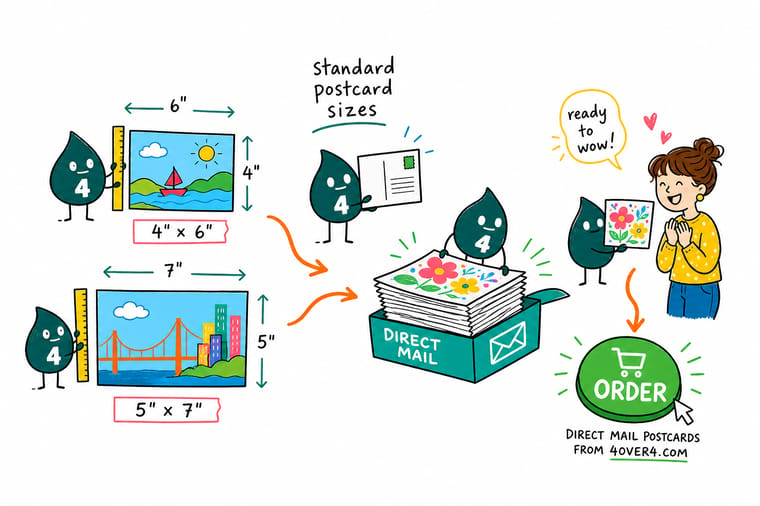
Wally starts every postcard at the mailbox: choose 4 by 6 for the low USPS postcard rate, or size up to 6 by 9 for presence. Then he builds the file at 300 DPI at final size, so 4 by 6 becomes 1200 by 1800 pixels, and runs the art past the trim with 0.125 inch of bleed. Pick the size, upload the file, and 4OVER4 prints it exactly to spec.
Order your postcards →Size and pixel chart
The five standard postcard sizes, side by side
Every size in inches, millimeters, and pixels at 300 DPI, with the job each one fits. Build your file to the pixel column and add 0.125 inch of bleed on every edge.
| Size | Inches | Millimeters | Pixels at 300 DPI | Best for |
|---|---|---|---|---|
| 4 x 6 in | 4 x 6 | 101.6 x 152.4 | 1200 x 1800 | The default direct mail size, mails at the USPS postcard rate. |
| 5 x 7 in | 5 x 7 | 127 x 177.8 | 1500 x 2100 | A roomier card for invitations and announcements, mails at the letter rate. |
| 5.5 x 8.5 in | 5.5 x 8.5 | 139.7 x 215.9 | 1650 x 2550 | Half-letter size, strong for offers and menus that need more copy. |
| 6 x 9 in | 6 x 9 | 152.4 x 228.6 | 1800 x 2700 | A high-impact size that stands out in the mailbox stack. |
| 6 x 11 in | 6 x 11 | 152.4 x 279.4 | 1800 x 3300 | The largest common size, popular for real estate and EDDM routes. |
With bleed
The same five sizes, set up with bleed
Open the canvas at the bleed size and let the trim fall back to the finished size. Bleed adds 0.125 inch on every edge, which is 0.25 inch and 75 pixels on each dimension.
| Finished size | Pixels at 300 DPI | Document size with bleed | Pixels with bleed |
|---|---|---|---|
| 4 x 6 in | 1200 x 1800 | 4.25 x 6.25 in | 1275 x 1875 |
| 5 x 7 in | 1500 x 2100 | 5.25 x 7.25 in | 1575 x 2175 |
| 5.5 x 8.5 in | 1650 x 2550 | 5.75 x 8.75 in | 1725 x 2625 |
| 6 x 9 in | 1800 x 2700 | 6.25 x 9.25 in | 1875 x 2775 |
| 6 x 11 in | 1800 x 3300 | 6.25 x 11.25 in | 1875 x 3375 |
Design to the trim size, not the bleed size. Background art runs all the way to the outer edge, but anything that has to be read, a headline, a phone number, an offer code, stays at least 0.125 inch inside the trim line so a slight cut shift never clips it.
Step by step
Pick a size and set up the file in 6 steps
- Start from the mailbox, not the design Decide whether you want the cheapest postage or the most presence. If postage wins, stay at 4x6. If presence wins, move up to 6x9 or 6x11 and budget for the letter or flat rate.
- Set the document to the exact trim size Create your file at the final size in inches, then add 0.125 inch of bleed on all four sides. A 4x6 card becomes a 4.25 by 6.25 inch document once bleed is included.
- Work at 300 DPI at final size Match your canvas to the pixel dimensions in the table so the file is press-sharp. For a 4x6 that means 1200 by 1800 pixels before bleed, or 1275 by 1875 with it.
- Keep text inside the safe margin Hold all copy, logos, and the address block at least 0.125 inch inside the trim so nothing important sits close enough to the blade to get clipped.
- Leave room for the address and stamp On a mailed card, reserve the lower right of the back for the address block and the upper right corner for postage or the indicia.
- Export a press-ready PDF and order Flatten the file, export a PDF with bleed, and upload it in the configurator, where you pick the size, stock, and quantity and watch the price update live.
Specs and pricing
Postcard specs and live pricing
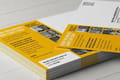
Once your size is set, the print decisions come down to stock, finish, and quantity. Here are the live specs and price-per-unit for direct mail postcards at 4OVER4.COM, straight from the configurator.
| Quantity | Price Per Unit | Total |
|---|---|---|
| 500 | 17.9¢ | $89.68 |
| 1,000 | 17.1¢ | $170.53 |
| 2,000 | 9.35¢ | $186.95 |
| 3,000 | 6.84¢ | $205.13 |
| 4,000 | 5.58¢ | $223.31 |
| 5,000 | 4.83¢ | $241.51 |
| 6,000 | 4.56¢ | $273.85 |
| 7,000 | 4.37¢ | $306.18 |
Print it
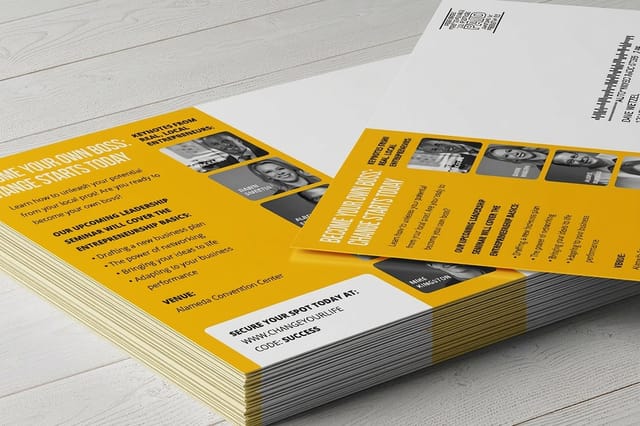
Order postcards in the exact size you need


See it in use
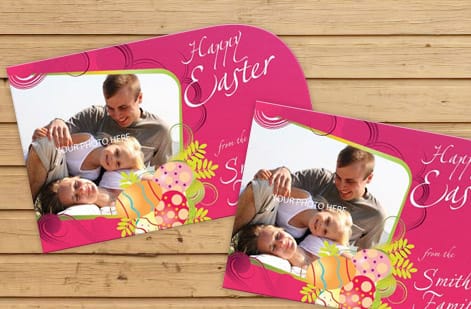
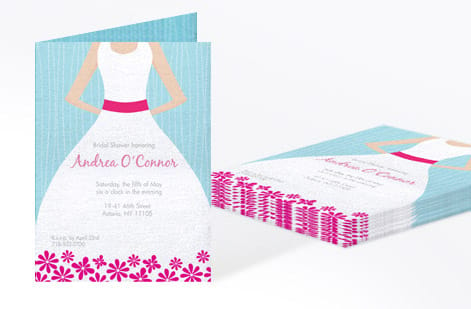
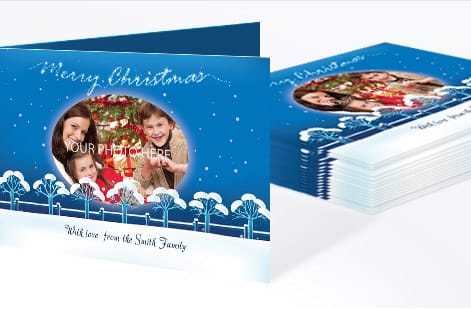
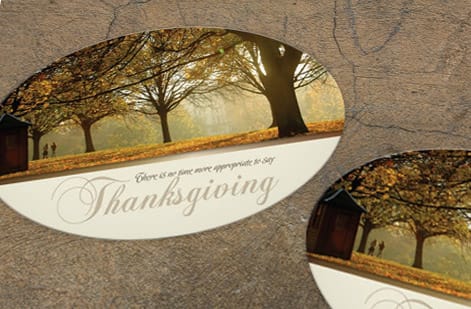
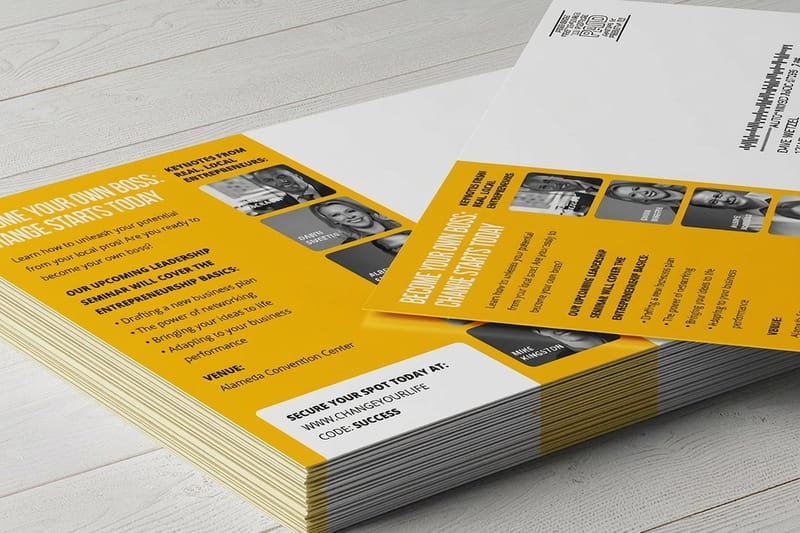
Postcards we printed in every standard size




Explore more
Where to go next

By the numbers
Five standard sizes at three hundred DPI
Common Questions
Common questions about postcard sizes
Are postcards typically 4x6 or 5x7?
Most printed postcards are 4 by 6 in, because that is the only standard size that mails at the USPS postcard rate and it fits every sorting machine. A 5 by 7 shows up when the card doubles as an invitation or announcement and wants more room, and it mails at the letter rate. Pick 4 by 6 for volume mailings and 5 by 7 when presence matters more than postage.
Is a postcard size A5 or A6?
In the A-series the closest match to a standard postcard is A6, 105 by 148 mm, which is a little wider and shorter than a 4 by 6 in card. A5, 148 by 210 mm, sits close to the US 5.5 by 8.5 in size. US printers and USPS work in inches, so build the file at 4 by 6 or 5.5 by 8.5 rather than the A size and the mail class stays predictable.
What is postcard size in cm?
A standard 4 by 6 in postcard is 10.2 by 15.2 cm. The other common sizes are 12.7 by 17.8 cm for 5 by 7, 14 by 21.6 cm for 5.5 by 8.5, 15.2 by 22.9 cm for 6 by 9, and 15.2 by 27.9 cm for 6 by 11. Add 0.3 cm of bleed on every edge, the metric version of 0.125 in.
What is the standard postcard size?
The most common standard postcard size is 4 by 6 inches, which equals 101.6 by 152.4 millimeters and 1200 by 1800 pixels at 300 DPI. It is the default because it mails at the cheaper USPS postcard rate and fits every mail sorting machine. When a card needs more space, the next standard sizes up are 5 by 7, 5.5 by 8.5, 6 by 9, and 6 by 11 inches, each of which mails at the letter or flat rate rather than the postcard rate.
What are the common postcard sizes?
Five sizes cover almost every job: 4 by 6, 5 by 7, 5.5 by 8.5, 6 by 9, and 6 by 11 inches. In millimeters those are 101.6 by 152.4, 127 by 177.8, 139.7 by 215.9, 152.4 by 228.6, and 152.4 by 279.4. At 300 DPI they translate to 1200 by 1800, 1500 by 2100, 1650 by 2550, 1800 by 2700, and 1800 by 3300 pixels. Building at these exact dimensions keeps your file lined up with USPS rules and press setup.
What is the postcard size in pixels?
Pixel size depends on the physical size and the resolution. At the print standard of 300 DPI, a 4 by 6 inch postcard is 1200 by 1800 pixels, a 5 by 7 is 1500 by 2100, a 5.5 by 8.5 is 1650 by 2550, a 6 by 9 is 1800 by 2700, and a 6 by 11 is 1800 by 3300. To get pixels for any size, multiply each dimension in inches by 300. Design at these numbers and every photo prints crisp instead of soft or blocky.
How do I choose the right postcard size in pixels?
Pick the physical size first based on your goal and postage, then set your canvas to that size in pixels at 300 DPI. If you want the low postcard mail rate, choose 4 by 6, which is 1200 by 1800 pixels. If you want more room for photos or a longer offer, step up to 6 by 9 at 1800 by 2700 pixels. Add 75 pixels to each dimension when you include the standard 0.125 inch bleed on both edges.
What does a postcard cost and how are prices set?
Postcard price is driven by size, paper stock, finish, and quantity, and the unit price drops steadily as the quantity climbs. A larger 6 by 9 card on a heavier stock costs more per piece than a 4 by 6 on standard stock, but a bigger run narrows that gap fast. You set each option in the configurator and the total updates live, so you can compare a small premium card against a large budget run before you commit. Direct mail cards can also be printed and mailed together to fold postage into one order.
Do I need bleed on a postcard?
Yes, whenever any color, photo, or background touches an edge. Bleed is 0.125 inch of extra artwork past the trim on all four sides, and it protects the card from a thin unprinted white line if the cut shifts slightly. A 4 by 6 card is built on a 4.25 by 6.25 inch document once bleed is added. Keep all text and the address block inside a matching 0.125 inch safe margin so nothing critical lands near the blade.
Get Started
Ready to order a correctly sized postcard?
Pick your size, stock, and quantity at 4OVER4.COM and watch the price update live. For mailed campaigns, print and mail in a single order.
Legal Disclaimer
Gold Standard guarantees apply to all standard orders placed through 4over4.com. Price match requires verifiable proof of a competitor's published price for an equivalent product with matching specifications and turnaround time. Satisfaction guarantee covers manufacturing defects and print quality issues. Contact support with order number and documentation. On-time delivery rate based on tracked orders 1999 to 2026. Individual results may vary based on shipping carrier performance.
