
3D Lenticular Business Card Design Ideas for 2026


3D lenticular business card design ideas that actually get kept
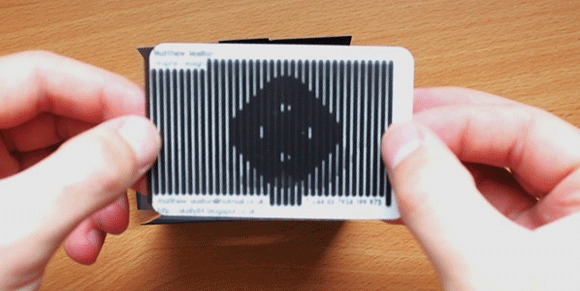
People do not throw away a card that moves. A 3D lenticular business card uses a ribbed plastic lens over interlaced images, so tilting it reveals depth, motion, or a full change of image. 4OVER4.COM has printed 10 billion plus cards since 1999, and lenticular designs stay among the most talked-about products in the catalog.
If you want a card that starts a conversation instead of ending up in a drawer, this is where you begin. The guide below walks through the effects that work in 2026, the color and contrast rules behind them, and the file setup that keeps every frame sharp. Whether you are a photographer, a trainer, or a startup founder, you will know which effect fits your brand and how to make it print-ready.
Depth effects, where your logo floats off the card
The most requested lenticular idea is the floating logo. Your mark appears to hover above the surface while the background falls away behind it. The effect is so tactile that people instinctively try to touch the logo. To build it, separate the design into 3 to 5 depth layers, with the background deepest, taglines and icons at mid-depth, and the logo on top, closest to the viewer.
Contrast makes or breaks the illusion. Dark backgrounds push depth perception further, so a navy, black, or deep charcoal field makes a bright or metallic logo pop. Skip busy patterns in the background layer, since they compete with the 3D read and muddy the depth. If a dark aesthetic already fits your brand, our Black Business Cards are a natural baseline for the floating-logo concept.
Morphing portraits and dual-identity cards
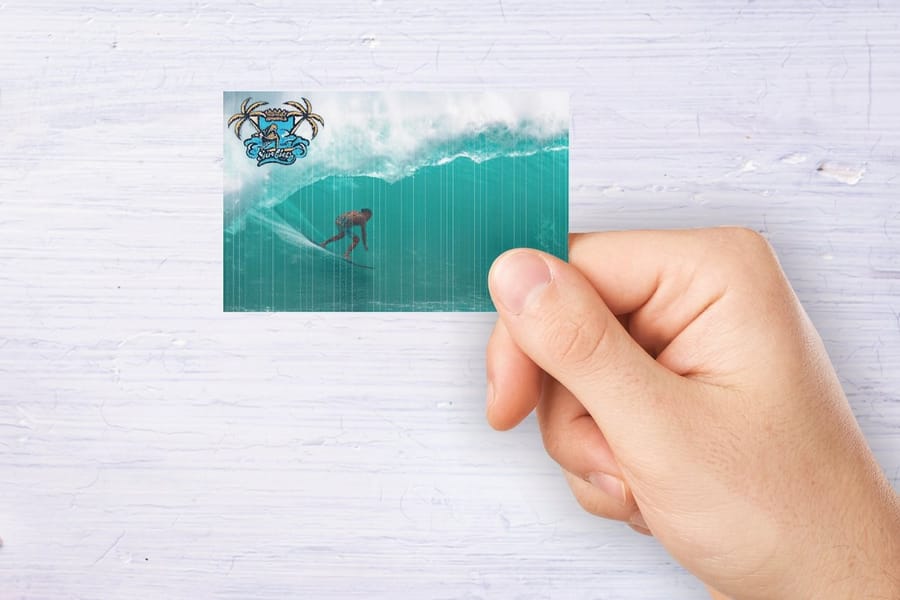
A morph dissolves one image into another with no hard cut, which makes it perfect for personal brands. Transition from your headshot into your logo, and every tilt shows you becoming your brand. It works best for coaches, consultants, and speakers, where the person is the brand. For the cleanest result, keep both images at a similar shape and position, so a centered headshot morphs into a centered logo rather than drifting across the card.
The flip effect can also carry two identities at once. A DJ who plans events, or a photographer who teaches workshops, can show one brand on the first tilt and a second brand on the next, with shared contact details printed flat on the back. The same trick handles bilingual cards, giving English one clean state and Spanish, Mandarin, or French its own, instead of cramming both onto a single flat face.
How lenticular printing works, and why it shapes every choice
Before you pick a design, it helps to know the mechanics. Lenticular printing layers two or more images beneath a ridged plastic lens. As you tilt the card, the lens redirects light to reveal a different image, which is what creates the flip, morph, zoom, or 3D depth.
This is more than a gimmick. Every effect has its own file requirements, from resolution to interlacing direction to frame count, so designing for lenticular is really designing for movement. 4OVER4.COM handles the interlacing and lens alignment, which leaves the creative direction to you. The closer your concept matches the effect type, the sharper the finished card looks.
The four core effects
- 3D depth makes logos, portraits, and product shots appear to float above or sink below the card surface.
- Flip switches between two separate images, ideal for before-and-after reveals, dual branding, or bilingual cards.
- Morph dissolves one image smoothly into another, which suits transformation and evolution stories.
- Animation plays 3 to 5 frames of movement, perfect for action shots, spinning logos, or kinetic type.
Lenticular business card specs and options
The card is a standard 3.5 by 2 inch business card with a ridged plastic lens bonded over the printed sheet, so a finished lenticular card lands near 21pt thick instead of the 14pt most people are used to. It is heavier, it is stiffer, and it does not soften in a wallet. Here is what that means for the file you have to build.
- Lens pitch, measured in LPI. Lens pitch is the number of lens ribs per inch, and it is fixed by the lens sheet the card is printed on, so you do not order a pitch, you design for one. Card-size work uses a fine pitch so the ribs disappear at handshake distance, and the interlaced art has to line up with that pitch exactly. That alignment is the part 4OVER4.COM does for you, and it is the reason lenticular cannot be printed from a flat PDF.
- Frames per effect. A flip needs 2 images, a morph needs 3 to 5, and a full animation runs 5 to 12. More frames mean smoother motion but a thinner slice of lens per frame, which is why a 12 frame animation always looks a little softer than a clean 2 frame flip. Decide the effect first, because it sets the frame count and the frame count sets how much artwork you owe.
- Artwork resolution. Supply 300 DPI at final card size for every single frame, not for the finished card. Ten frames means ten full resolution images. Anything upscaled from web art goes soft the moment it sits under the lens, and no amount of press work brings it back.
- File formats. Layered PSD or TIFF with one frame per layer, or numbered flat files in frame order, all built at identical dimensions and in identical crop so nothing drifts between frames. Design in CMYK with 0.125 inch bleed, and send the back of the card as a normal press-ready PDF, since the back prints flat.
- Direction of motion. Interlacing runs along one axis, so decide early whether the card moves as you tilt it left to right or top to bottom. Depth reads best across a horizontal card; flips read best when the motion follows the way a person naturally rocks a card in the hand.
Once the specs are settled, pick the concept: flip effects if you want a before and after story in two frames, or industry-specific ideas if you would rather start from what works in your field.
Print it
3D lenticular business cards, ready to configure
Pick your effect, flips, lens, and quantity, then hand over the interlacing to 4OVER4.COM.
Flip effects that tell a before-and-after story
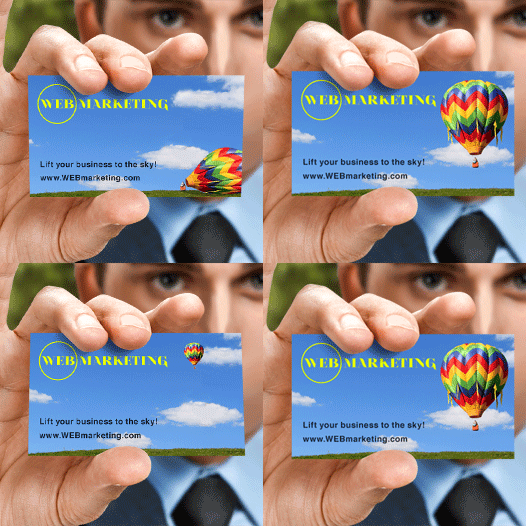
Flip effects are dramatic. One tilt and the whole image changes, which makes people flip the card back and forth. That is engagement a flat card cannot buy. The trick is to use the flip to tell a fast micro-story about your business.
- Home renovation contractor flip between the before photo and the finished after result.
- Personal trainer show a transformation from day one to the final physique.
- Hair stylist flip between natural hair and the styled look.
- Tech startup flip between a problem statement and your solution.
- Restaurant owner flip between raw ingredients and the plated dish.
For a clean flip, keep both images at a similar overall brightness and color balance. If one is very dark and the other very light, the change reads as a jarring cut instead of a smooth switch.
Quantity and price
Lenticular pricing and specs
Real configurator numbers, where the per-unit cost drops hard as your quantity climbs.
| Quantity | Price Per Unit | Total |
|---|---|---|
| 500 | $1.38 | $690.88 |
| 1,000 | 80.1¢ | $800.72 |
| 2,000 | 53.2¢ | $1,064.33 |
| 3,000 | 43.5¢ | $1,305.98 |
| 5,000 | 35.1¢ | $1,756.30 |
| 10,000 | 31.8¢ | $3,184.20 |

Animated typography and motion that moves
Static text is a missed opportunity. With a motion effect, your name, title, or tagline can appear to type itself, slide in from the side, or pulse with energy. Animated typography is one of the most underused lenticular ideas, and it lands hard for creative professionals. You need 3 to 5 frames showing the text in progressive states, so frame one might show the first letter and the final frame completes the word.
This concept shines for Artist Business Cards, where the card doubles as a portfolio piece for designers, animators, and typographers. You can borrow the same QR-and-motion trick from the logo sticker design ideas guide, keeping the code flat and scannable while animation around it draws the eye. Pair it with a QR code generator and the card practically begs to be scanned.
Font selection for lenticular animation
Bold, sans-serif fonts reproduce best. Thin serifs and hairline strokes get lost between lens ridges, so choose type with consistent stroke width and generous letter spacing. If you want a script, pick one with thick strokes, closer to brush lettering than fine calligraphy.
Product showcase zoom and trade-show cards
If you sell a physical product, the zoom effect turns the card into a miniature display. A jeweler can rotate a ring to reveal each angle, a sneaker brand can zoom a shoe from small to full frame, and a cosmetics label can show a lipstick that appears to uncap itself. Photograph the product from several angles against a clean, consistent background, and 4OVER4.COM interlaces the frames so the motion feels fluid. It pairs well with a run of standard business cards for the flat-printed backs you hand out by the hundred at trade shows.
File setup and technical requirements
How many images you owe is decided by the effect, not by the card: 2 for a flip, 3 to 5 for a morph, 5 to 12 for a full animation. Every one of those images has to be 300 DPI at final card size, in CMYK, with 0.125 inch bleed, because the resolution requirement is per frame and not per card. Build the whole set at the same dimensions and the same crop so nothing shifts between frames, keep the back of the card flat and press-ready, and the interlacing is handled here. The detail behind each of those three numbers is below.
Resolution requirements
Lenticular printing demands higher resolution than standard printing. Where a flat card looks fine at 300 DPI, lenticular cards need 300 DPI per interlaced frame, so your source images have to be sharp and clean. Upscaled low-resolution art will look soft and blurry under the lens.
Color mode and bleed
Design in CMYK, since RGB colors shift during printing. Include standard bleed of about 0.125 inch on each side and keep critical elements away from the trim edge. The lens adds a little thickness to the card, so the trim area matters even more than usual.
Frame count and effect selection
Different effects need different frame counts. A simple flip needs 2 frames, a morph needs 3 to 5, and full animation can use 5 to 12, though more frames mean subtler transitions. Talk your concept through with the 4OVER4.COM team before building files, and they will tell you exactly how many frames your effect requires. For layout ideas beyond cards, the graphic design portfolio examples translate well to lenticular formats.
Start fast
Templates and print-ready blanks
Lenticular-ready templates and exact-size blanks so your artwork lines up with the cut and bleed.
Industry-specific lenticular ideas
The best lenticular card speaks your industry's visual language. Here are concepts aimed at specific professions. Check the frame count each one implies against the specs above before you start shooting, since a three angle rotation and a two image flip are very different amounts of work.
- Real estate agents. build a 3D house scene with the lawn in front, the home in the middle, and sky behind, or flip an empty room into a staged one.
- Fitness professionals. animate a bicep curl, a yoga transition, or a running stride across 4 to 5 frames.
- Photographers and videographers. use depth to lift your best shot off the card so it reads as a mini gallery piece.
- Musicians and DJs. pulse sound waves from a speaker icon, or morph between an album cover and your portrait.
- Tech companies. scroll a product interface between screens, or extend a circuit-board pattern behind the logo with depth layers.
What the lens face does to your finishing options
The front of a lenticular card is a molded plastic lens bonded over the printed sheet, not a paper surface, and that single fact settles most finishing questions before they are asked. Treatments that press into paper or sit on top of it, an emboss, a foil, a spot gloss, belong on the back, where the card prints flat. Plan one effect for the front and let the back carry everything else.
The thickness has practical consequences too. A finished card lands near 21pt against the 14pt most people carry, so it will not slide into a slim cardholder and a stack of them is noticeably heavier in a pocket. The lens will not take a ballpoint either, so if anyone writes an appointment on your cards, leave a plain area on the flat back for it. Ask about the cut before you design a shape, because the interlacing runs in one direction and the artwork has to follow it.
Common mistakes to avoid
Even strong ideas fall flat with a few avoidable errors. Watch for these before you send files.
- Too many frames. cramming 15 frames into a small card makes each one paper-thin, so stay in the 2 to 5 frame range.
- Low-contrast designs. lenticular effects lose punch when colors sit too close together, so lean on bold contrast.
- Ignoring the back. keep the front lenticular and print contact details flat on the back to avoid doubling cost and thickness.
- Tiny lenticular text. type under 8pt can ghost between lens ridges, so save fine print for the flat back.
- Skipping the proof. tilt angle and transition speed look different in hand, so always request a physical proof first.
Why lenticular cards outperform standard cards
A standard business card has about 3 seconds to make an impression. A lenticular card gets held, tilted, flipped, and studied for 15 to 30 seconds, which is 5 to 10 times more attention on your brand, your name, and your contact info.
People keep lenticular cards. They show them to coworkers, photograph them, and share them online, so a single card can create several touchpoints on its own. With 150,000 plus businesses trusting 4OVER4.COM and a 4.8 out of 5 star rating across 10,000 plus reviews, the print quality holds up. Ready to see what is possible? Explore the full 3D lenticular printing services for options, pricing, and paper specs.
Wally makes your card move
Depth, flips, and morphs that recipients keep
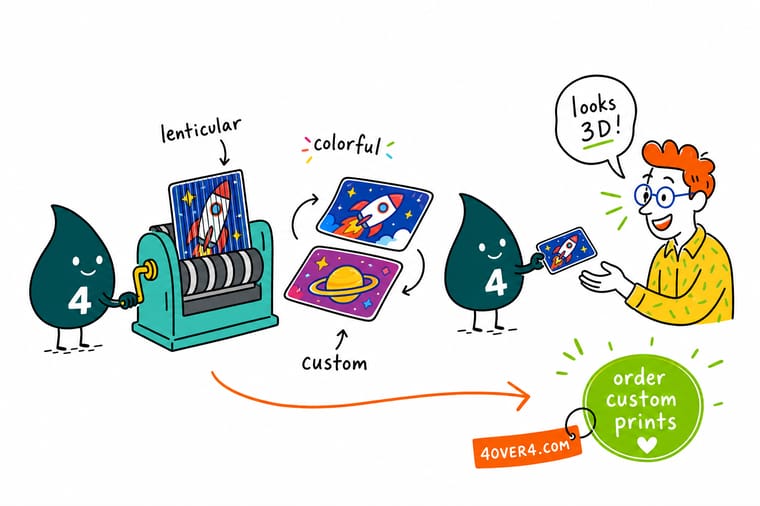
A lenticular card earns 5 to 10 times the attention of a flat one because people tilt it, flip it, and show it around. Pick an effect that matches your brand, keep the contrast bold and the frames few, and 4OVER4.COM handles the interlacing and lens alignment. Design the front for the effect and the back flat for contact details.
Order lenticular business cards →What to remember about lenticular card design
Why lenticular cards work
- Stronger visual appeal. The shifting effects draw the eye instantly, which makes these cards strong tools for events and direct marketing.
- Improved brand recall. The 3D look sticks in memory, so recipients remember your business. For premium runs, explore our 3D lenticular printing services.
- Customizable designs. Reflect your identity with unique visuals built in the free online designer.
- Durable and practical. The tough lens material holds up to wear, which suits long-term branding.
- Versatile applications. From retail to entertainment, the format flexes across creative work. Browse business card templates for inspiration.
Explore more
More ways to design and print business cards
Related products, articles, and templates on 4OVER4.COM, one card each, so you can keep exploring.
Ready to make a card that moves?
Pick an effect, drop in your art, and 4OVER4.COM prints it sharp with the interlacing and lens alignment handled for you.
Common questions about 3D lenticular business cards
How to make your own lenticular card?
You cannot do it properly at a desk. The card is two or more images sliced into fine strips, interlaced into one sheet and aligned under a ridged lens to a tolerance no home printer holds. What you can do yourself is the creative half, which is shooting or drawing each frame at 300 DPI at final size and deciding the order they play in. The interlacing and the lens alignment are handled here.
Is lenticular printing still used today?
Yes, and more than most people notice. It turns up on trading cards, on film and game promotions, on packaging that has to be seen from an angle on a shelf, and on business cards for people who want the card kept. It stopped being a novelty and became a finish you choose for a reason, which is that a moving image gets picked up and held.
What is the latest trend in business cards?
Two things pulling in opposite directions. One is the plain card done extremely well, a thick uncoated sheet, one ink, nothing else, which reads as confidence. The other is the card that does something a phone cannot, a lens that moves, a die cut shape, a raised foil line. Both survive because they give someone a reason to keep the card. The thin glossy card with a stock image on it is the part disappearing.
What are the best practices for 3D lenticular business card design?
Use high-contrast colors, bold fonts above 8pt, and limit the design to 2 to 5 frames. Separate your artwork into distinct depth layers for 3D effects, and always design in CMYK at 300 DPI minimum. Keep the lenticular effect on the front and print contact details flat on the back, then request a physical proof before your full order. Explore 30Mil Frosted Plastic Cards for a premium non-lenticular alternative.
How do I choose the right 3D lenticular business card design?
Match the effect to your brand story. Use flip effects for before-and-after transformations, 3D depth for logo-forward designs, and animation for action-oriented brands like fitness or music. Weigh your industry, your audience, and the one thing you want people to remember. A QR code generator can add a scannable element alongside the lenticular design.
What makes 3D lenticular business cards effective for marketing?
Lenticular cards hold attention 5 to 10 times longer than flat cards because people tilt, flip, and examine them. That extra dwell time means more exposure for your name, logo, and contact info, and recipients tend to keep the card instead of tossing it. Many even show it to others, which builds organic word of mouth. For another premium option, see 30Mil White Plastic Cards.
How much should I budget for 3D lenticular business cards?
Lenticular cards cost more per unit than standard cards, but the per-impression value runs much higher. Budget depends on quantity, effect complexity, and frame count, and larger runs bring the per-card cost down by a lot. Factor in design time for multiple source frames, and always include a proof in your budget. Check the pricing calculator for exact costs at your quantity.
How does a lenticular business card work?
Two or more images are sliced into fine strips, interlaced into a single sheet, and printed under a ridged plastic lens bonded to the card. Each rib of the lens acts as a tiny magnifier that shows only one set of strips at a time, so as you tilt the card the eye is handed a different image and the card appears to flip, morph, zoom, or hold depth. The lens has to line up with the interlaced strips exactly, which is why lenticular cannot be run from a flat PDF and why 4OVER4.COM does the interlacing and lens alignment for you. The finished card lands near 21pt thick, noticeably heavier than a 14pt card.
How many images can a lenticular card flip between?
Two for a straight flip, 3 to 5 for a morph, and 5 to 12 for a full animation. The trade-off is real: more frames give smoother motion but each frame gets a thinner slice of the lens, so a 12 frame animation reads softer than a clean 2 frame flip. Pick the effect before you design, because the frame count decides how much artwork you have to produce, and every frame has to be a full 300 DPI image at final card size.
How do I set up artwork for lenticular printing?
Build each frame as its own full resolution image at 300 DPI at final 3.5 by 2 inch card size, in CMYK, with 0.125 inch bleed and critical type pulled well inside the trim. Keep every frame at identical dimensions and identical crop so nothing drifts between them, and supply them as a layered PSD or TIFF with one frame per layer, or as numbered flat files in frame order. The back of the card prints flat, so send it as a normal press-ready PDF. Decide the direction of motion too, since interlacing runs along one axis and the card can only move one way.
How much do lenticular business cards cost?
Four things move the number: quantity, effect complexity, frame count, and whether you are producing the source frames yourself or shooting them. Quantity does the heavy lifting, since the per-unit price drops hard as the run climbs, which is why a trade show run costs far less per card than a sample batch. The live price table on 3D lenticular business cards shows the exact figure at each quantity, and a proof is worth building into the budget every time.
