Online Proofing Software Guide for Print

Online Proofing Software Guide: How Printers Can Speed Up Approvals and Cut Errors
Online proofing software is a digital tool that lets print shops and their clients review, annotate, and approve documents before anything hits the press. Instead of juggling emails, phone calls, and scattered PDFs, you get one centralized platform where feedback happens in real time. 4OVER4 has printed 10 billion+ cards and served 150,000+ businesses - and a smooth proofing process is a big part of getting those orders right.
If you're still relying on manual proofing methods - emailing proofs back and forth, marking up PDFs, or worse, talking through changes over the phone - you're burning time and money. Print errors caused by miscommunication don't just waste materials. They damage your reputation with clients who expected perfection.
This online proofing software guide walks you through everything: what these tools actually do, how to pick the right one, and which platforms are worth your attention in 2025. Whether you print business cards, postcards, booklets, or large-format signage, the right proofing workflow can shave days off your turnaround.
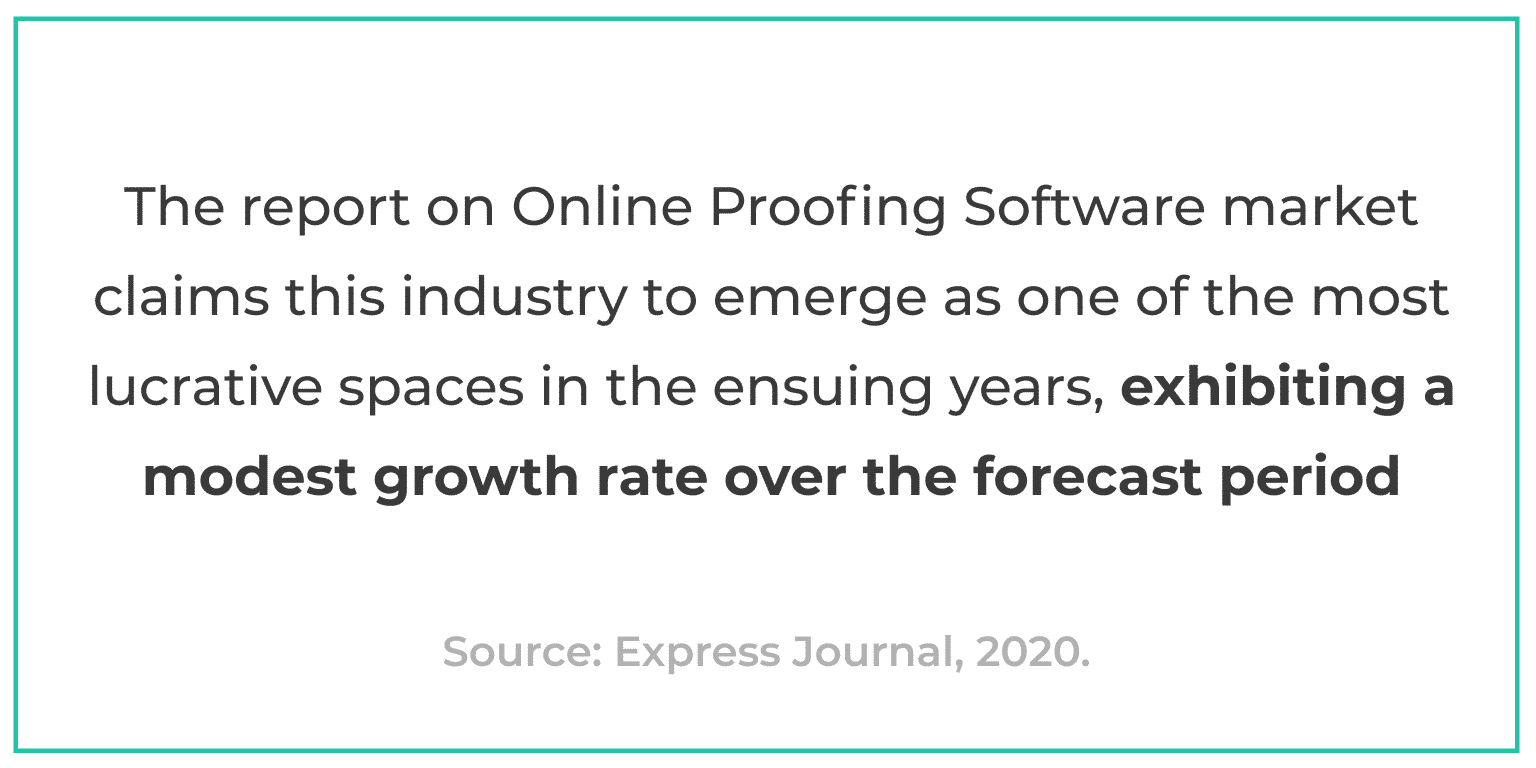
The global online proofing software market continues to grow as more print businesses move away from manual review cycles. The shift isn't surprising. When you can cut approval times from days to hours, the ROI speaks for itself. For a look at what polished print projects look like after a clean proofing process, check out the 4OVER4 Showcase.
What Is Online Proofing Software - and Why Do Printers Need It?
Online proofing software gives print shops and their clients a shared workspace to review creative files before production. Think of it as a virtual lightbox where everyone can see the same proof, leave comments directly on the design, and approve the final version with a click.
Here's what happens without it: a designer emails a PDF proof. The client prints it out, scribbles notes in the margins, scans it back, and emails it. The designer misreads the handwriting. A second round starts. Three days later, you're still not in production. Sound familiar?
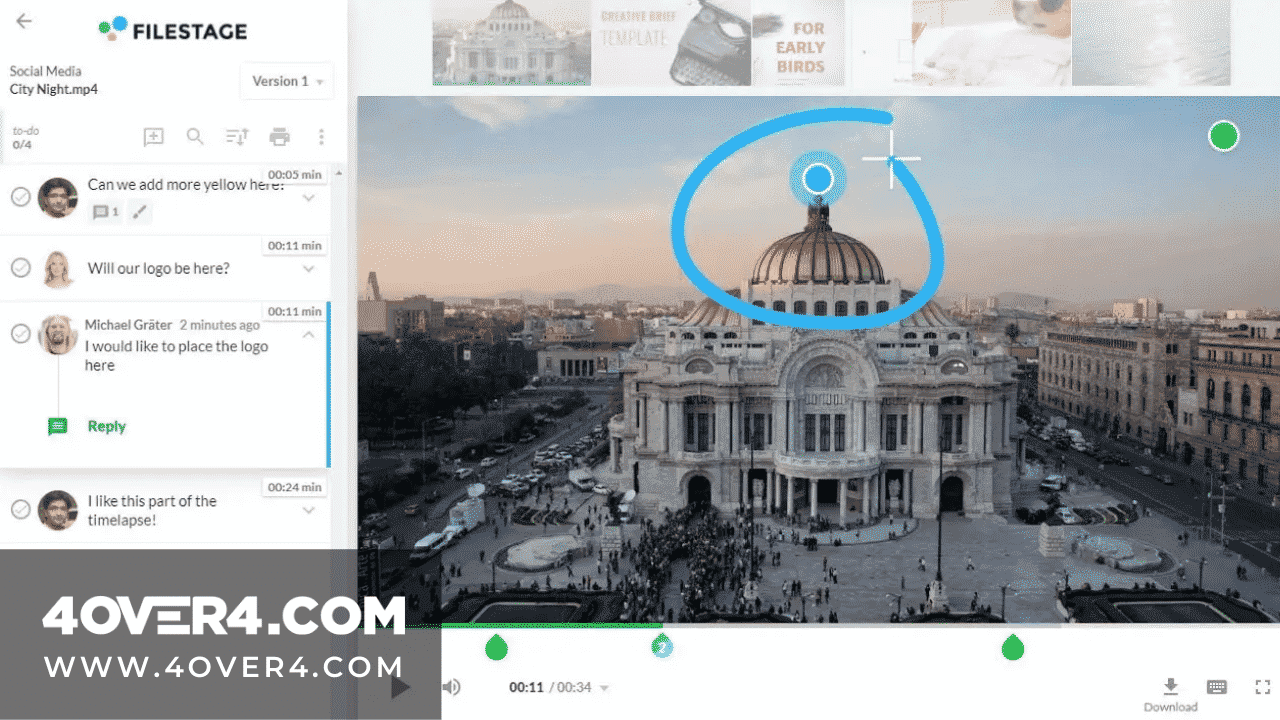
With proofing software, that same cycle takes hours - sometimes minutes. Collaborators mark up files directly on screen. Comments are pinned to specific areas of the design. Version history is tracked automatically. And when the client clicks "approve," you've got a documented sign-off that protects both sides.
"We switched to online proofing two years ago and cut our revision cycles by 60%. Clients love being able to comment right on the proof instead of trying to describe changes over email."
- Rachel K., Production Manager at a mid-size print shop
The benefits break down into a few clear categories. First, speed. Real-time feedback means you're not waiting on email chains. Second, accuracy. When a client circles a typo directly on the proof, there's no room for misinterpretation. Third, accountability. Every comment and approval is logged, so there's no "I never approved that" conversation after the job ships.
For print businesses that handle complex projects - think multi-page booklets, packaging, or specialty items like 3D Postcards - proofing software is practically a requirement. The more moving parts in a project, the more chances for something to go wrong during manual review.
Picking the Right Proofing Platform: Selection Criteria That Actually Matter
Not every proofing tool is built for print. Some are designed for video production teams. Others focus on web design. You need one that understands print-specific needs - things like bleed areas, color accuracy, CMYK rendering, and multi-page document support.
Here are the features that separate a good proofing platform from a mediocre one:
Real-Time Notifications and Alerts
A solid notification system keeps everyone in the loop. When a client leaves feedback, you should know instantly - not when you remember to check your inbox. Look for platforms that offer email alerts, in-app notifications, and ideally Slack or Teams integrations. The faster you see feedback, the faster you can act on it.
Built-In Messaging
Separate email threads create chaos. The best proofing tools include messaging directly within the platform, tied to specific files and versions. This keeps all communication documented and searchable. No more digging through your inbox for that one email where the client said "make the logo bigger."
Version Comparison and History
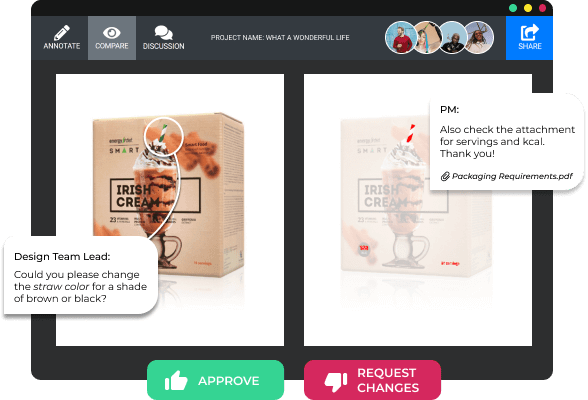
You should be able to place version 1 and version 3 side by side and see exactly what changed. Good version control prevents the nightmare scenario where someone approves an outdated file. It also gives you a clear audit trail - helpful when a client claims they never requested a specific change.
Broad File Format Support
Print projects involve PDFs, AI files, PSD files, TIFF images, and sometimes video or HTML content for cross-channel campaigns. Your proofing tool needs to handle all of them without requiring the reviewer to download special software. Browser-based rendering is the standard now.
Integration With Your Existing Stack
If you already use project management tools like Asana, Monday, or Trello, your proofing software should plug into them. Same goes for design tools, cloud storage (Google Drive, Dropbox), and communication platforms. The fewer tabs you need open, the better. For design starting points, 4OVER4 offers Blank Templates that work with most standard design software.
Security and Access Controls
When multiple clients, designers, and stakeholders access the same platform, you need granular permissions. Not everyone should see every project. Role-based access controls let you decide who can view, comment, and approve. This is especially important if you handle sensitive materials - political campaigns, unreleased product packaging, or legal documents.
Clean, Intuitive Interface
Your clients aren't designers. They shouldn't need a tutorial to leave feedback on a proof. The simpler the interface, the faster you'll get approvals. If a tool requires a 30-minute onboarding call for every new client, it's adding friction instead of removing it.
For inspiration on what well-designed print materials look like before and after the proofing process, browse our collection of Classy Business Card Design Inspiration.
Top Online Proofing Software Platforms for Print Businesses in 2025
Now let's get into the specific tools. Each platform below has been evaluated based on the criteria above - with a focus on how well it serves print-specific workflows. No tool is perfect for everyone, so pay attention to the pros and cons that match your shop's size and workflow.
.png)
Filestage
Filestage is a content review platform built for marketing teams and creative agencies. It lets your team and external partners proof design files collaboratively. Team members can view and annotate files in real time - whether it's a business card layout, a product catalog, a postcard mailer, or packaging artwork.
What makes Filestage stand out is its approval workflow. You can set up multi-step approval chains - so a design goes from the creative team to the account manager to the client, with each step documented. When everyone signs off, the file is locked and ready for production.
Strengths: Fast project completion, transparent version control, visible communication threads, and a clean interface that clients pick up quickly. It handles multiple file types well, including the large PDFs common in print work.
Weaknesses: No dedicated mobile proofing app as of early 2025. If your clients frequently review proofs on their phones, this could be a friction point.
Filestage works particularly well for shops handling high-volume marketing print - think seasonal campaigns where you're proofing dozens of pieces simultaneously. If you're producing creative print pieces like those featured in our Logo Sticker Design Ideas article, a tool like this keeps the feedback organized.
Ashore
Ashore takes a different approach with its automated proofing workflows. The platform routes proofs to the right reviewers automatically based on rules you set up. It also includes a unique tracking system that shows you exactly where each proof is in the approval pipeline.
Strengths: Automated routing saves time on projects with multiple stakeholders. The tracking dashboard gives you visibility into bottlenecks - you can see which client is sitting on an approval and follow up directly. It supports common print file formats and renders them cleanly in the browser.
Weaknesses: The feature set is lighter than some competitors. If you need deep integrations with project management tools or advanced annotation features (like measuring distances on a proof), you might find it limiting.
Ashore is a strong pick for smaller print shops that want to automate their approval process without a steep learning curve.
ProofHQ (now part of Workfront/Adobe)
ProofHQ has been a heavyweight in the proofing space for years. Now integrated into Adobe Workfront, it offers enterprise-grade proofing with deep ties to the Adobe Creative Cloud ecosystem. For print shops that live in InDesign and Illustrator, this integration is a big deal.
Strengths: Powerful annotation tools, automated workflow routing, side-by-side version comparison, and rock-solid Adobe integration. It handles large, multi-page documents well - perfect for booklet and catalog proofing.
Weaknesses: It's an enterprise tool with enterprise pricing. Small shops may find it overkill. The interface has a steeper learning curve compared to lighter tools like Filestage or Ashore.
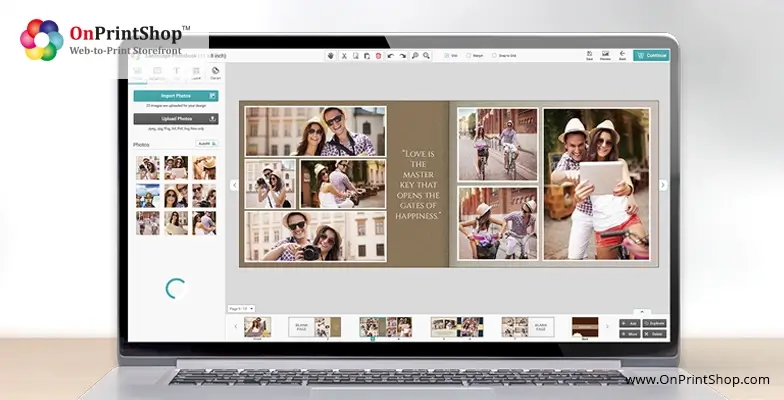
Ziflow
Ziflow positions itself as a proofing platform built for speed. It supports over 1,200 file types - more than most competitors. The annotation tools are detailed, letting reviewers draw, measure, and comment with precision. For print work where exact positioning matters, this level of detail is valuable.
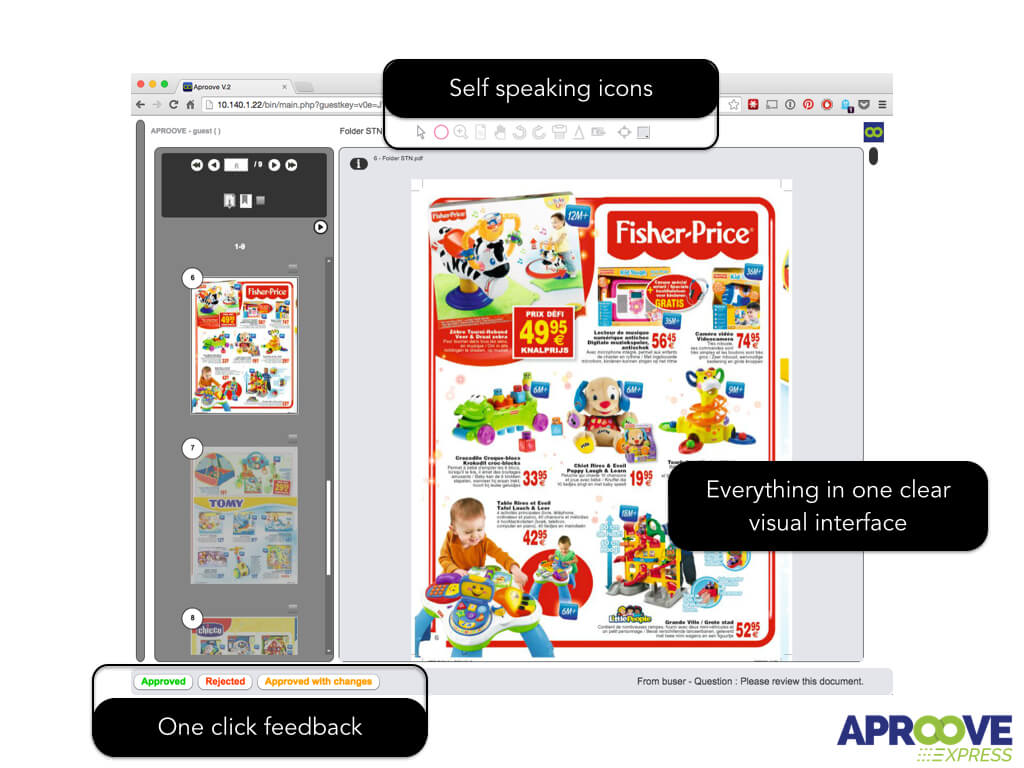
Strengths: Massive file format support, precise annotation tools, fast rendering engine, and good integration options. The comparison view is particularly well-done - you can overlay versions to spot even subtle differences.
Weaknesses: Some users report that the notification system could be more customizable. And like ProofHQ, it's priced for mid-to-large operations.
PageProof
PageProof is a New Zealand-based proofing tool that's gained traction with print and publishing companies worldwide. It offers unlimited users on all plans - a rarity in this space. You pay per project volume, not per seat, which makes it cost-effective for shops with many clients.
Strengths: Unlimited users, clean interface, strong PDF support, and a "smart comparison" feature that highlights differences between versions automatically. The platform also offers a "to-do" system that turns proof comments into actionable tasks.
Weaknesses: Fewer third-party integrations compared to Ziflow or ProofHQ. If your workflow depends on specific project management tools, check compatibility before committing.
ReviewStudio
ReviewStudio is a straightforward proofing tool that focuses on visual content - images, PDFs, videos, and HTML. It's popular with design agencies and print shops that want a no-frills review platform without the complexity of enterprise tools.
Strengths: Simple setup, good annotation tools, support for multiple file types, and a presentation mode that lets you walk clients through proofs in real time. The pricing is accessible for small teams.
Weaknesses: Limited workflow automation. If you need automated routing, approval chains, or complex permission structures, you'll need to handle those manually or pair ReviewStudio with a project management tool.
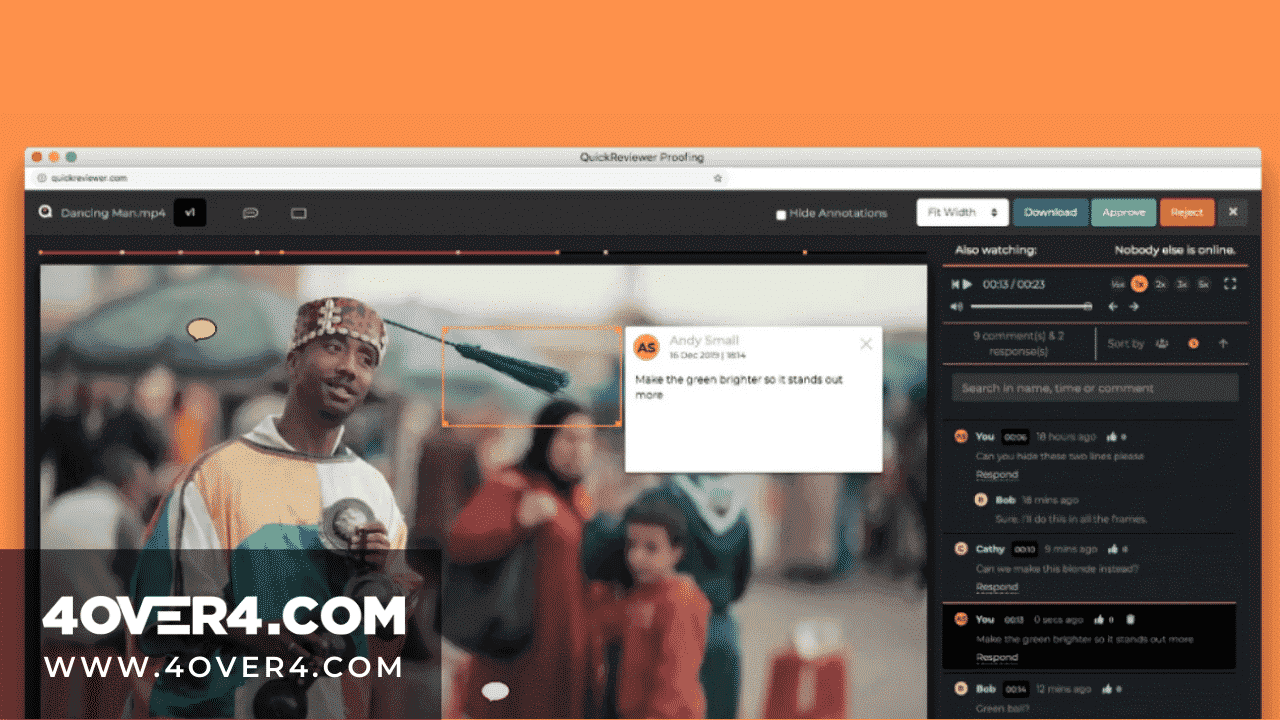
GoVisually
GoVisually is designed specifically for design proofing. It strips away the complexity and gives you a clean canvas for reviewing visual content. Upload a proof, share a link, and collect feedback - that's the core workflow, and it does it well.
Strengths: Extremely easy to use. Clients don't need accounts to leave feedback. The annotation tools are intuitive, and the platform renders PDFs quickly. Great for shops that work with non-technical clients who just need to say "yes" or "change this."
Weaknesses: Limited features beyond basic proofing. No deep integrations, no automated workflows, and the reporting capabilities are minimal. It's a focused tool - great at what it does, but don't expect it to replace your project management system.
For more creative ideas that benefit from a clean proofing process, check out our Diy Greeting Card Design Ideas and Funny Print Ad Examples.
How Online Proofing Fits Into the Print Production Workflow
Proofing software doesn't exist in a vacuum. It sits between design and production - and how well it connects to both determines how much time you actually save.
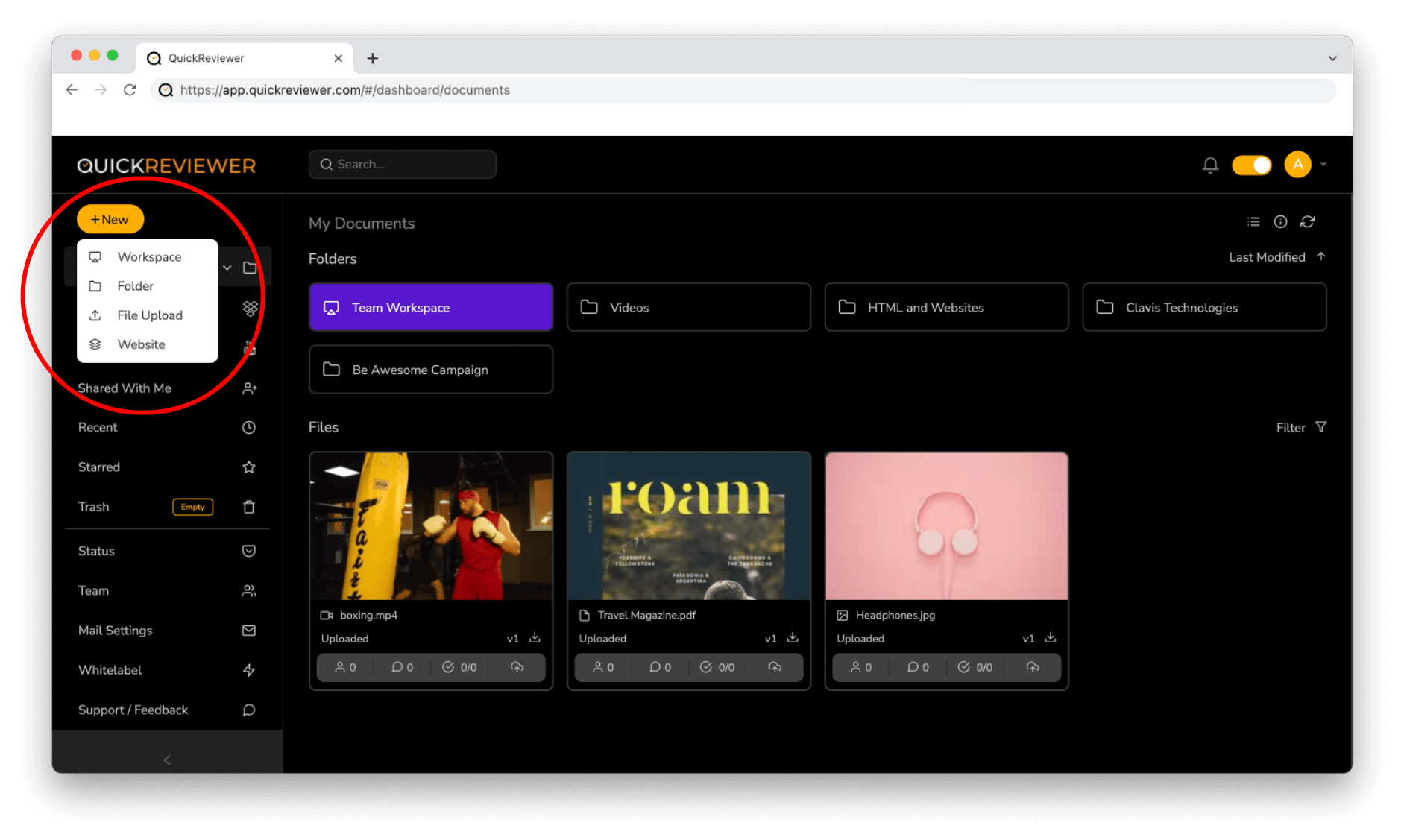
Here's a typical workflow with online proofing integrated:
- Design completion: The designer uploads the finished file to the proofing platform directly from their design tool (or via cloud storage integration).
- Automatic routing: The platform sends the proof to the designated reviewers based on pre-set rules - account manager first, then client.
- Review and annotation: Reviewers leave comments pinned to specific areas of the design. Questions get resolved in threaded conversations.
- Revision cycle: The designer uploads a new version. The platform highlights what changed. Reviewers confirm the fixes.
- Final approval: The client clicks "approve." The platform locks the file and timestamps the approval. Production begins.
The whole cycle can happen in a single afternoon for straightforward jobs. Compare that to the 3-5 day email chain that manual proofing typically requires. When you need speed, 4OVER4 even offers Same Day Printing on select products - but that only works if your proofing process doesn't eat up the timeline.
"Ordered online proofing software guide from 4OVER4 and the quality blew me away. Sharp colors, premium feel, arrived 2 days early."
"Been using 4OVER4 for online proofing software guide for a year. Consistent quality every time. The online designer made it easy."
"Switched to 4OVER4 and saved 40% on online proofing software guide. Better quality than my old printer. 60+ paper options."
"4OVER4's online proofing software guide helped us look more professional. Clients notice the difference."
"The biggest bottleneck in our shop was never the press. It was waiting for client approvals. Online proofing cut that wait time in half."
- David L., Owner of a commercial print shop
Common Mistakes When Implementing Proofing Software
Buying the software is the easy part. Making it work within your existing operations takes more thought. Here are the mistakes print shops make most often:
Not Training Your Clients
You know the tool. Your team knows the tool. But your clients are seeing it for the first time. Send a 2-minute video walkthrough with their first proof. Show them how to leave comments, compare versions, and click "approve." A small investment in client onboarding pays off in faster turnarounds.
Skipping the Approval Lock
Some shops collect verbal approvals or email confirmations instead of using the platform's built-in approval feature. Don't do this. The digital approval creates a timestamped record that protects you when a client claims they never signed off on something. Use it every time.
Overcomplicating the Workflow
Just because a tool offers 7-step approval chains doesn't mean you need them. Start simple. One reviewer, one approver. Add complexity only when the project demands it. Over-engineered workflows slow things down instead of speeding them up.
Ignoring Color Accuracy Limitations
No screen-based proof perfectly matches a printed piece. Online proofing is great for layout, typography, and content accuracy. But color matching still requires calibrated monitors or physical proofs for critical jobs. Make sure your clients understand this limitation upfront. For projects where color precision is non-negotiable, pair digital proofing with a physical proof step.
If you're building a design portfolio that showcases your proofing and production quality, our article on Graphic Design Portfolio Examples has solid inspiration.
Making the Business Case for Online Proofing Software
If you're trying to convince a business partner or manager that proofing software is worth the investment, here are the numbers that matter:
Time savings: Most print shops report cutting their proof-to-approval cycle by 40-60% after implementing online proofing. On a shop running 50 jobs per week, that's hours of reclaimed production time.
Error reduction: When feedback is pinned directly to the design - not described in an email - misinterpretation drops dramatically. Fewer reprints means less wasted material and labor.
Client satisfaction: Clients appreciate a professional proofing process. It signals that you're organized, detail-oriented, and invested in getting their project right. 4OVER4 maintains a 4.8/5 star rating across 10,000+ reviews - and a big part of that comes from getting orders right the first time through careful proofing.
Scalability: Manual proofing works when you're handling 10 jobs a week. At 50 or 100, it breaks down. Software scales with you. Adding a new client doesn't mean adding a new email thread to track.
The cost of most proofing platforms ranges from free (with limited features) to a few hundred dollars per month for full-featured plans. Compare that to the cost of a single reprint job - materials, labor, shipping, and the client relationship damage - and the math is straightforward.
For more insights on print marketing and design, browse our full library of Printing Articles. And to see what finished print products look like when the proofing process goes right, visit the Showcase for real customer examples.
Future Trends in Online Proofing for Print
The proofing software space isn't standing still. Here's what's coming:
AI-powered error detection: Some platforms are already experimenting with AI that flags common print errors automatically - missing bleed, low-resolution images, font issues, and color space problems. Expect this to become standard within the next two years.
Better mobile experiences: As more decision-makers review proofs on tablets and phones, mobile-optimized proofing interfaces are becoming a priority. The platforms that nail mobile review will win market share.
Deeper print MIS integration: Proofing tools are starting to connect directly with print management information systems (MIS), so an approved proof automatically triggers job scheduling and production. This closes the gap between approval and press time.
Augmented reality previews: Imagine a client holding up their phone and seeing how a postcard design looks in their hand before it's printed. AR proofing is still early, but it's on the horizon for high-end print applications.
The print industry moves slower than software, but the shops that adopt these tools early gain a real competitive edge. If you're already using Blank Templates to speed up the design phase, adding proofing software is the logical next step to accelerate your entire workflow.
What to Remember From This Online Proofing Software Guide
- Online proofing software replaces slow email chains with centralized, real-time review platforms where clients and designers collaborate directly on print files.
- The right tool depends on your shop's size and workflow. Lightweight options like GoVisually work for small teams. Enterprise tools like ProofHQ (Adobe Workfront) suit high-volume operations.
- Key features to prioritize: real-time notifications, version comparison, broad file format support, built-in messaging, and security controls.
- Setup matters as much as the tool itself. Train your clients, use digital approvals every time, and don't overcomplicate your workflow.
- 4OVER4 serves 150,000+ businesses with a 4.8/5 star rating - proof that getting the details right before production leads to better outcomes. Explore specialty products like 3D Postcards to see what's possible when proofing and printing align.
- AI-powered error detection and deeper MIS integrations are the next wave. Shops that adopt proofing software now will be positioned to take advantage of these advances as they mature.
-
Notifications – A proper notification system is helpful as collaborators will instantly know when changes have been made. Timely notifications will also significantly enhance proofing speed.
-
Messaging system – Allowing content creators and clients to message each other on the online proofing system prevents miscommunication and allows for chat documentation for easy referencing.
-
Version comparison – You should be able to easily view any changes and make any required iterations quickly and efficiently.
-
File support – There are many types of files made in a creative process, and you want to ensure your proofing solution software supports them.
-
Integration – If you have existing software such as project management, design editing, or communication software, you want your proofing software to be compatible with similar tools.
-
Security – Online proofing tools can give multiple people access to different locations. The correct security feature to manage access and privileges will protect your business.
-
Interface – An easy-to-use software with a simple interface is vital for a smooth-running project.
-
Complete projects faster (think of faster 3D Postcard printing, for example)
-
Fast client feedback
-
Transparent version control
-
Easy to use
-
Make communication visible
-
Missing mobile proofing app
-
Great customer service
-
Seamless communication
-
Automatic reminders
-
An Impressive tracking system
-
Average usability
-
Lack of features
-
No client account required
-
24/7 live support
-
Mobile-friendly
-
Real-time chat
-
Videos not supported
-
Good flexibility
-
Great customer support team members
-
Regular updates
-
User-friendly
-
Poor online help system
-
Lack of high-tech features
-
Great workflow control
-
Users can customize inspection tools
-
Supports all file types
-
Simple interface
-
It can be hard to use
-
Unclear manual
-
Simple to use
-
Novices can use it
-
Good security
-
Easy access to customer profiles
-
Limited amount of distributors
-
You can control video seed volumes
-
You can sort comments by user or time
-
It makes your business a good for finding cheap button printing and other products
-
Less advanced features
Your Questions About Online Proofing Software, Answered
What are the best practices for online proofing software?
Start with a simple approval workflow - one reviewer, one approver. Always use the platform's built-in approval button instead of email confirmations. Train clients with a short walkthrough before their first proof. Set clear deadlines for feedback rounds. And remember that screen proofs don't replace physical proofs for color-critical jobs like Black Postcards where ink density matters.
How do I choose the right online proofing software?
Match the tool to your shop's volume and complexity. Small shops with straightforward jobs do well with GoVisually or Ashore. Mid-size operations benefit from Filestage or Ziflow's deeper feature sets. Enterprise print businesses should look at ProofHQ or Ziflow for automated workflows and advanced integrations. Always check that the platform supports your most common file types - especially multi-page PDFs.
What makes online proofing software effective for marketing?
Marketing campaigns involve multiple stakeholders, tight deadlines, and frequent revisions. An online proofing software guide would tell you that centralized feedback is the key advantage. Everyone sees the same proof, comments are pinned to specific design elements, and version history prevents confusion. This is especially valuable for multi-piece campaigns - like coordinating Custom Booklets, postcards, and flyers that all need to look consistent.
How much should I budget for online proofing software?
Free tiers exist but typically limit users or projects. Paid plans for small teams start around $20-50 per month. Mid-range platforms like Filestage and Ziflow run $50-200 per month depending on features and user count. Enterprise solutions can exceed $500 monthly. Compare the cost against even one reprint caused by a proofing miscommunication - most shops recoup the investment within the first month.