Quick Tips for Designing Conference Badges That Actually Work
Learning how to design conference badges starts with a few non-negotiable basics. Prioritize readability - attendee names should be visible from at least 6 feet away. Use a clean layout with your event logo, the person's name, company, and role. Pick a font size of 24pt or larger for names. 4OVER4 has helped 150,000+ businesses print badges that make networking easier, not harder. Keep colors consistent with your event branding and leave white space so nothing feels cramped.
Why Your Conference Badge Design Matters More Than You Think
Conference badges are the first thing people look at when they meet you. Not your face. Not your outfit. Your badge. It's the icebreaker before the handshake. A poorly designed badge makes networking awkward - squinting at tiny text, flipping it over to find a name. A well-designed badge does the opposite. It starts conversations.

Understanding how to design conference badges gives you control over the attendee experience from the moment people walk through the door. Whether you're organizing a 50-person workshop or a 2,000-person industry summit, the badge sets the tone. Just like knowing How To Fold A Brochure matters for your printed collateral, badge design is a skill worth learning.
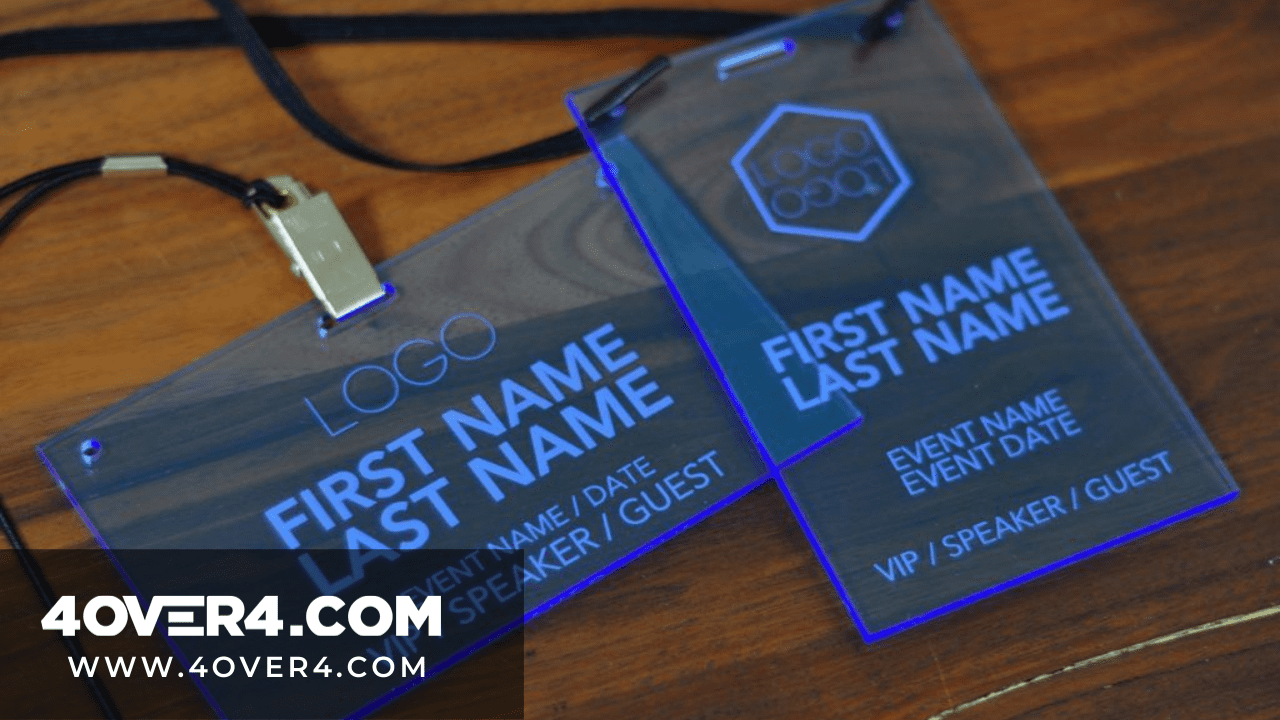
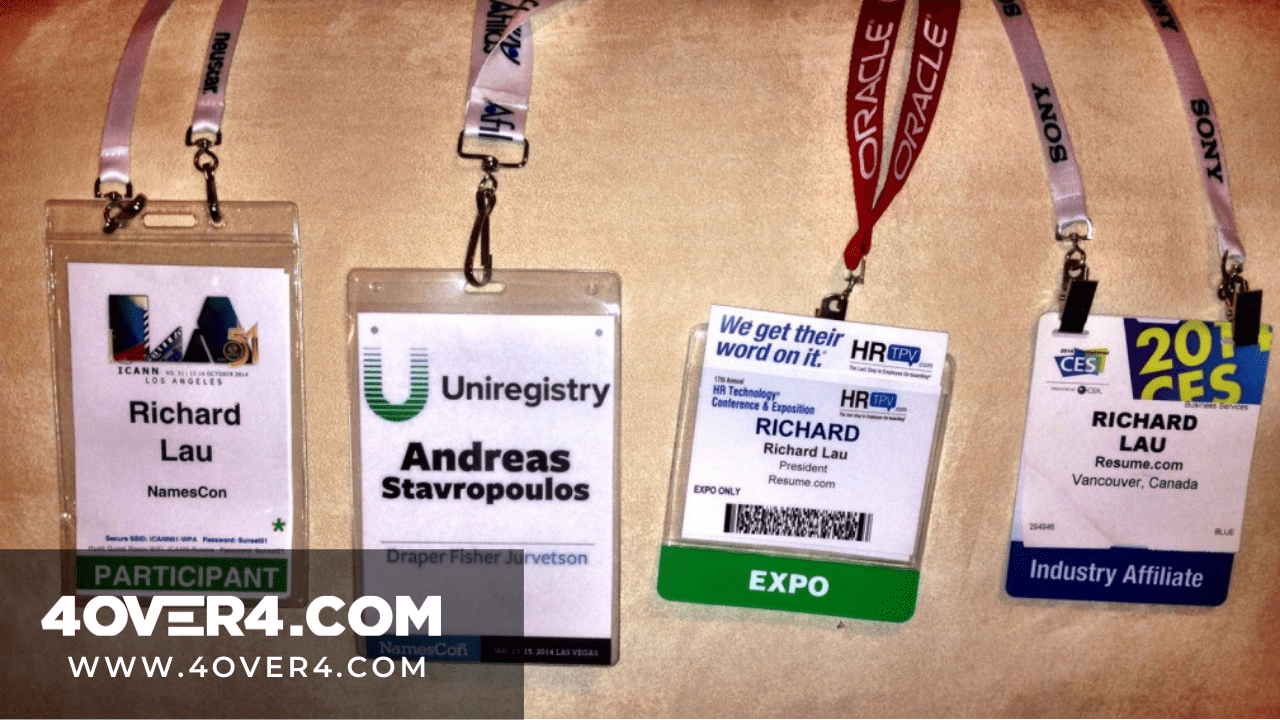
4OVER4 offers Design Templates that make badge creation fast - even if you've never designed one before. And if you're handling other event materials, you might also find our guide on How To Clean Rubber Stamps helpful for custom stamp projects. Let's walk through everything you need to create badges that attendees actually appreciate.
"Event Badges /5"
| Quantity | Price Per Unit |
|---|---|
| 25 | $2.00 |
| 200 | $0.78 |
| 750 | $0.55 |
| 5,000 | $0.40 |
Ink Color
Hole / Slot
Personalization (Names, #, etc)
Rounded Corners
Lanyard
Proof Options
Step-by-Step: Building Conference Badges From Scratch
Designing conference badges isn't complicated, but it does require intentional choices. Every element - from font size to color coding - affects how easily attendees connect with each other. Here's a complete breakdown of the process, from planning to print-ready files.
Start With the Right Badge Dimensions
Most conference badges fall into one of three standard sizes: 3.5" x 2.25" (similar to a business card), 4" x 3" (the most common name badge size), or 4" x 6" (for events that need extra information or sponsor logos). Your choice depends on how much content you need to display.
For a straightforward networking event, the 4" x 3" size hits the sweet spot. It's large enough to read from a comfortable distance but small enough to clip to a lanyard without feeling bulky. If your event includes multiple tracks, breakout sessions, or VIP tiers, go with the 4" x 6" format - you'll need the extra real estate.
Before you start designing, check out Blank Templates to grab a properly sized file with bleed marks and safe zones already set up. This saves you from the most common rookie mistake: designing content that gets cut off during trimming.
Blank Templates
Establish Your Visual Hierarchy
Here's the golden rule of badge design: the attendee's name is the most important element. Everything else is secondary. Structure your badge content in this order of visual priority:
- First name - largest text on the badge, 28-36pt minimum. Make it bold.
- Last name - slightly smaller, 20-24pt. Same font family, regular weight.
- Company or organization - 14-16pt. This gives context during introductions.
- Title or role - 12-14pt. Helps people gauge relevance for conversation.
- Event logo and name - positioned at the top or bottom, not competing with the attendee name.
A common mistake is making the event logo the dominant element. Your attendees already know what event they're at. They don't know who the person standing in front of them is. Keep the logo present but proportional - roughly 15-20% of the badge area at most.
Choose Fonts That Read From a Distance
Readability from 6 feet away is your benchmark. If someone can't read a badge from conversational distance, the design fails. Stick with sans-serif fonts for names: Helvetica, Arial, Open Sans, Montserrat, or Lato. These are clean, modern, and highly legible at any size.
Avoid script fonts, thin weights, or decorative typefaces for any critical information. Save those for decorative elements if you need them. Use a maximum of two font families on the entire badge - one for names and titles, another for secondary details or the event name.
Test your design by printing a sample and holding it at arm's length. If you can't read the first name instantly, increase the size. This simple test catches problems that look fine on screen but fail in person. For more design tips across different print materials, browse our Faq Hub for step-by-step guides.
Use Color Coding to Organize Attendees
Color-coded badges are a big deal for large conferences. Assign distinct colors to different attendee types - speakers, sponsors, VIPs, general attendees, press, volunteers. This lets staff identify who belongs where without checking lists, and it helps attendees find the right people to talk to.
Keep your color palette to 4-6 distinct colors maximum. More than that creates confusion instead of clarity. Use high-contrast combinations: dark text on light backgrounds, or white text on dark-colored sections. Avoid red text on green backgrounds or similar low-contrast pairings that are hard for colorblind attendees to distinguish.
A simple approach: keep the badge background white or light gray, and use a colored strip or banner across the top or bottom to indicate attendee category. This preserves readability while making categories instantly recognizable across a crowded room.
Add Functional Elements That Earn Their Space
Every element on your badge should serve a purpose. If it doesn't help attendees network or handle the event, cut it. Here are functional additions worth considering:
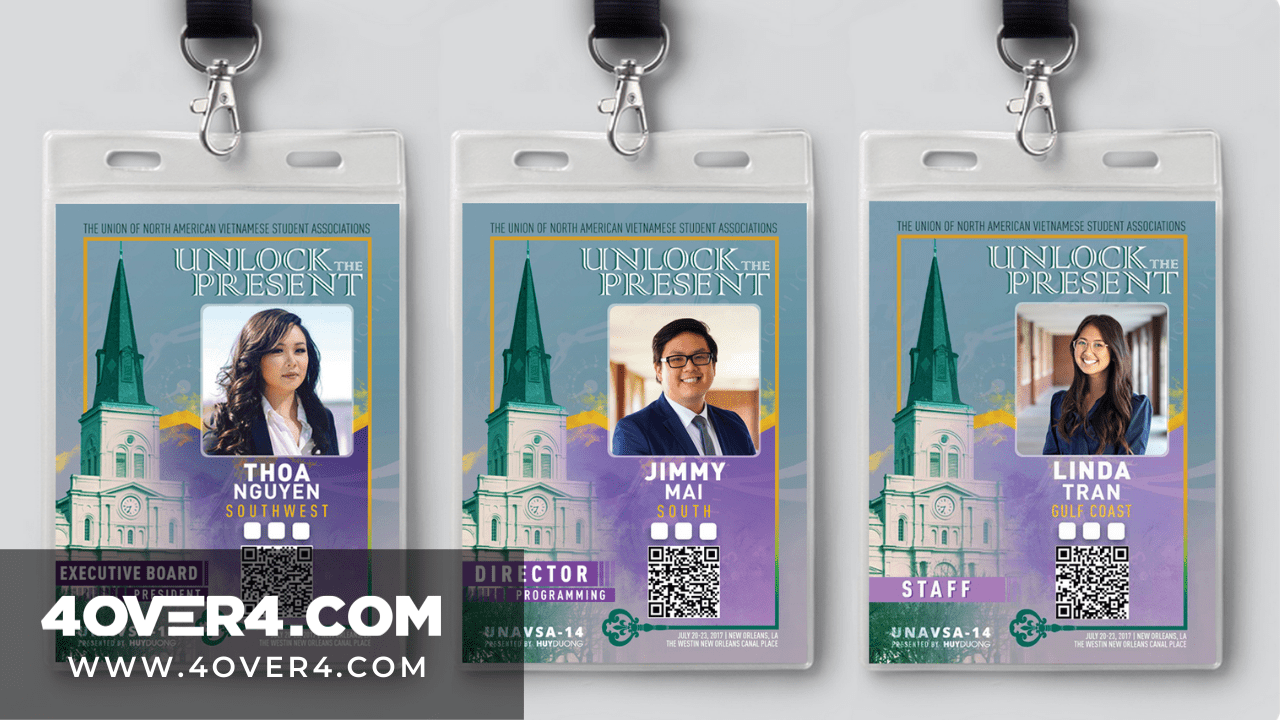
- QR code - links to the attendee's LinkedIn profile, digital business card, or event app profile. This replaces the old-school business card exchange and keeps connections digital.
- Pronouns - a small line under the name (he/him, she/her, they/them) shows inclusivity and prevents awkward moments.
- Session track indicators - small icons or colored dots showing which breakout sessions an attendee registered for.
- Wi-Fi credentials - print the network name and password on the back. Attendees will thank you.
Skip elements like lengthy bios, full addresses, or multiple phone numbers. A badge isn't a resume. It's a conversation starter. If you're also creating directional signage for your event, Custom Aluminum Signs work great for wayfinding in larger venues.
Design for Print: File Setup and Specifications
Once your design looks good on screen, you need to prepare it for print. This is where many event organizers stumble. Here's what your print-ready file needs:
Set your document to CMYK color mode, not RGB. RGB is for screens. CMYK is for print. Colors will shift if you submit an RGB file - that bright blue on your monitor might print as a dull navy. Set resolution to 300 DPI minimum. Anything lower will look fuzzy or pixelated when printed.
Add 0.125" bleed on all sides. This means your background colors and images extend past the trim line, so you don't end up with thin white edges after cutting. Keep all critical text and logos at least 0.125" inside the trim line (the safe zone).
Export your final file as a press-quality PDF. Flatten any transparency effects and embed all fonts. If you're using variable data (different names on each badge), prepare a spreadsheet with attendee information that maps to your template fields. Similar to how you'd set up How To Make Flyers for print, the file prep fundamentals stay the same.
Pick the Right Badge Material and Finish
The material you choose affects both the look and durability of your conference badges. For a one-day event, standard cardstock works fine. For multi-day conferences, you'll want something sturdier that holds up to repeated handling, lanyard clips, and the occasional coffee spill.
Consider these options based on your event type:
- Standard cardstock (14pt-16pt) - budget-friendly, great for single-day events or workshops
- Thick cardstock (32pt) - feels sturdy and premium, perfect for multi-day conferences where badges get handled constantly
- Laminated badges - water-resistant, tear-resistant, and they look polished. Ideal for outdoor events or conferences spanning 3+ days
- PVC or plastic badges - the most durable option, reusable for recurring events
4OVER4 prints Event Badges on a range of stocks so you can match the material to your event's needs and budget. If you're handling other printed materials for your event, check out How To Make Envelopes for invitation packaging or Custom Magnets Faq for branded giveaways.
Free Design Templates:
Variable Data Printing: Personalizing Each Badge
Unless your conference has 10 attendees, you're not designing badges one at a time. Variable data printing lets you create a single badge template and automatically populate each badge with unique attendee information from a spreadsheet.
Prepare your data file with these columns: First Name, Last Name, Company, Title, Attendee Type (for color coding), and any other variable fields your design includes. Clean the data before uploading - check for typos, inconsistent formatting, and missing fields. Nothing undermines a professional event faster than a misspelled name on a badge.
Double-check name lengths. Some attendees will have short names (Li Chen), others will have long ones (Bartholomew Worthington III). Your design needs to handle both without breaking the layout. Set a maximum character count for each field and test with the longest names in your data set.
Here are templates to help you get started with your conference badge designs:
Badge Design Pitfalls That Ruin the Attendee Experience
Even experienced event planners make these mistakes when designing conference badges. Avoid them and you'll save yourself reprints, complaints, and wasted budget.
- Text too small - if the first name isn't readable from 6 feet, it's too small. Period. This is the number one complaint at conferences.
- Oversized logos - your event logo shouldn't dominate the badge. Attendees need to read names, not admire branding.
- No bleed in the file - submitting files without bleed results in white edges or cropped text. Always add 0.125" bleed.
- RGB color mode - designing in RGB instead of CMYK means your printed colors won't match what you saw on screen.
- Ignoring badge orientation - badges on lanyards flip and rotate. Consider printing key info on both sides, or use a badge holder that prevents flipping.
- Dirty data - misspelled names destroy credibility. Proofread your attendee spreadsheet twice before submitting.
4OVER4 prints with 99.8% on-time delivery, so your badges arrive when you need them. But getting the design right on your end is just as important as the print quality.
Conference Badge Printing Options at 4OVER4
Once you've nailed your design, printing is the easy part. 4OVER4 offers Event Badges built for conferences of any size. With 150,000+ businesses trusting 4OVER4 for their print needs, you're in good company.
Need badges fast? Check out Same Day Printing for rush orders. And if you're also ordering networking cards for your speakers, grab Free Business Cards to pair with your badge order.
Here's a look at pricing, specifications, and what other event organizers are saying about their Free Business Cards and badge orders:
Free Design Templates
Ink Color
Hole / Slot
Personalization (Names, #, etc)
Rounded Corners
Lanyard
Proof Options
"Ordered how to design conference badges from 4OVER4 and the quality blew me away. Sharp colors, premium feel, arrived 2 days early."
"Been using 4OVER4 for how to design conference badges for a year. Consistent quality every time. The online designer made it easy."
"Switched to 4OVER4 and saved 40% on how to design conference badges. Better quality than my old printer. 60+ paper options."
"4OVER4's how to design conference badges helped us look more professional. Clients notice the difference."
Common Questions About Designing Conference Badges
What size should conference badges be?
The most popular conference badge size is 4" x 3". It's large enough for readable text and small enough to wear comfortably on a lanyard. For events with extra information like session tracks or sponsor logos, use 4" x 6" badges instead.
What font size works best for names on badges?
Use 28-36pt for first names and 20-24pt for last names. The goal is readability from 6 feet away. Sans-serif fonts like Helvetica, Open Sans, or Montserrat work best because they stay legible at distance.
Should I design conference badges in RGB or CMYK?
Always design in CMYK color mode for print. RGB is for digital screens and will cause color shifts when printed. Your bright on-screen blue could print as a muted navy if you submit an RGB file.
How do I handle variable data for hundreds of badges?
Create one badge template and prepare a spreadsheet with columns for First Name, Last Name, Company, Title, and Attendee Type. Variable data printing pulls from this file to personalize each badge automatically. Clean your data for typos before submitting.
What's the best badge material for a multi-day conference?
For conferences lasting 2-3 days, thick cardstock (32pt) or laminated badges hold up best. Standard 14pt cardstock works for single-day events but can bend and wear over multiple days of handling.
How far in advance should I order conference badges?
Order at least 2-3 weeks before your event to allow time for design review, proofing, and shipping. 4OVER4 delivers with 99.8% on-time reliability. For last-minute needs, same-day printing options are available for rush orders.
Can I add QR codes to conference badges?
Yes, and you should. QR codes linking to attendee LinkedIn profiles or digital contact cards make networking faster. Keep the QR code at least 0.75" x 0.75" so it scans reliably. Test the code before printing your full batch.
How do I color-code badges for different attendee types?
Assign a distinct colored banner or strip to each attendee category - speakers, sponsors, VIPs, general attendees, press. Stick to 4-6 colors maximum and use high-contrast combinations. Map colors to your attendee type column in the variable data spreadsheet.