What You Need to Know Before Making Custom Signs
Learning how to make custom signs starts with picking the right material, sizing your design for the intended viewing distance, and choosing a print method that holds up in your environment. 4OVER4 has printed over 10 billion cards and print products for more than 150,000+ businesses, so the process is built around getting your sign right the first time. Here's what matters most.
Your Starting Point for Custom Sign Design
"Aluminum A-Frames /5"
Frame Options
Frame Size
Frame Material
Frame Color
Printed Side
Proof Options
Custom signs do a lot of heavy lifting. They pull foot traffic into storefronts, mark booth locations at trade shows, direct visitors through events, and put your brand in front of people who haven't heard of you yet. The good news? You don't need a design degree to make one that works.
"Dry Erase Signicade /5"
Frame Size
Frame Material
Frame Color
Finish
Printed Side
Proof Options
This guide walks you through how to make custom signs from scratch - from choosing materials and sizing to setting up your file for print. Whether you're building an A-frame sidewalk sign or a mounted aluminum panel, the steps are the same core process. If you're working on other print projects alongside your signage, you might also find our guides on Custom Magnets Faq and How To Make Envelopes helpful.
"Metal Rod A-Frames /5"
Frame Options
Frame Size
Frame Material
Frame Color
Printed Side
Grommets
Proof Options
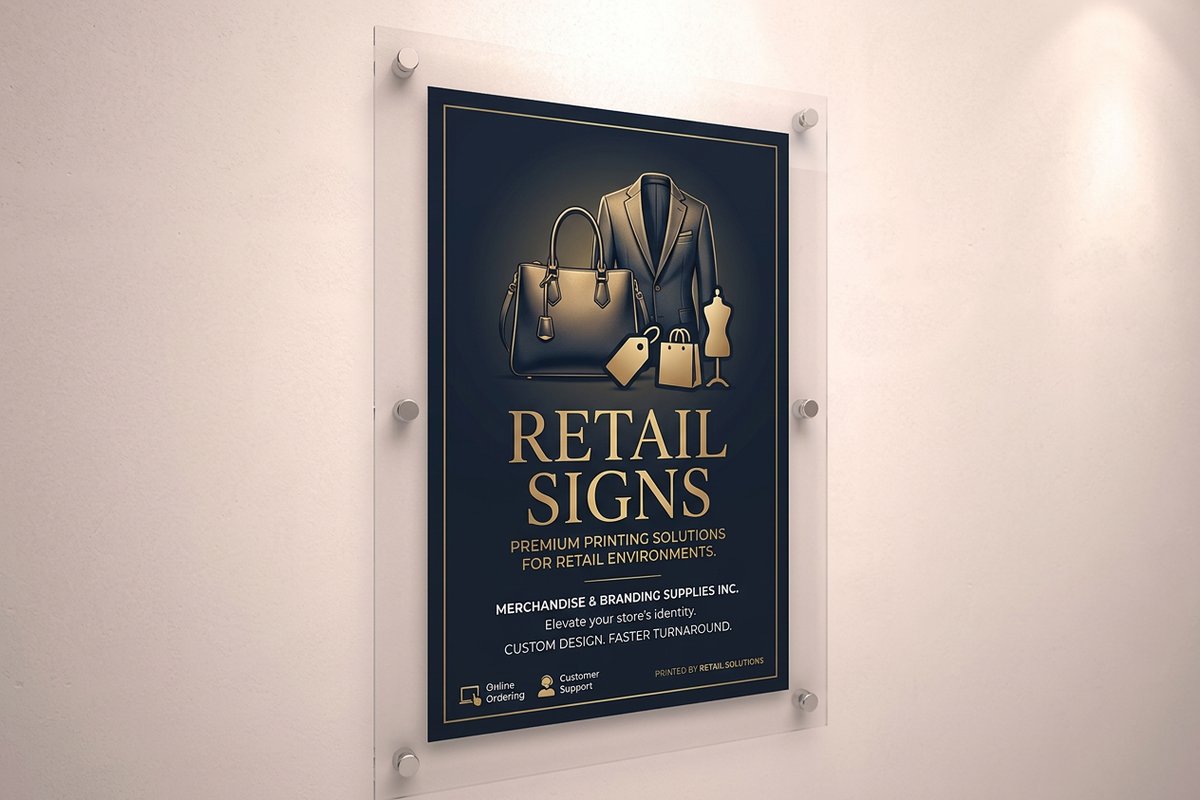
Below, you'll find some of 4OVER4's most popular sign products to get you started.
Step-by-Step: Building a Custom Sign That Gets Noticed
Step 1 - Define Your Sign's Purpose and Placement
Before you open any design software, answer two questions. What do you want this sign to do? And where will it live?
A real estate yard sign has different requirements than a restaurant menu board. An outdoor banner at a 5K race needs weather-resistant material. A directional sign inside a conference center just needs to be readable from 20 feet away.
Purpose drives every decision that follows. A sign meant to attract walk-in customers needs bold colors, large text, and high contrast. A sign that sits at a checkout counter can use smaller type and more detail because people are standing right in front of it.
Write down these specifics before you start designing:
- Indoor or outdoor placement (this determines material choice)
- Viewing distance - how far away will most people be when they read it?
- Duration - is this a permanent installation or a weekend event sign?
- Single message or double-sided visibility
For more ideas on complementary print materials, check out the Faq Hub where 4OVER4 covers dozens of product types.
Step 2 - Choose the Right Sign Material
Material choice makes or breaks your sign. Here's a quick breakdown of the most common options and when each one works best.
Aluminum signs are the go-to for long-term outdoor use. They resist rust, hold up in rain and sun, and look professional for years. If you need something that lasts through seasons, Custom Aluminum Signs from 4OVER4 are a strong pick.
Corrugated plastic (Coroplast) is lightweight and cheap. Perfect for yard signs, political campaigns, and short-term promotions. It handles rain fine but won't last more than a few months in direct sunlight before colors start to fade.
Foam board works great indoors. Think trade show displays, point-of-sale signs, and office directories. It's rigid enough to stand on an easel but not built for weather exposure.
Vinyl banners give you the biggest canvas for the lowest cost per square foot. Grommets along the edges let you hang them from fences, buildings, or banner stands. They roll up for easy transport and reuse.
Acrylic and PVC offer a polished, modern look for interior signage. Lobbies, waiting rooms, and retail displays benefit from the clean edges and slight sheen these materials provide.
"We ordered aluminum signs for all six of our restaurant locations. They've been outside for over a year now and still look brand new. The colors haven't faded at all."
- Marcus L., restaurant owner, ★★★★★
Step 3 - Size Your Sign for Readability
The number one mistake people make with custom signs? Text that's too small. A sign nobody can read is just expensive decoration.
Here's a rule of thumb that works: for every 10 feet of viewing distance, your letters need to be at least 1 inch tall. So a sign meant to be read from 50 feet away needs headline text that's at least 5 inches tall.
Common sign sizes and their best uses:
- 12" x 18" - directional signs, desk signs, small retail displays
- 18" x 24" - yard signs, real estate signs, event markers
- 24" x 36" - storefront window signs, trade show panels
- 36" x 48" and larger - building-mounted signs, banner stands, large outdoor displays
When in doubt, go bigger. You can always add more white space to a larger sign. You can't make a small sign readable from farther away.
Step 4 - Design Your Sign File
You've got your purpose, material, and size locked in. Now it's time to design. You have a few paths here.
Use a template. 4OVER4 offers blank templates sized to exact print specifications. Templates include bleed lines, safe zones, and trim marks already set up - so you don't have to guess. If you've ever made How To Make Flyers, the file setup process is nearly identical.
Design from scratch. Use Adobe Illustrator, Photoshop, InDesign, or free tools like Canva. Just make sure you're working in CMYK color mode (not RGB) and your resolution is at least 150 DPI for large-format signs or 300 DPI for smaller ones.
Blank Templates
Key design principles for signs that actually work:
- Limit your fonts to two. One for headlines, one for body text. More than that looks cluttered.
- High contrast is non-negotiable. Dark text on light backgrounds or white text on dark backgrounds. Avoid putting yellow text on white or dark blue on black.
- Leave breathing room. Don't cram text to the edges. Keep important content at least 0.5 inches from any trim line.
- One clear call to action. Phone number, website, QR code, or "Open" - pick one and make it big.
If you're juggling multiple print projects at once, you might also want to learn How To Fold A Brochure for any handout materials that go alongside your signage.
Step 5 - Prepare Your File for Print
File prep is where DIY signs either come together or fall apart. Here's your checklist:
- Bleed: Extend your background color or image 0.125" (1/8 inch) past the trim line on all sides. This prevents white edges after cutting.
- Safe zone: Keep all text and logos at least 0.125" inside the trim line.
- Resolution: 150 DPI minimum for signs viewed from 5+ feet. 300 DPI for anything viewed up close.
- Color mode: CMYK for full-color printing. Spot colors (Pantone) if your brand requires exact color matching.
- File format: PDF is the safest. AI, EPS, and PSD also work with most printers.
Outline your fonts. This is the step most people skip, and it causes the most problems. When you outline (or "flatten") fonts, you convert text into vector shapes. That means the printer doesn't need your specific font file installed to print your sign correctly.
Step 6 - Choose Your Print and Finish Options
Once your file is ready, you'll select print specifications. For signs, the main decisions are:
Single-sided vs. double-sided. A-frame signs and hanging signs benefit from double-sided printing. Wall-mounted signs only need one side.
Finish type. Matte finishes reduce glare - great for outdoor signs in direct sunlight. Gloss finishes make colors pop and work well for indoor retail displays.
Mounting and hardware. Some signs come with grommets, H-stakes, or stand hardware. Decide what you need before ordering so everything arrives together.
4OVER4 offers 1,000+ products across their catalog, so you can match sign materials with other branded items like stamps and labels. Speaking of maintenance, if you use rubber stamps alongside your signage for branding, here's a guide on How To Clean Rubber Stamps.
Step 7 - Review, Proof, and Order
Don't skip the proof. Seriously. Read every word on your sign out loud. Check phone numbers by dialing them. Verify URLs by typing them into a browser. Have someone who hasn't seen the design look at it with fresh eyes.
Common things people miss during proofing:
- Misspelled business names (it happens more than you'd think)
- Wrong phone numbers or outdated addresses
- Low-resolution logos that looked fine on screen but print blurry
- Text too close to the edge that gets trimmed off
Once you're confident, upload your file and place your order. 4OVER4 provides a digital proof so you can see exactly how your sign will look before it goes to press.
Below you'll find some ready-to-use sign templates to speed up your design process.
Pitfalls That Ruin Custom Signs (and How to Dodge Them)
Even experienced designers trip up on these. Here are the most common mistakes when learning how to make custom signs - and simple fixes for each.
- Using RGB instead of CMYK. Your screen displays RGB. Printers use CMYK. Colors shift if you don't convert. That bright red on your monitor? It might print as a muddy maroon.
- Ignoring bleed and safe zones. No bleed means white edges. Text in the bleed zone means chopped-off words. Follow the template guides exactly.
- Too much information. A sign isn't a brochure. People glance at signs for 3-5 seconds. If your message takes longer than that to absorb, cut it down.
- Choosing the wrong material for the environment. Foam board outside in the rain? It'll warp in a day. Match your material to where the sign will actually live.
- Skipping the proof. 4OVER4 sends you a digital proof for a reason. One typo on 50 signs is an expensive mistake. Always review it.
Best Sign Products to Bring Your Design to Life
Now that you know how to make custom signs, here are the products that get ordered most. Whether you need a sidewalk A-frame or a permanent mounted panel, 4OVER4 has you covered with Same Day Printing on select items.
Building a brand from scratch? Start with Free Business Cards to pair with your new signage - because every sign should point people somewhere, and a card in their hand keeps you top of mind.
Looking for a no-cost way to test 4OVER4's print quality before committing to a large sign order? Grab a sample pack of Free Business Cards and see the paper stock, color accuracy, and finish options firsthand.
"I ordered A-frame signs for my salon's grand opening and paired them with free business cards. Customers kept the cards and three of them booked appointments that same week."
- Danielle R., salon owner, ★★★★★
Here's what real customers are saying about their sign orders.
Free Design Templates
"Ordered how to make signs from 4OVER4 and the quality blew me away. Sharp colors, premium feel, arrived 2 days early."
"Been using 4OVER4 for how to make signs for a year. Consistent quality every time. The online designer made it easy."
"Switched to 4OVER4 and saved 40% on how to make signs. Better quality than my old printer. 60+ paper options."
"4OVER4's how to make signs helped us look more professional. Clients notice the difference."
Common Questions About Making Custom Signs
What file format should I use for custom sign printing?
PDF is the most reliable format for sign printing. It preserves fonts, colors, and layout exactly as you designed them. 4OVER4 also accepts AI, EPS, and PSD files. Always outline your fonts and set your color mode to CMYK before exporting.
What resolution do I need for a large custom sign?
For signs viewed from 5 feet or more, 150 DPI is the minimum. For smaller signs or anything viewed up close (counter displays, desk signs), use 300 DPI. Higher resolution means sharper text and crisper images.
How do I choose between aluminum and corrugated plastic signs?
Aluminum is best for permanent outdoor signage - it resists rust and UV fading for years. Corrugated plastic (Coroplast) is the budget-friendly option for temporary use like yard signs, event markers, and short-term promotions that last a few months.
Can I design a custom sign without professional software?
Yes. Free tools like Canva work fine for basic sign designs. 4OVER4 also provides blank templates with bleed lines and safe zones already built in, so you just drop in your content. For complex designs with vector graphics, Adobe Illustrator gives you the most control.
How long does it take to get custom signs printed and delivered?
Turnaround depends on the product and quantity. Many sign products at 4OVER4 ship within a few business days of proof approval. Select items qualify for expedited production if you're working against a deadline.
What's the biggest mistake people make when designing custom signs?
Cramming too much text onto the sign. People glance at signs for 3-5 seconds. If your message can't be absorbed in that window, it won't work. Stick to one headline, one call to action, and as few words as possible. Let white space do the heavy lifting.
"I redesigned our storefront sign using the tips in 4OVER4's guide and cut my text by half. Foot traffic actually went up because people could finally read it from across the street."
- Kevin W., retail shop owner, ★★★★☆