Quick Guide: Holographic Business Cards That Actually Get Kept
Learning how to make holographic business cards starts with picking the right foil finish, designing around the light-catching effect, and printing on thick card stock. 4OVER4 has printed over 10 billion cards and offers holographic options trusted by 150,000+ businesses. The key? Let the holographic effect do the heavy lifting. Keep your design clean, your text readable, and your stock thick enough to feel premium in someone's hand.
Holographic Business Cards
Starting from $251.36
Order Premium Holographic Business Cards Printing
Free Design Templates:
Why Holographic Cards Grab Attention (and Don't Let Go)
A holographic business card shifts colors when tilted under light. That rainbow shimmer forces people to pause, tilt, and actually look at your card. In a stack of plain white rectangles, yours is the one that gets pulled out again.
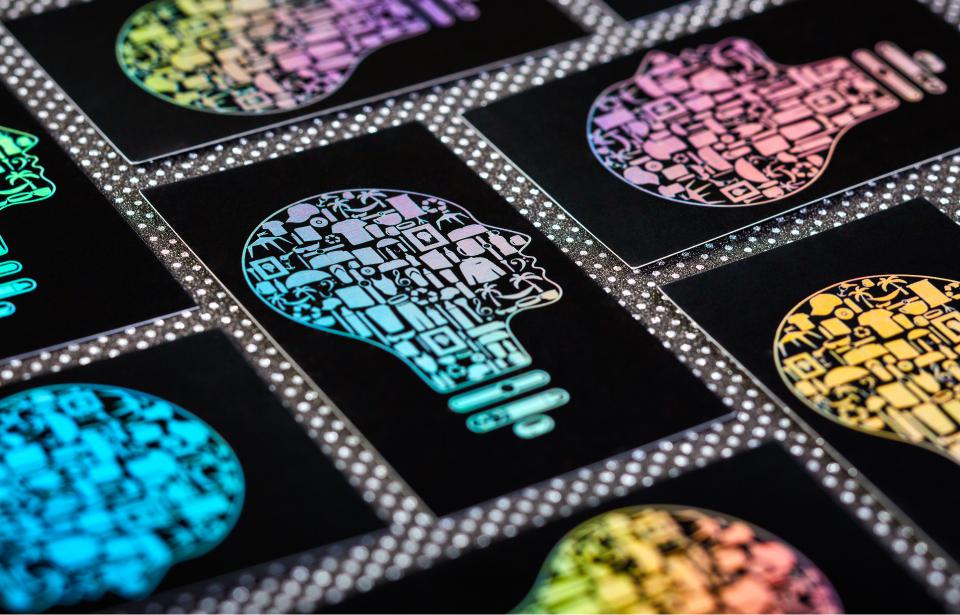
If you're in AI, fashion, entertainment, design, or any creative field, this isn't just a nice touch. It's a brand statement. The holographic effect turns a simple introduction into a memorable moment. 4OVER4 makes the process straightforward with tools like the Online Designer for building your layout from scratch, plus Blank Templates sized to exact print specs.
Not sure where to start? You can also submit a Custom Projects request if your design needs something beyond the standard options. With 10,000+ reviews and a 4.8/5 star rating, 4OVER4 is built to handle exactly this kind of print job.
"Holographic Business Cards /5"
| Quantity | Price Per Unit |
|---|---|
| 250 | $1.01 |
| 500 | $0.65 |
| 1,000 | $0.38 |
| 2,000 | $0.37 |
Ink Color
Die Cutting
Foil Stamping
Embossing
Debossing
Spot UV
Edge Painting
Edge Gilding (Foil)
Rounded Corners
Proof Options
"Raised Holographic Business Cards /5Paper Type16pt Velvet Laminated CoverInk Color4/0 : 4 Color Front; Blank Back4/4 : 4 Color Both SidesFoil ColorRaised Holographic FoilFoil SideFoil On FrontFoil on "
Step-by-Step: Designing and Printing Holographic Business Cards
Making holographic business cards isn't complicated, but it does require some specific design thinking. The holographic foil reacts to light differently than ink on paper. Your design needs to work with that effect, not fight against it. Here's exactly how to get it right from concept to finished card.
Understanding the Holographic Effect
Holographic foil is a thin metallic layer stamped onto card stock. When light hits the surface, it refracts into a spectrum of colors - rainbow shifts that change depending on the viewing angle. This isn't a printed gradient or a digital trick. It's a physical foil application that creates real, tangible light play.
There are two main approaches. Full holographic coverage wraps the entire card face in shimmer. Selective holographic foil applies the effect only to specific elements - your logo, your name, a border, or a pattern. Most designers prefer selective application because it creates contrast between the holographic elements and the rest of the card. That contrast is what makes the design pop.
"I handed out my holographic cards at a tech conference and three people immediately asked where I got them. The rainbow effect on my logo was the perfect conversation starter."
- Derek L., ★★★★★
If you're exploring other creative print projects, the Faq Hub covers dozens of how-to topics for different products and finishes.
Choosing Your Card Stock and Finish
The card stock underneath your holographic foil matters more than you'd think. A flimsy card with beautiful foil still feels cheap. You want thick, rigid stock that gives weight to the visual effect.
Go for at least 16pt card stock. That's roughly credit card thickness. If you want something that truly impresses, 32pt ultra-thick stock is about three times the thickness of a standard business card. When someone takes your holographic card, the weight tells them this isn't a throwaway. It's worth keeping.
For the base finish, matte backgrounds create the strongest contrast with holographic foil. The matte surface absorbs light while the foil reflects it, making those rainbow elements jump off the card. Glossy backgrounds can compete with the foil's shine and reduce the overall impact.
If you're working on other print materials alongside your cards, check out guides on How To Make Flyers and How To Fold A Brochure for matching collateral.
Designing for Holographic Foil
Here's where most people go wrong. They design a regular business card and then try to add holographic foil on top. That's backwards. You need to design around the foil from the start.
Keep it simple. Holographic foil is already visually loud. If your design is also busy with multiple fonts, complex illustrations, and dense text, the card becomes chaotic. Pick one or two elements for the holographic treatment and let them breathe.
Best elements for holographic foil application:
- Your logo - the single most impactful use of holographic foil on a business card
- Your name or title - makes your identity literally shine
- A border or frame - adds elegance without overwhelming the layout
- A geometric pattern - works great for tech, fashion, and creative brands
- An accent line or divider - subtle but effective for a professional look
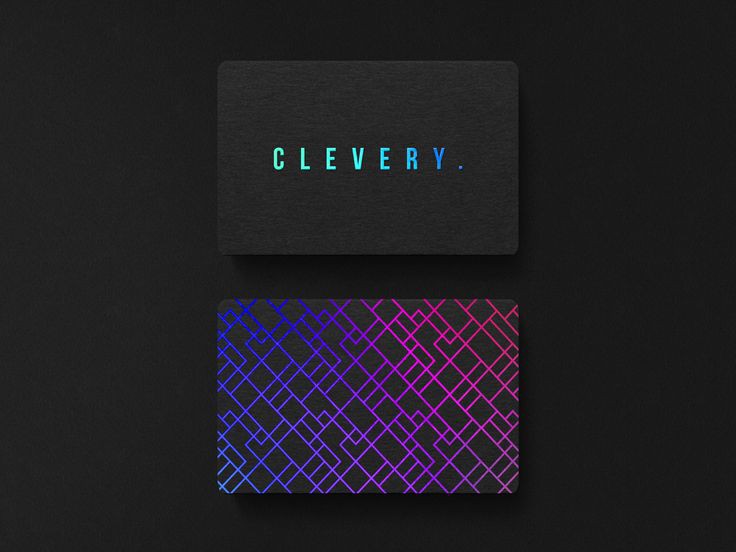
Use dark backgrounds. Black, navy, charcoal, and deep burgundy create the most dramatic contrast with holographic foil. The dark surface makes the rainbow effect look vivid and intentional. White backgrounds work too, but the effect is softer and more subtle.
Mind your typography. Thin, delicate fonts can get lost in the holographic shimmer. Use bold, clean typefaces for any text that gets the foil treatment. Sans-serif fonts at medium to heavy weights work best. Your phone number and email should stay in regular ink for readability.
Setting Up Your Print File
Your print file for holographic business cards typically needs two layers. The first layer is your standard card design - background color, text, images, all in CMYK color mode. The second layer is your foil mask, which tells the printer exactly where to apply the holographic foil.
The foil mask is usually a separate file or layer in solid black. Anywhere the mask is black, foil gets applied. Anywhere it's white, no foil. Keep the mask clean with sharp edges. Fuzzy or feathered edges don't translate well to foil stamping.
Standard business card dimensions are 3.5 x 2 inches with a 0.125-inch bleed on all sides. Your final file should be 3.75 x 2.25 inches. Keep all text and important elements at least 0.125 inches inside the trim line. Download Blank Templates to get the exact specifications for your card size.
Blank Templates
Set your resolution to 300 DPI minimum. Export as PDF with fonts embedded or outlined. If you're using Adobe Illustrator, convert all text to outlines before exporting. In Photoshop, flatten your image layers but keep the foil mask layer separate.
Industries That Benefit Most from Holographic Cards
Holographic business cards aren't for every business. A law firm or accounting practice might find them too flashy. But for the right industries, they're a competitive edge.
Tech and AI companies use holographic cards to signal new idea. The futuristic look matches the brand identity perfectly. A startup founder handing out a holographic card at a pitch event communicates that their company is forward-thinking before they say a single word.
Fashion and beauty brands thrive on visual impact. A holographic card from a stylist, makeup artist, or boutique owner feels like an extension of their aesthetic. It tells potential clients they care about presentation down to the smallest detail.
DJs, photographers, and entertainers need cards that match their energy. A plain white card from a DJ feels wrong. A holographic card that catches stage light? That's on brand.
Graphic designers and creative agencies use holographic cards as a portfolio piece in miniature. The card itself demonstrates their design sensibility. If you're selling creative services, your card better look creative.
"As a fashion brand owner, my holographic cards match our entire aesthetic. Clients keep them in their wallets instead of tossing them. That's exactly the point."
- Monica R., ★★★★★
For other creative print projects, you might also want to explore guides on How To Make Envelopes for matching branded stationery, or Custom Magnets Faq for promotional giveaways.
Raised Holographic vs. Flat Holographic
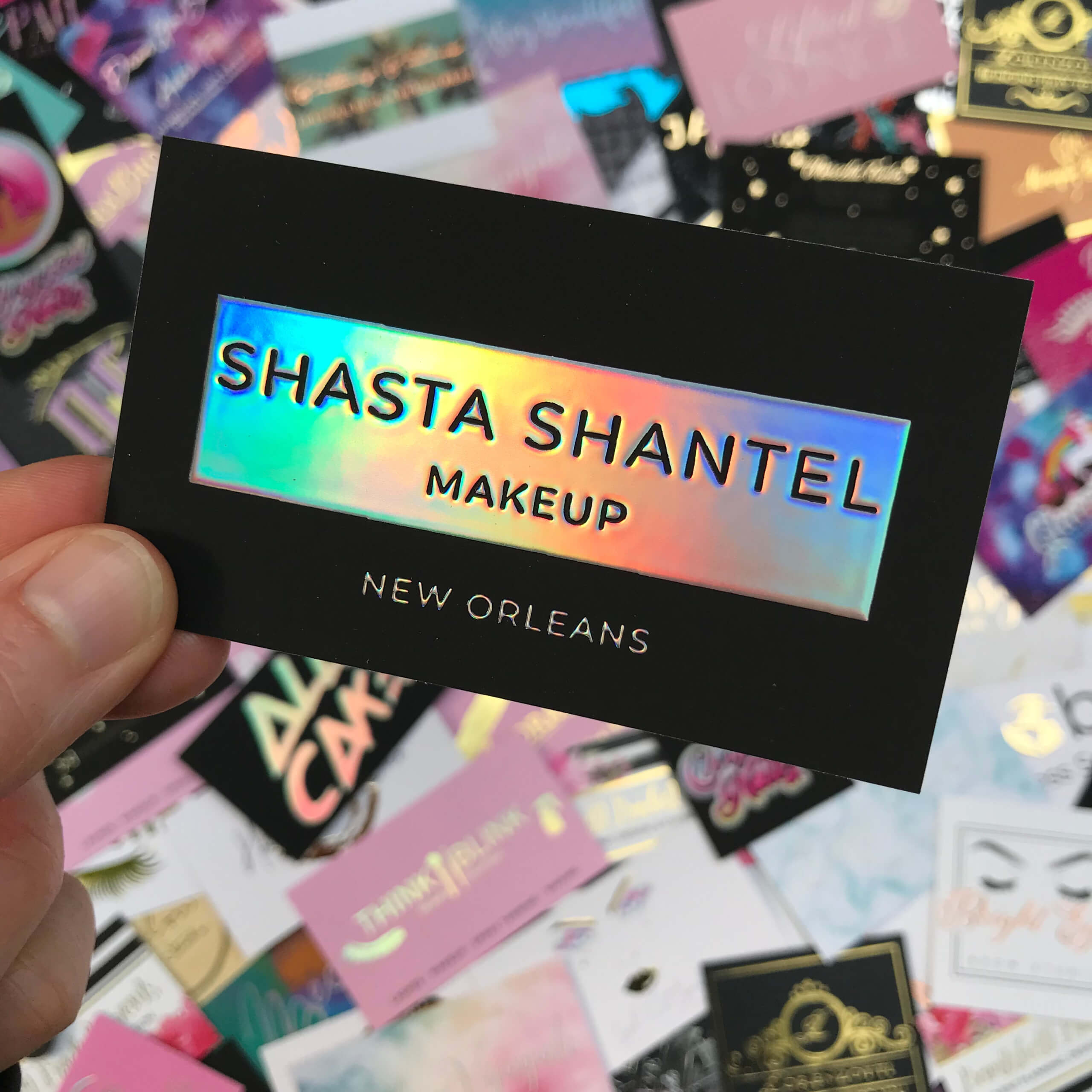
There's an important distinction between flat holographic foil and raised holographic printing. Flat holographic foil sits flush with the card surface. It's smooth to the touch, and the visual effect does all the work.
Raised Holographic Business Cards
Starting from $86.78
Free Design Templates:
Raised holographic adds a tactile dimension. The foil elements are slightly elevated above the card surface, creating a texture you can feel with your fingertip. Run your thumb across a raised holographic logo and you'll feel the shape. This combination of visual shimmer and physical texture makes Raised Holographic Business Cards one of the most memorable card types available.
The raised option costs a bit more, but the sensory experience is worth it for high-touch networking situations. When someone can both see and feel the holographic effect, the card becomes harder to forget. And harder to throw away.
Color Considerations and Proofing
Holographic foil reflects the full color spectrum, so it doesn't have a single "color." It shifts from silver to blue to green to purple depending on the light. This means your background color choice affects how the foil reads visually.
On a black background, the holographic effect appears bright and high-contrast. On a white background, it looks more subtle and pearlescent. On a colored background, the foil picks up undertones from that color, which can create unexpected (sometimes unwanted) color interactions.
Always request a proof before your full run prints. A digital proof gives you a general idea, but holographic effects are hard to simulate on screen. If you can get a physical proof, do it. The small extra cost prevents a large batch of cards that don't look how you imagined.
4OVER4 includes a free proof with every order so you can review your card before it goes to press. That's your safety net. Use it.
If you're also working on other branded materials, the guide on How To Clean Rubber Stamps is helpful for maintaining custom stamps used alongside your cards.
Ready-Made Templates to Speed Up Your Design
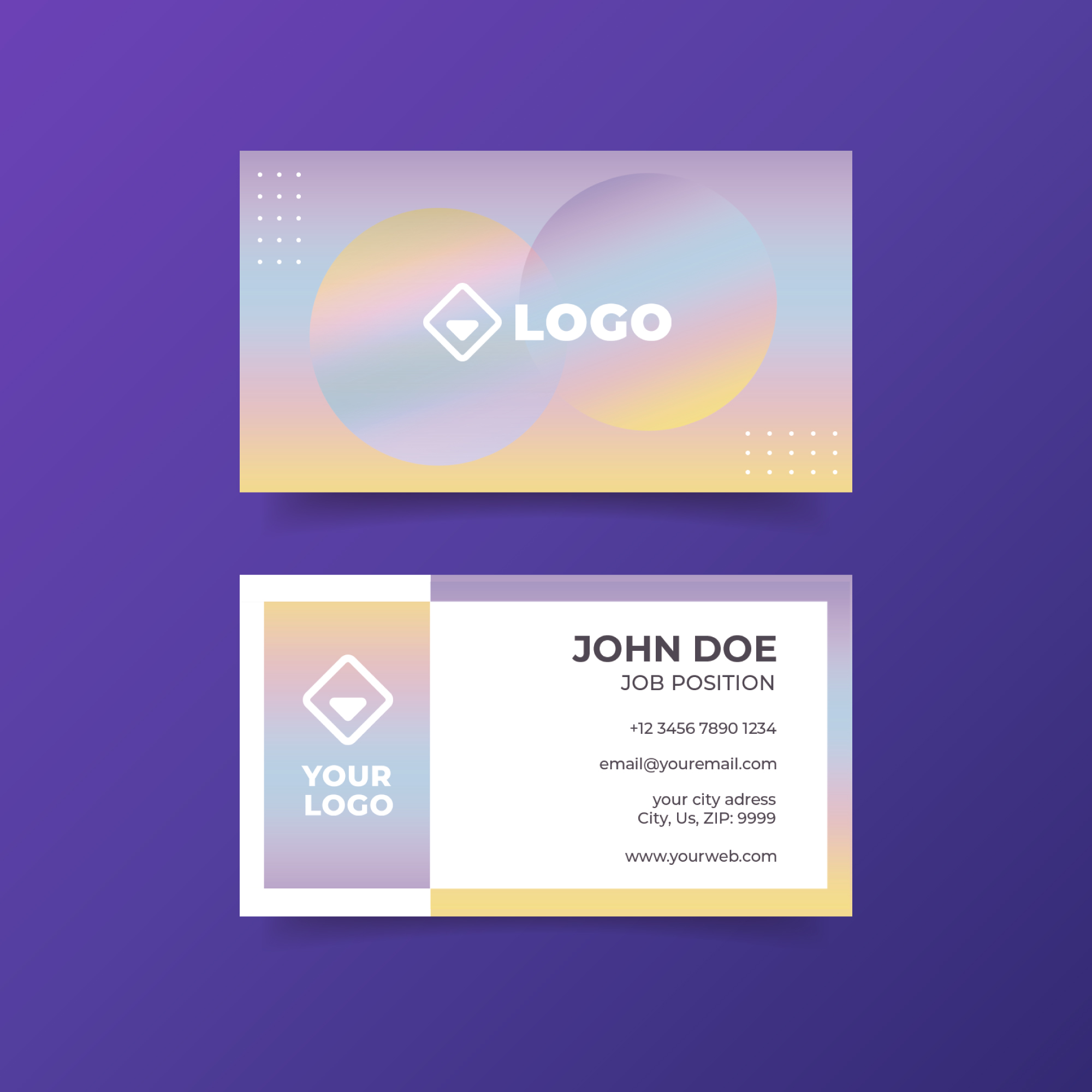
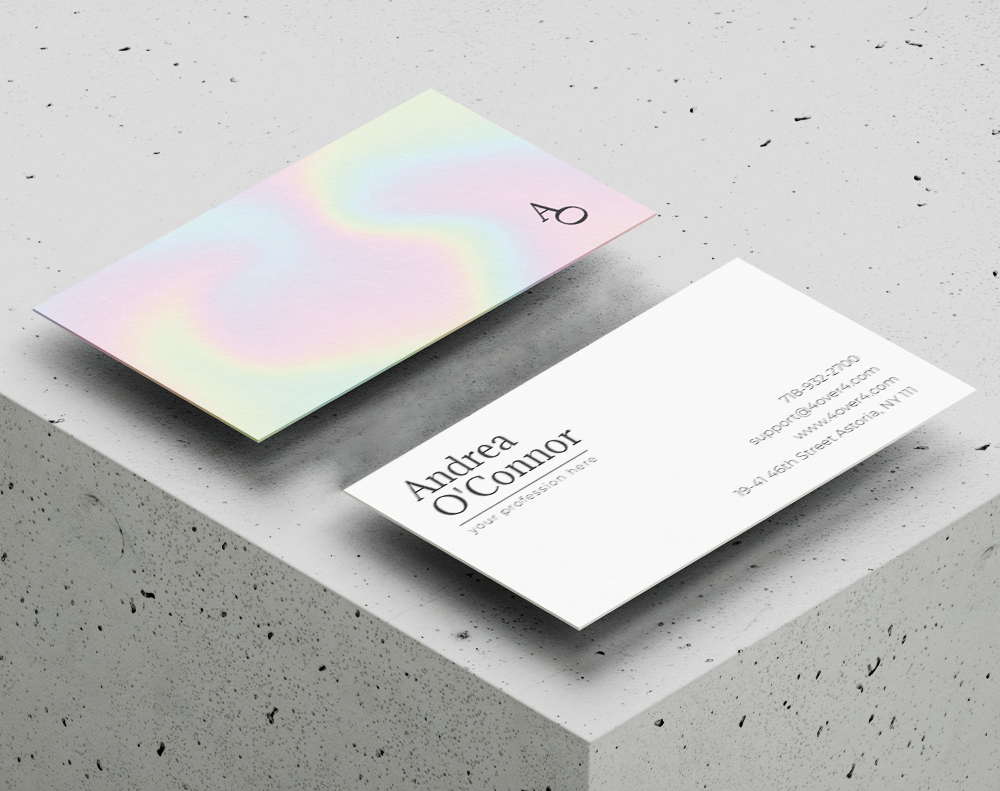
Not everyone wants to design from scratch. If you'd rather start with a proven layout and customize it, 4OVER4 offers pre-built templates sized to exact print specifications. These templates already account for bleed, trim, and safe zones, so you can focus on your content and branding without worrying about file setup errors.
Mistakes That Ruin Holographic Card Designs
Even great designs can fall apart during production if you don't avoid these common errors when making holographic business cards.
Too much foil coverage. Covering more than 40-50% of the card face with holographic foil overwhelms the design. The eye has nowhere to rest. Pick your hero element and foil that. Leave the rest alone.
Thin fonts in foil areas. Hairline fonts and script typefaces lose detail during foil stamping. Letters blur together or break apart. Stick with bold, clean fonts for any text getting the holographic treatment.
Ignoring the bleed. Foil elements that extend to the card edge need bleed just like ink does. Without it, you'll get uneven edges or white slivers along the trim line.
Skipping the proof. Holographic effects look different in person than on screen. 4OVER4 provides free proofs, and with a 99.8% on-time delivery rate, you won't lose time by reviewing one first. Always proof your holographic cards before committing to the full print run.
Low-resolution foil masks. A blurry foil mask creates soft, undefined edges on your holographic elements. Export your mask at 300 DPI minimum with crisp, clean edges.
Best Holographic Card Options at 4OVER4
When you're ready to print, 4OVER4 offers multiple holographic business card products to match your design vision. From flat holographic foil to raised tactile finishes, there's an option for every brand style and budget. For something even more eye-catching, consider 3D Lenticular Business Cards, which add motion and depth to your card design.
With 150,000+ businesses served and a 4.8/5 star rating, 4OVER4 backs every order with quality and price match guarantees. Here's a look at the available options, specs, and pricing:
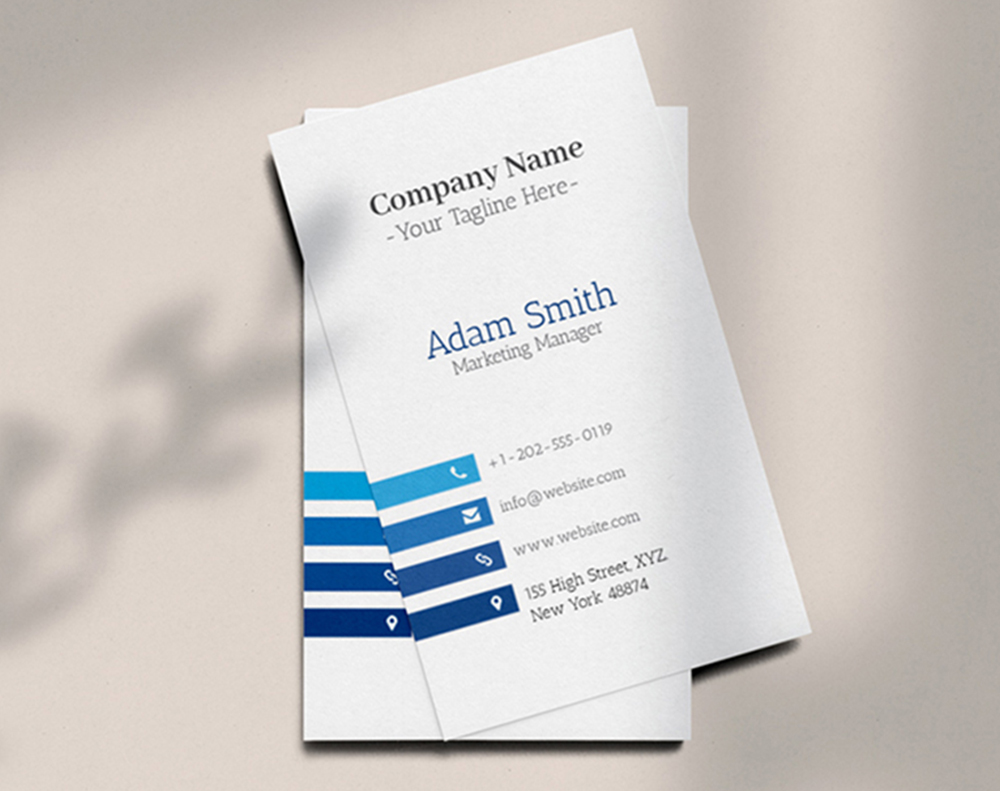
Free Design Templates
-
AI (Artificial Intelligence)
-
Virtual Reality
-
Entertainment
-
Blogging/Vlogging
-
Fashion and Accessories
-
Design and Creative Industries
-
They are effective
-
They are exciting and attention-grabbing
-
They're graphical
"Ordered how to make holographic business cards from 4OVER4 and the quality blew me away. Sharp colors, premium feel, arrived 2 days early."
"Been using 4OVER4 for how to make holographic business cards for a year. Consistent quality every time. The online designer made it easy."
"Switched to 4OVER4 and saved 40% on how to make holographic business cards. Better quality than my old printer. 60+ paper options."
"4OVER4's how to make holographic business cards helped us look more professional. Clients notice the difference."
Your Holographic Business Card Questions, Answered
What file format do I need for holographic business cards?
Submit your design as a high-resolution PDF at 300 DPI in CMYK color mode. You'll need a separate foil mask layer (solid black) showing exactly where the holographic effect should appear. 4OVER4's Help Center has detailed file setup instructions for every card type.
Can I put holographic foil on both sides of the card?
Yes, you can apply holographic foil to both the front and back of your card. However, most designers recommend keeping one side foil-free for essential contact info. Readable text on at least one side makes the card functional, not just beautiful.
What's the difference between holographic foil and metallic foil?
Metallic foil reflects a single color - gold, silver, copper, or rose gold. Holographic foil reflects the full rainbow spectrum and shifts colors as you tilt the card. Holographic creates a more active, eye-catching effect. Metallic reads as classic and elegant.
How long does it take to receive holographic business cards?
Standard turnaround at 4OVER4 is typically 3-5 business days for production, plus shipping time. With 82% of orders shipping early, you'll often receive your holographic cards ahead of schedule. Rush options are available if you need them faster.
Will the holographic foil wear off over time?
Quality holographic foil stamped onto thick card stock is durable and doesn't peel or flake under normal handling. Cards stored in wallets, cardholders, or desk drawers maintain their holographic effect for years. The thicker your stock, the more resistant the card is to bending and surface wear.
What background color works best with holographic foil?
Dark backgrounds - especially black, navy, and charcoal - create the most dramatic contrast with holographic foil. The dark surface absorbs light while the foil reflects it, making the rainbow effect pop. White backgrounds give a softer, more subtle shimmer.
"I went with black card stock and holographic foil on my logo. People literally stop mid-conversation to look at the card. Best investment I've made for my photography brand."
- Tanya K., ★★★★★