
How to Print Business Cards at Home the Right Way


Home printing is fine for a quick draft. A desktop printer cannot bleed to the edge, and that single limit is what gives a home card away.
Set your file to 3.5 by 2 inches, keep a white margin, print on pre-scored card sheets, and pop the cards apart. Home printing suits a quick draft, but it cannot do heavy cardstock, full-bleed color, clean cuts, or premium finishes. For a card clients keep, upgrade to professional printing on 14 to 16 pt stock.
Start here
Where a desktop printer stops
To print business cards at home: feed 65 lb to 110 lb cardstock through a laser or inkjet printer, drop your artwork into a 10-per-sheet template at 3.5 by 2 inches, run one test page on plain paper, then pop the cards apart along the perforations or cut them with a straight-edge guillotine trimmer. Home printing is a draft tool, not a finished one. Set your file to 3.5 by 2 inches, work in CMYK, keep a white margin because home printers cannot bleed, print on pre-scored sheets, and separate the cards.
Which machine you own decides how far you can push it. A laser fuses toner with heat, shrugs off humidity, and pulls the stiffer 100 lb to 110 lb sheets more reliably, so it is the better home tool for cards. An inkjet lays down richer photo color and deeper solids, but it needs drying time, smears if you stack the sheets warm, and usually tops out lower on weight. Either way, a desktop machine cannot match a press on cardstock, full-bleed color, clean edges, or finish, which is why the card you hand a prospect should still come off a press. The diagram below shows exactly where DIY and pro differ.
What you need to print business cards at home
Home printing has a real place: when you need a few cards fast, want to test a design in hand, or are covering a one-time gap before a proper order arrives. To do it, you need three things: a design file at the right size, a desktop inkjet or laser printer, and pre-scored business card sheets made for home printers.
Those perforated sheets are the key to a decent result. They come sized so cards pop apart cleanly along the scores, which spares you the near-impossible task of cutting ten straight cards from a plain sheet with scissors. Load them into a printer that accepts the heaviest stock you can find, and you can produce usable cards in minutes.
Set expectations honestly, though. Home cards will be thinner and less crisp than professionally printed ones, and they cannot bleed color to the edge. For a card a client keeps, you will want to print professionally, which we cover below. For a quick personal batch, read on.
Set up your file: size, color, and margins

Start your document at the US standard business card size, 3.5 by 2 inches. Designing at the exact trim keeps everything in proportion and makes the cards line up on a pre-scored sheet. Set the color mode to CMYK so your on-screen preview is closer to what the printer lays down, since a card built in RGB can shift toward duller color on paper.
The big constraint at home is the edge. Desktop printers leave an unprinted white border and cannot print to the very edge of the sheet, so plan a design with a comfortable margin rather than full-bleed color. Keep your text, logo, and key details well inside the card, away from where the perforations sit. Trying to force color to the edge at home almost always ends in uneven white slivers.
If you want the setup done for you, our free card design tool lays out a print-ready card from a template, and our guide on creating print-ready files covers the full color and resolution picture for when you upgrade.
Print, test, and separate the cards
Before you print on the good stock, run a test page on plain paper. Hold it against a blank card sheet to check that the cards land inside the scored areas and that the color looks right. Adjust the layout or printer settings, then print again. This one habit saves the expensive card sheets from a misaligned run.
Load the heaviest stock your printer supports, check the manual for the maximum paper weight, and print your final sheets. Let the ink dry fully before handling, especially on inkjet, so it does not smudge. Then separate the cards: pop them apart along the perforations, or if you used a plain sheet, cut with a guillotine paper trimmer rather than scissors for the straightest possible edge.
Inspect every card before it goes in a wallet. Look for smudges, misalignment, and ragged edges. A clean home-printed card is fine for a quick handout, but the inspection step is where you will notice the gap between DIY and a pressed card, which is exactly what the next section is about.
Printer settings and paper that actually work at home
Most home business cards fail in the print dialog, not in the design file. Open the full printer properties, not just the small print box your app shows, and set Media Type to Heavy Paper, Cardstock, or Card Stock. That one setting slows the feed and, on a laser, raises fuser temperature so the toner bonds into the sheet instead of flaking off a coated surface. Set Print Quality to Best or High and switch off draft or economy mode, which starves the solids and turns a rich black into a gray. Then set scaling to 100 percent or Actual Size, never Fit to Page: fit shrinks the sheet a fraction and walks every card off its perforation, worse and worse down the page.
The paper path matters as much as the setting. Stiff stock does not want to bend, so use the manual rear feed or the straight-through rear tray if your printer has one, and load one sheet at a time rather than a stack. A cassette tray that curls the sheet back on itself will jam, scuff, or crack the coating on heavy stock. Weight limits run roughly by class: an entry-level inkjet or laser usually stops around 65 lb cover, a mid-range machine will pull 80 lb, and a printer with a rear straight path or a heavier duty laser will often take 100 lb to 110 lb cover. Check your printer manual for the maximum paper weight before you buy a pack of sheets, because the pack is the part you cannot return once it jams.
Leave borderless printing off when you use pre-scored or perforated sheets. Borderless mode oversprays and enlarges the image past the trim, which pushes the cards out of register with the perforations and leaves you with ten crooked cards. Turn borderless on only for a plain sheet you plan to trim yourself, and accept that it still is not true bleed the way a press does it. On inkjet, let each sheet dry flat for a few minutes before you touch or stack it, and print one side first so the second pass does not smear the first.
Where home printing falls short
Home printing hits a ceiling in four places, all visible the moment someone holds the card. First, cardstock: desktop printers cannot feed the 14 to 16 pt stock that gives a professional card its reassuring weight, so DIY cards feel thin and flimsy, and even the 110 lb cover a good rear-feed printer will pull lands well under a pressed card. Second, bleed: the white border a home printer leaves means full-bleed color to the edge, a staple of modern card design, is off the table.
Third, cutting: even a good trimmer leaves slight edge variance across a batch, where a commercial guillotine delivers identical, razor-clean edges every time. Fourth, finish: matte, soft touch, spot UV, foil, painted edges, and rounded corners are all impossible at home, and those finishes are often what make a card memorable. The diagram above lays the home-versus-pro contrast out point by point.
Then there is the cost, which is where home printing stops making sense at volume. At 10 cards per sheet, a 500-card batch means feeding 50 sheets of cardstock one at a time through a rear tray, plus the plain-paper test pages, plus the misfeeds and the sheets you throw away when the grid drifts. Your real cost per usable card is the sheets and the ink together, divided by the cards that came out clean, and that number climbs every time a sheet jams. A press prices the same job by quantity, stock, and finish, and because it runs efficiently the per-card cost drops sharply with volume, often to just cents per card at a few hundred. A full box of heavy, full-bleed, finished cards can cost about what a pack of ink and card sheets does at home.
None of this means home printing is useless. It means it is a draft tool: right for ten cards tonight, wrong for five hundred. For a card that represents you to a prospect, these four gaps plus the cost per usable card are the difference between looking established and looking improvised, which tips the decision toward a press.
When professional printing wins, and how to upgrade
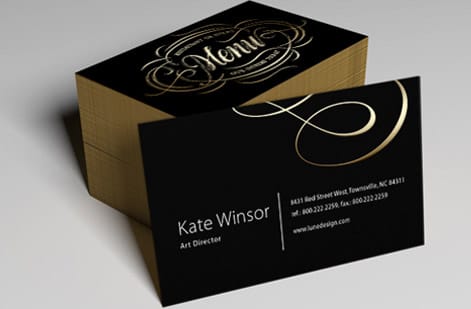
For any client-facing card, professional printing wins, and it costs less than most people expect. Because presses run efficiently, the price per card drops sharply with quantity, often to just cents per card at a few hundred, so a full box of heavy, full-bleed, finished cards can cost about what a pack of ink and card sheets does at home. You get 14 to 16 pt premium stock, true edge-to-edge color, clean cuts, and your pick of finishes.
Upgrading is simple. Design your card at 3.5 by 2 inches with a 0.125 inch bleed, or start from our free design tool, then choose your stock and finish in the configurator and watch the price update live. When you order, a free file check confirms your bleed and layout before the press runs.
If you went the home route to keep the cost down, that is the upgrade path worth reading next: our guide to cheap business card printing walks through the quantity, stock, and finish choices that pull the per-card price down on a press, so you get 14 to 16 pt stock, full bleed, and clean guillotine edges without paying more than a pack of ink and card sheets. Same 3.5 by 2 inch file you built for the 10-up sheet, no redesign needed.
Keep home printing in your back pocket for drafts and emergencies, and reach for professional cards for the real thing. Order free samples first to feel the stocks and finishes in hand before you commit.
Wally knows when the desktop printer stops
Fine for a draft, a press for the real card
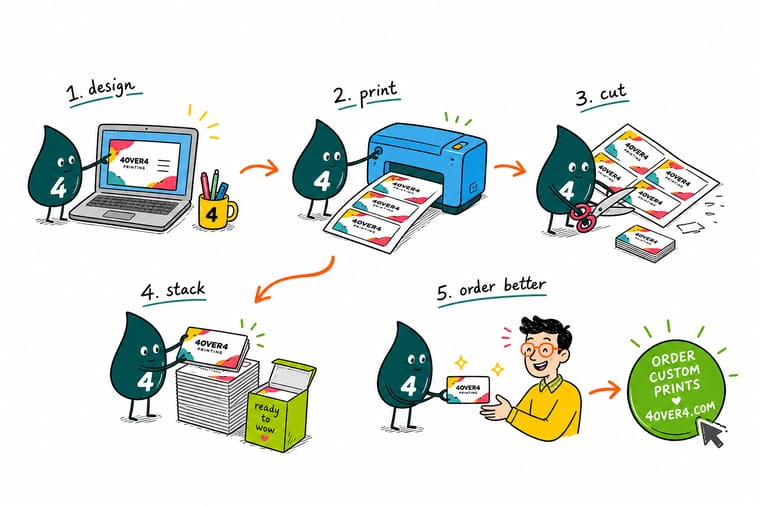
Wally will run a quick home batch when he needs a card in five minutes. But he knows a desktop printer cannot feed heavy stock, cannot bleed color to the edge, and cannot add a foil or soft touch finish. For the card a client keeps, he sends it to the press on 14 to 16 pt stock. Design it once, and 4OVER4 prints the version that looks established.
Order professional business cards →Quick reference
Home vs professional cards, at a glance
Where a desktop printer can keep up, and where a press pulls decisively ahead.
| Detail | Target | Why it matters |
|---|---|---|
| Card size | 3.5 by 2 in | The US standard trim, so start your document here before designing. |
| Bleed | 0.125 in (pro only) | Home printers leave a white border, so full-bleed color is a press strength. |
| Home cardstock | 65 to 110 lb | The heaviest a desktop printer reliably feeds, thinner than a pro card. |
| Pro cardstock | 14 to 16 pt | The weight that gives a card its professional snap and durability. |
| Home cutting | Paper trimmer | A guillotine trimmer beats scissors but still leaves slight edge variance. |
| Pro finish | Matte, soft touch, foil | Finishes that lift a brand, none of which a home printer can apply. |
Step by step
Print business cards at home in 7 steps
- Set your file to 3.5 by 2 inches Create the document at the standard card trim size and design within it, keeping key text away from the edges since home printers cannot bleed.
- Design in CMYK and keep a border Work in CMYK for truer color and plan a small white margin rather than full-bleed art, because a desktop printer will not print to the edge.
- Use pre-scored card sheets Buy perforated or pre-scored business card sheets sized for home printers so the cards pop apart cleanly instead of needing precise cuts.
- Load the heaviest stock your printer takes Check your printer manual for the maximum paper weight, then use the thickest card sheet it feeds so the result is as sturdy as possible.
- Print a test sheet first Run one page on plain paper to check alignment and color, adjust, then print your card stock so you do not waste the more expensive sheets.
- Separate and clean up the edges Pop the cards apart along the perforations, or cut with a guillotine trimmer, and check every edge for cleanliness before handing one out.
- Upgrade to pro printing when it counts For client-facing cards, order professionally on 14 to 16 pt stock with full bleed and a finish, and let a free file check confirm your artwork first.
Specs and pricing
Business card specs and live pricing
When you are ready to upgrade, here is what a press adds: heavy stock, full bleed, and real finishes. Pick your options and watch the price update live, straight from the configurator.
| Quantity | Price Per Unit | Total |
|---|---|---|
| 100 | 17.6¢ | $17.57 |
| 200 | 11.5¢ | $23.07 |
| 300 | 9.15¢ | $27.46 |
| 400 | 7.96¢ | $31.86 |
| 500 | 7.25¢ | $36.26 |
| 600 | 6.77¢ | $40.64 |
| 700 | 6.43¢ | $45.04 |
| 800 | 6.18¢ | $49.43 |
Print it
Professional business cards from 4OVER4

See it in use
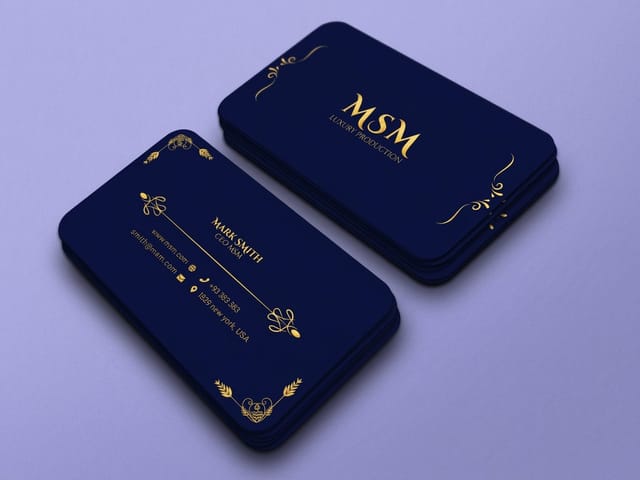
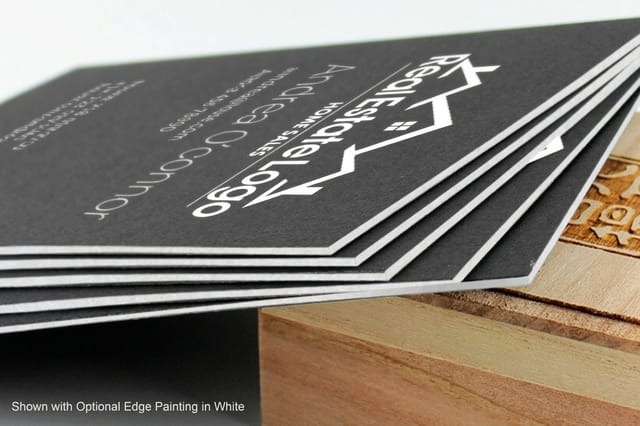
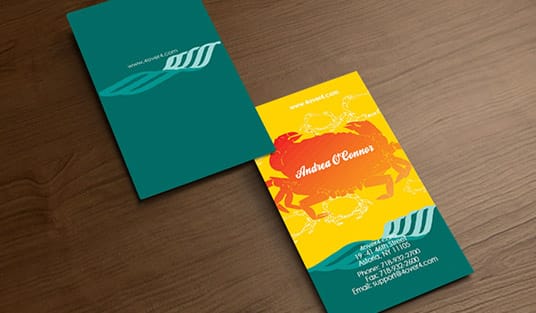
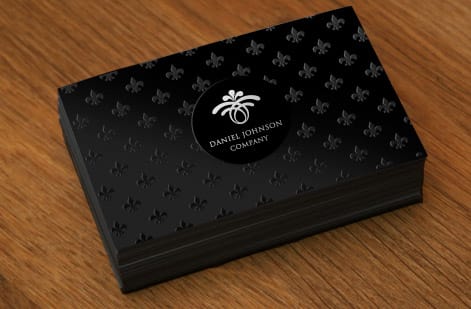
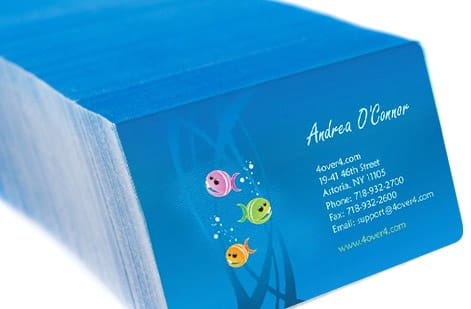
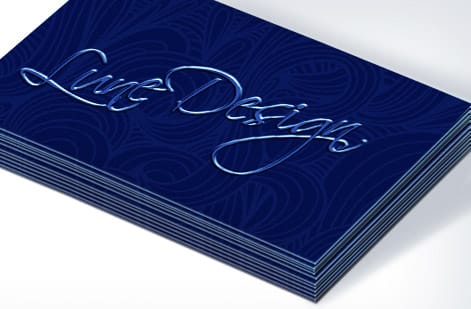
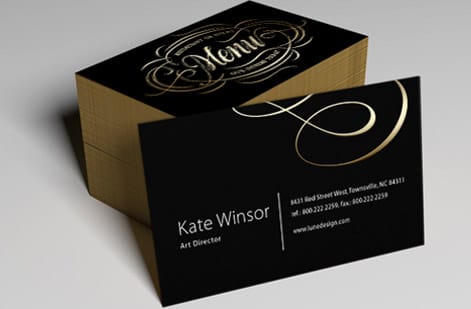
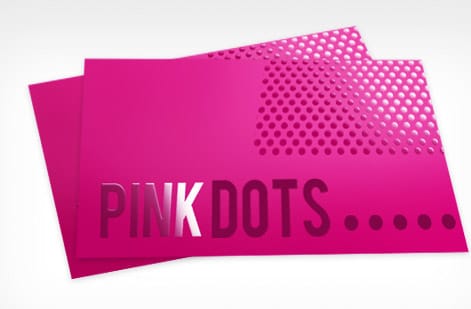
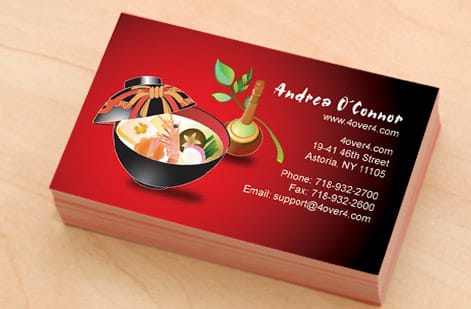
Business cards printed on press, not at a desk

Explore more
Where to go next



By the numbers
The 3.5 by 2 inch card at 14 to 16 pt
Common Questions
Common questions about printing business cards at home
How do I print business cards at home?
To print business cards at home, set your design file to the standard 3.5 by 2 inch card size, work in CMYK color, and keep important text away from the edges since desktop printers cannot print to the edge. Use pre-scored or perforated business card sheets sized for home printers, load the heaviest stock your printer reliably feeds, and run a test page on plain paper to check alignment and color before printing the card sheets. Then pop the cards apart along the perforations or trim them with a guillotine cutter. This works for a quick batch, though the stock will be thinner and the edges less crisp than professionally printed cards.
How do I choose between home printing and professional cards?
Choose home printing when you need a small number of cards fast, are testing a design, or are on a tight one-time budget and the card does not need to impress. Choose professional printing when the card represents your brand to clients, since a press delivers things a home printer cannot: heavy 14 to 16 pt cardstock, true full-bleed color to the edge, perfectly clean guillotine-cut edges, and premium finishes like matte, soft touch, and foil. The honest rule is that DIY suits a draft or an emergency, while pro printing suits any card you want a prospect to keep. Professional cards also cost surprisingly little per card at normal quantities.
What does it cost to print business cards at home versus professionally?
At home, your cost is the printer ink and a pack of pre-scored card sheets, which feels cheap for a handful of cards but gets expensive per usable card once you account for test prints, misfeeds, and thin stock. Professional printing prices by quantity, stock, and finish, and because presses run efficiently, the per-card cost drops sharply with volume, often to just cents per card at a few hundred. For anything beyond a tiny batch, professional cards are frequently cheaper per good card and far higher quality. You set the options in the configurator and the price updates live so you can compare.
What printer settings should I use for business cards?
Open the full printer properties rather than the small print box, then set Media Type to Heavy Paper, Cardstock, or Card Stock so the printer slows the feed and, on a laser, raises fuser temperature to bond the toner. Set Print Quality to Best or High and turn off draft or economy mode. Set scaling to 100 percent or Actual Size, never Fit to Page, because fit shrinks the sheet slightly and walks every card off its perforation. Leave borderless printing off when you use perforated sheets, since borderless oversprays and knocks the cards out of register; turn it on only for a plain sheet you will trim yourself. Feed stiff stock through the manual rear tray one sheet at a time, and check the manual for the maximum paper weight: entry-level machines usually stop near 65 lb cover, mid-range around 80 lb, and printers with a straight rear path often take 100 lb to 110 lb cover.
What template is 10 business cards per sheet?
The 10-up template is the standard US Letter business card sheet: two columns by five rows of 3.5 by 2 inch cards, with a 0.5 inch margin at the top and bottom and a 0.75 inch margin on each side. In Word, set those page margins and insert a 2 by 5 table with row height fixed at 2 inches and column width at 3.5 inches, cell margins at 0 and automatic resizing off. In Pages, use a fixed-size table or ten locked 3.5 by 2 inch shapes. In Illustrator, draw one 3.5 by 2 inch rectangle on a Letter artboard and step it 3.5 inches across and 2 inches down. Match the template to the pack you bought, since 10-up and 8-up sheets are not interchangeable, and print the template on plain paper first to hold against a blank sheet and confirm every rectangle sits inside its perforation.
What sizes, stocks, and finishes are available for professional business cards?
Professional business cards start at the standard 3.5 by 2 inches, with square and other shapes available, on stocks from classic 14 pt to heavy 16 pt and specialty options. Finishes go well beyond anything a home printer can do: matte and gloss coatings, luxe soft touch, spot UV, foil accents, painted edges, and rounded corners. You can also add full-bleed color to every edge, which desktop printing cannot achieve. The specs panel below shows the exact sizes, stocks, and finishes with live pricing so you can build a card that feels the way your brand should.
How long does it take to print business cards, at home or professionally?
At home, printing a batch takes minutes once your file and sheets are ready, though setup, test prints, and cutting add time and the results are inconsistent. Professionally, business cards print fast, with same-day and next-day options on many card products, so you can have a polished, full-bleed card on heavy stock in hand within days. Production time depends on the stock, finish, and quantity you choose, and the configurator shows the live turnaround for your exact specs. A clean print-ready file keeps that timeline tight.
Get Started
Order 50 black business cards at $0.81 each
Design your card at 3.5 by 2 inches, then bring it to 4OVER4 and print on heavy stock with full bleed and a finish that lasts. Standard cards run 100 for $17.57, which is $0.18 each.
Legal Disclaimer
Gold Standard guarantees apply to all standard orders placed through 4over4.com. Price match requires verifiable proof of a competitor's published price for an equivalent product with matching specifications and turnaround time. Satisfaction guarantee covers manufacturing defects and print quality issues. Contact support with order number and documentation. On-time delivery rate based on tracked orders 1999 to 2026. Individual results may vary based on shipping carrier performance.
