
How to Design the Back of a Postcard That Mails and Converts


The back of a postcard has to do two jobs at once: carry your message and satisfy the post office. Here is exactly what goes where, so your card mails cleanly and still sells.
The back of a postcard is split into two halves: the right side holds the address block, the stamp or indicia area, and a clear zone for the USPS barcode, while the left side holds your message and call to action. Keep the address side clean for automated sorting, put your selling copy on the left, and leave the required clear zones empty. Respect that layout and the card mails without surcharges.

Start here
What the back of a postcard has to accomplish
The back of a postcard is a shared space where marketing meets the mailstream. The right half belongs to the post office: the recipient address, the stamp or printed indicia, and an empty clear zone at the bottom right for the USPS barcode. The left half belongs to you: a headline, a short message, and a clear call to action. Balance the two and your card both mails cleanly and converts. Print it as a postcard with the layout built in.
Watch it printed
See standard postcards on the press, in 154 seconds
Why the back of a postcard does double duty

A postcard has two faces, and they split the work. The front is the attention grabber, a bold image or headline that gets the card noticed. The back is where the real logistics happen, because it has to carry your message and satisfy the post office at the same time. That dual job is why the back deserves as much planning as the front.
The good news is that the layout is well defined. Once you know which zones belong to the mailing system and which belong to you, laying out the back becomes straightforward. Design it right and the card sails through automated sorting and still lands a message, which is exactly what a postcard is built to do, especially in a direct mail campaign.
The mailing side, and the zones that must stay clear

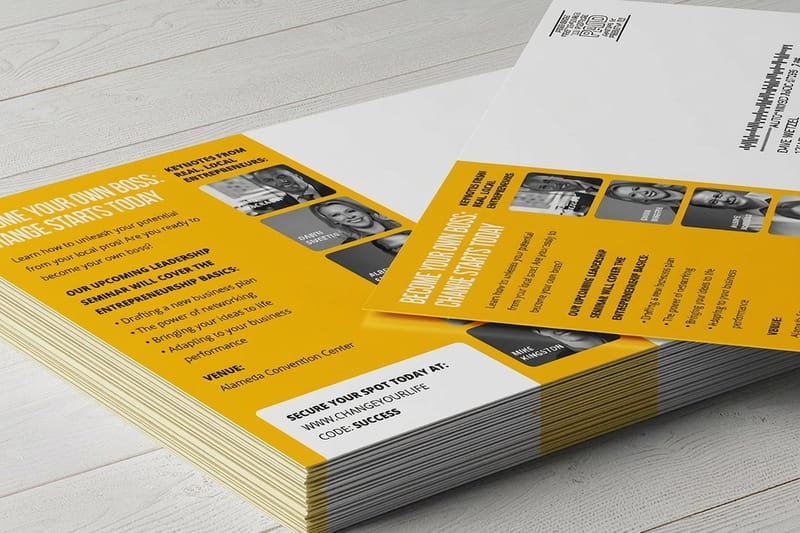
The right half of the back belongs to the post office. It holds the recipient address, aligned and legible, the stamp, meter, or printed indicia in the top right corner, and, critically, an empty clear zone at the bottom right where the routing barcode is applied. A return address sits in the top left. Keep this side clean and uncluttered so automated equipment can read it.
Those clear zones are not optional. Art or text creeping into the barcode area or the stamp area can get a card rejected or surcharged, which undoes the value of a whole mailing. Leave them genuinely empty. If you are mailing at scale, direct mail postcards are set up for these requirements, and our guide on direct mail postcard sizes covers the mailing rules.
The message side, where the card sells
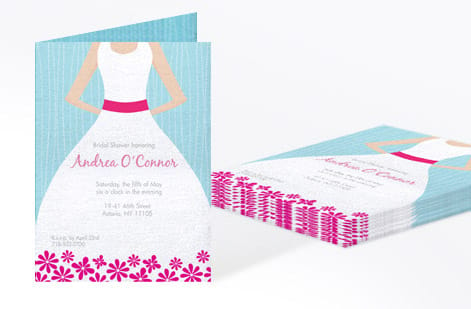
The left half of the back is yours, and it is where a postcard earns its keep. This is the space for a headline that restates the offer, a short message that builds the case, and a single call to action that tells the reader exactly what to do next, call, visit, scan, or redeem. Because a postcard is read fast, keep it tight and lead with the benefit.
Use the space deliberately. One strong offer beats three competing ones, and a clear next step beats a vague invitation. A QR code or a short URL can bridge the card to a landing page. For inspiration on formats that convert, our article on effective direct mail formats shows what works, and the same persuasion thinking applies to the back of a business card.
Size, postage, and how they connect
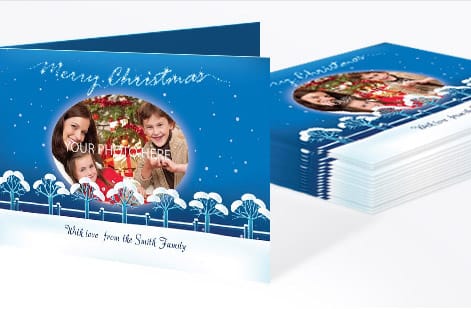
Size is not just a design choice, it sets your postage. Standard postcard sizes qualify for the lower postcard mailing rate, which keeps per piece costs down on a campaign. Step up to a larger card and it moves into letter or oversized rates, costing more to mail but giving you more room to sell. So the dimension you pick affects both the print price and the postage on every piece.
Choose the size by weighing impact against cost. A standard size is the efficient workhorse for volume mailings, while an oversized card commands more attention in the mailbox at a higher rate. Whichever you choose, keep the back layout intact. Our guides on direct mail sizes and EDDM sizes spell out which dimensions hit which rate.
Setting up a mail ready postcard file

The file rules combine standard print prep with the mailing zones. Design in CMYK, place any images at 300 DPI, run backgrounds past the trim with 0.125 in of bleed, and keep all text inside a safe margin so nothing is clipped if the cut drifts. Then overlay the mailing zones: address on the right, stamp top right, return address top left, and the barcode clear zone at the bottom right left empty.
Before you upload, confirm the clear zones are truly blank and the address side is uncluttered, then export a flattened press ready PDF. A quick check now prevents a rejected mailing later. If you want a compliant starting point, our free design templates include postcard layouts with the zones already marked.
Ordering your postcards at 4OVER4
With the back laid out and the file ready, ordering is quick. On the postcards page you set the size, stock, finish, and quantity, and the price per postcard drops as the run grows. The live specs panel above lists every size and finish, so your layout and clear zones line up with the product and the mailing rules.
Planning a campaign? Direct mail postcards are built for volume mailings, and the full postcard range covers folded and specialty shapes. Print in the United States with a clear delivery date, and send postcards that reach the mailbox and still convert.
Wally splits the back so it mails and sells
Mailing on the right, message on the left
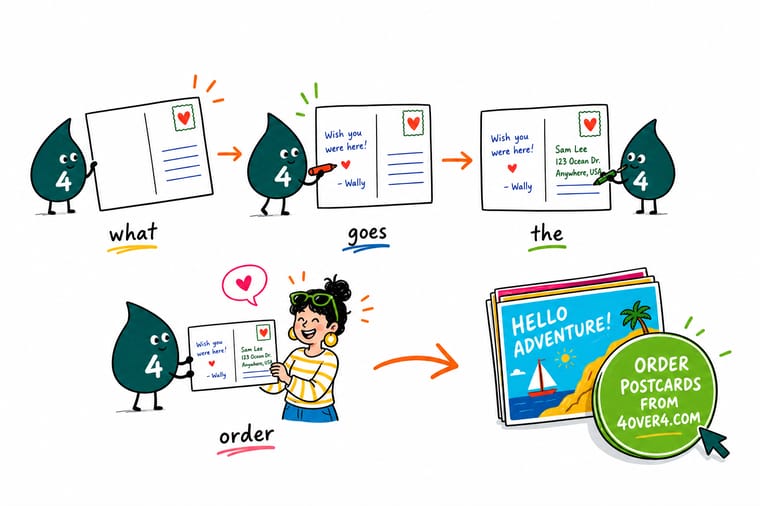
Wally treats the back of a postcard like a shared table: the right half is set for the post office, address, stamp, and an empty barcode zone, and the left half is yours to sell, headline, offer, and one clear next step. Keep the mailing side clean, put the persuasion on the left, and let 4OVER4 print postcards that reach the mailbox and still convert.
Print your postcards →Anatomy
The back of a postcard, zone by zone
One card back, split down the center. The right half belongs to the post office, the left half is yours to sell with, and nothing crosses the line.
Quick reference
Postcard back layout at a glance
Place each element in its zone and the card mails cleanly and still sells.
| Element | Where it goes | Why it matters |
|---|---|---|
| Recipient address | Right half, aligned | USPS machines read the address on the right side, so keep it clear and correctly aligned. |
| Stamp or indicia | Top right corner | The stamp, meter, or printed indicia sits top right and that area must stay clear of art. |
| Barcode clear zone | Bottom right, empty | Leave the bottom right zone blank so the post office can apply the routing barcode. |
| Message and call to action | Left half | Your headline, offer, and next step live on the left, where you have room to persuade. |
| Return address | Top left | A return address top left keeps undeliverable mail coming back to you. |
| Safe margin and bleed | 0.125 in each | Keep text inside a safe margin and run any background to the bleed so nothing is clipped. |
Step by step
Lay out a postcard back in 6 steps
- Divide the back into two halvesSplit the back down the middle. Reserve the right half for mailing elements and give the left half to your message and call to action.
- Place the address blockSet the recipient address on the right side, aligned and legible, with a return address in the top left corner.
- Reserve the stamp and barcode zonesKeep the top right stamp area and the bottom right barcode clear zone empty so the post office can process the card.
- Write the left side to sellAdd a strong headline, a short persuasive message, and one clear call to action on the left half.
- Match the size to the postage rateChoose a standard postcard size for the postcard mailing rate, or a larger size if the design needs it, knowing it mails at a higher rate.
- Set up and order the postcardsBuild the file in CMYK with bleed and safe margins, export a press ready PDF, then set size and quantity on the postcards page.
Writing one by hand
How to fill out the back of a postcard by hand
Same two halves, no press file. A card written at the kitchen table is sorted by the same machines as a printed run, so the zones still decide whether it arrives.
- Write the note on the left halfStart at the top left with the date or a greeting and keep every line to the left of the centre divider. If the message runs long, finish it on the picture side rather than letting it drift right, because writing that crosses into the address side is what makes a card kick out of the sort.
- Print the address in three lines on the rightName on line one, street address or PO box on line two, then city, state and ZIP on line three. Print the letters instead of joining them, use dark ink on the lightest part of the card, and keep the block level and inside the 0.125 in safe margin, since the scanner reads that right half in a straight line.
- Stamp in the top right cornerPress the stamp flat into the top right corner with nothing written under or beside it. A card from 3.5 x 5 in up to 4.25 x 6 in mails at the USPS card rate, and anything bigger moves to the letter rate, so an oversized card needs the higher postage even when it is handwritten.
- Leave the bottom right strip aloneReturn address in the top left, and the bottom right corner stays empty for the routing barcode. Signatures, doodles and tape across that strip are the usual reason a handwritten card comes back to you. The zone diagram above shows where each one sits on the card.
Specs and pricing
Postcard specs and live pricing
Here are the live specs and price per postcard, straight from the configurator, so you can match size and stock to your mailing.

| Quantity | Price Per Unit | Total |
|---|---|---|
| 50 | 33.0¢ | $16.48 |
| 100 | 24.2¢ | $24.16 |
| 200 | 15.9¢ | $31.86 |
| 300 | 12.8¢ | $38.45 |
| 400 | 11.3¢ | $45.04 |
| 500 | 10.3¢ | $51.62 |
| 600 | 9.89¢ | $59.31 |
| 700 | 9.57¢ | $67.00 |
Order it
Order your postcards at 4OVER4

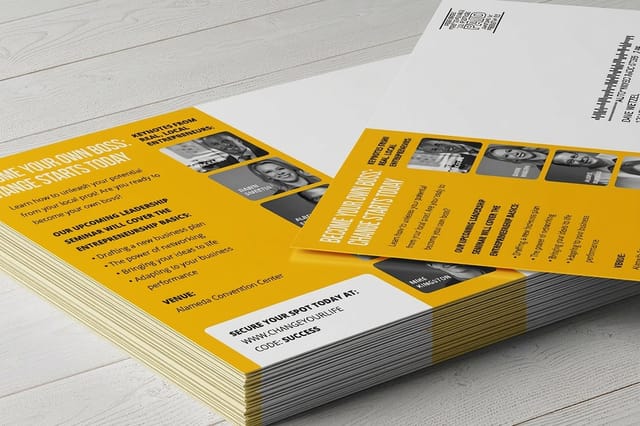
See it in use
Real postcard work, printed in house






Explore more
Where to go next
By the numbers
Postcards from a printer that has served 150,000+ businesses
Common Questions
Common questions about the back of a postcard
What does the backside of a postcard look like?
Picture it split down the middle. The right half is the mailing side, carrying the recipient address in the center right, the stamp or printed indicia in the top right corner, the return address in the top left, and an empty strip along the bottom right where the post office prints the routing barcode. The left half is yours, usually a headline, a few lines of copy and one call to action. Printed cards rarely show a dividing line, but the layout still follows that split.
Is there a template for the back of a postcard?
Yes. Our free design templates include postcard layouts with the address block, the stamp corner and the barcode clear zone already marked, so you drop your message into the left half and leave the mailing side alone. Starting from a marked layout is the quickest way to avoid the two mistakes that get cards surcharged, which are artwork creeping into the barcode strip and a return address crowding the stamp.
Can the back of a postcard be laid out vertically?
The design can be vertical, but the address block cannot. Sorting equipment reads the card fed one way, so the recipient address, the stamp corner and the barcode strip have to sit in their usual places and read horizontally. Rotate the artwork on the message half as much as you like, then leave the mailing half in the standard orientation so the card still runs clean through the mail stream.
What goes on the back of a postcard?
The back of a postcard is divided into two halves. The right half is the mailing side and carries the recipient address, the stamp or printed indicia in the top right, and an empty clear zone at the bottom right where the post office applies the routing barcode. The left half is yours for marketing: a headline, a short message, and a call to action, with a return address in the top left. Keeping those elements in their zones lets the card mail cleanly, and at 4OVER4 it prints as a postcard ready for that layout.
Where does the address go on a postcard?
The recipient address goes on the right half of the back, printed in three lines: name, then street address or PO box, then city, state and ZIP. Keep the block level and inside the 0.125 in safe margin, put the return address in the top left, and leave the bottom right clear zone empty, because the post office reads that right half by machine and prints the routing barcode under the address. Never run photos, tint blocks or handwriting behind it. On a postcard from 4OVER4 the address side prints on the same stock as the rest of the card, so dark text on a light background stays readable all the way through the sort.
Where does the stamp go on a postcard?
The stamp or printed indicia goes in the top right corner of the back, clear of any artwork. Leave that corner blank in the file so ink does not fight the stamp, and keep a meter mark or bulk mail indicia in the same spot so the card is processed the same way. Size decides what you pay to put there: a card from 3.5 x 5 in up to 4.25 x 6 in mails at the USPS card rate, and anything larger moves to the letter rate, so settle the size before you design the corner.
How do I choose the right postcard layout?
Follow the two half rule and let the mailing requirements set the structure. Reserve the entire right side for the address, stamp, and barcode clear zone, since the post office reads and processes that side by machine, then use the whole left half to persuade. Put your strongest headline and your single call to action on the left where you have room. Keep all text inside a safe margin and leave the required clear zones truly empty so the card is not rejected or surcharged.
What does postcard printing cost and how are prices set?
Postcard price scales with size, paper stock, finish, and quantity, so a larger card or a premium stock costs more per piece while a bigger run lowers the unit price. You set each option on the postcards page and the total updates live as you adjust it. Remember that mailing cost is separate from printing: standard sizes qualify for the postcard rate, while oversized cards mail at a higher rate, so size affects both numbers.
What sizes, stocks, and finishes are available for postcards?
You can print postcards in standard mailing sizes as well as larger formats, on a range of card stocks, with gloss, matte, and uncoated finishes, and specialty options like folded and die cut shapes. For campaigns, direct mail postcards are built for the mailstream. The live specs panel on the postcards page lists every size and finish so your file and address layout match what the press and the post office expect.
How long do postcards take to print and ship?
Turnaround depends on the size, stock, finish, and quantity you select, and the estimated production time appears on the product page as you configure the order. 4OVER4 prints in the United States and ships nationwide with a clear delivery date shown before checkout, and our on time record sits at 99.8 percent.
Does the postcard size affect mailing?
Yes. Standard postcard sizes qualify for the lower postcard mailing rate, while larger cards move up to letter or oversized rates, so the dimension you choose affects postage on every piece you send. If you are planning a mailing, pick a standard size to keep costs down, and see our guides on direct mail postcard sizes and EDDM sizes for the specifics.
Get Started
Ready to print a postcard that mails and converts?
Bring your design to 4OVER4.COM and print postcards with a back that satisfies the post office and still sells. Adjust every option and watch your price update live.
Legal Disclaimer
Gold Standard guarantees apply to all standard orders placed through 4over4.com. Price match requires verifiable proof of a competitor's published price for an equivalent product with matching specifications and turnaround time. Satisfaction guarantee covers manufacturing defects and print quality issues. Contact support with order number and documentation. On-time delivery rate based on tracked orders 1999 to 2026. Individual results may vary based on shipping carrier performance.
