





Your Complete Print File Setup Guide
A print file setup guide is your roadmap to getting professional results every time you send artwork to a printer. It covers resolution, bleed, color mode, margins, and file format - the basics that separate a sharp, clean print from a blurry, off-center mess. 4OVER4 has printed 10 billion+ cards and counting, so we've seen every file setup mistake in the book. This guide exists so you don't make them.
"I used to waste so much time going back and forth with printers about file issues. Following a proper print file setup guide before uploading saved me hours and my postcards came out perfect."
- Derek L. ★★★★★
Here's the thing most people get wrong: they design for screens. Your monitor displays RGB color. Your printer uses CMYK. That mismatch alone can turn a vivid red into a muddy brown. Resolution matters too. A 72 DPI image looks fine on Instagram but prints like a pixelated nightmare. You need 300 DPI minimum for anything going on paper, vinyl, or cardstock.
Bleed is another common trip-up. If your design runs to the edge of the finished piece, you need to extend it 0.125 inches past the trim line. No bleed means white edges where you don't want them. Safe zones work the opposite way - keep text and logos at least 0.125 inches inside the trim line so nothing gets cut off.
Whether you're working with Design Templates or building from scratch, these rules apply to every product. Business cards, postcards, banners, flyers - the fundamentals don't change. If you need something fast, 4OVER4 offers Same Day Printing on select products, but your files still need to be set up correctly for that speed to matter.
New to printing? Grab your Free Business Cards to practice your file setup skills on a real product without the financial risk. With 1,000+ products in the 4OVER4 catalog, proper file preparation for printing is the one skill that applies to everything.
Essential Guides for Getting Your Files Print-Ready
A solid print file setup guide starts with understanding color. The Best Color Profile For Printing Guide walks you through ICC profiles, CMYK conversion, and how to preview your colors accurately before you hit upload. Pair that with strong branding by reviewing Logo Design Best Practices so your artwork is built right from the start.
Need ready-made file dimensions? 4OVER4 provides Blank Templates with trim marks, bleed lines, and safe zones already built in. These templates work for 1,000+ products - from standard business cards to large format prints.
File preparation for printing changes based on the material. Setting up files for Aluminum Printing is different from preparing artwork for the Canvas Collection. And rigid substrates like Coroplast Printing have their own requirements for resolution and color density. 4OVER4 supports 60+ paper types and specialty substrates, so knowing the basics keeps your results consistent across every material.
Browse File Setup Resources by Print Type
Different print products need different file prep approaches. Specialty materials like Metallic Printing and Metallic Pearl Printing require specific color handling because metallic substrates reflect light differently than standard paper. Your print file setup guide for these products should account for how ink opacity and color saturation shift on reflective surfaces.
Color mode is one of the biggest sources of print errors. Our Cmyk Vs Rgb guide breaks down exactly when to use each mode and how to convert without losing vibrancy. 4OVER4 has 10,000+ reviews from customers who've learned these print layout tips the hard way - so you don't have to.
For creative inspiration alongside your technical prep, check out the Hand Lettering Tutorial And Examples. And for more resources on file preparation for printing, visit the Faq Hub where 150,000+ businesses find answers to their printing questions.
Print Layout Tips That Prevent Costly Mistakes
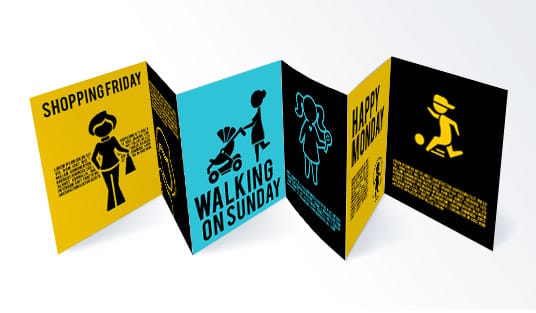
The most common file setup error isn't wrong resolution or missing bleed. It's forgetting about folds. If you're designing a tri-fold brochure, the panels aren't all the same width. The inside panel needs to be slightly narrower (usually 1/16 inch shorter) so it folds cleanly without buckling. Our guide on How To Fold A Brochure covers every fold type and the exact panel dimensions you need.
Flyer design has its own set of print layout tips. You're working with a single sheet, but hierarchy matters. Headlines need breathing room. Images need to be high-res. And your call-to-action needs to land in the right spot. The How To Design Flyers guide pairs perfectly with a print file setup guide because it covers both design and technical prep in one resource.
"I designed a tri-fold menu for my restaurant and the inner panel was too wide. It crinkled every time someone opened it. Wish I'd read the file setup guide first - would've saved me a $200 reprint."
- Maria C. ★★★★
File preparation for printing isn't just digital work. If you're using rubber stamps for custom touches on your print pieces, knowing How To Clean Rubber Stamps keeps your hand-stamped elements crisp and consistent. 4OVER4 has been in the printing business for 25+ years, and the advice in these guides comes from real production experience.
Don't want to build files from scratch? Start with 4OVER4's Design Templates or download Blank Templates that already include proper bleed, trim, and safe zone markings. Both options eliminate the most common file setup errors before you even start designing.
Why 4OVER4 Is the Right Partner for Your Print Projects
Getting your files set up correctly is half the battle. The other half is trusting your printer to do justice to that preparation. 4OVER4 backs every order with five guarantees that take the risk out of printing.
- QUALITY - 100% GUARANTEED: Your files are reviewed before production. If something looks off, you'll know before it prints.
- PRICE MATCH - 100% GUARANTEED: Find a lower price on the same specs and 4OVER4 matches it.
- ON TIME EVERY TIME - 100% GUARANTEED: With a 99.8% on-time delivery rate, your deadline is safe.
- CUSTOMER SERVICE - 100% GUARANTEED: Real humans answer your file setup questions. No chatbots, no runaround.
- ULTIMATE SATISFACTION - 100% GUARANTEED: If your print doesn't match your approved proof, 4OVER4 makes it right.
This print file setup guide pairs with 150,000+ businesses already using 4OVER4 for everything from business cards to large format signage. Try it yourself with Free Business Cards - a zero-risk way to test your file setup skills on a real product.
What Customers Say About Printing with 4OVER4
With 10,000+ reviews and a 4.8/5 star average, 4OVER4 customers consistently praise print quality that starts with proper file preparation. Here's what real users say about their experience after following a print file setup guide and uploading to 4OVER4.
"Once I set my files to CMYK at 300 DPI with proper bleed, my business cards from 4OVER4 came out absolutely stunning on the 32pt stock. Night and day difference from my first attempt."
- Tanya R. ★★★★★
"Ordered print file setup guide from 4OVER4 and the quality blew me away. Sharp colors, premium feel, arrived 2 days early."
"Been using 4OVER4 for print file setup guide for a year. Consistent quality every time. The online designer made it easy."
"Switched to 4OVER4 and saved 40% on print file setup guide. Better quality than my old printer. 60+ paper options."
"4OVER4's print file setup guide helped us look more professional. Clients notice the difference."
Common Questions About Preparing Files for Print
What resolution should my print files be?
Set your files to 300 DPI (dots per inch) at the final print size. This is the standard for sharp, professional output on any product 4OVER4 offers. Images pulled from websites are typically 72 DPI - they'll look blurry when printed. Always check resolution before uploading.
Should I use CMYK or RGB for my print file setup?
Always use CMYK color mode for print files. RGB is for screens. If you upload an RGB file, the colors will shift during conversion - usually becoming duller. A good print file setup guide always starts with this step. Convert to CMYK early in your design process, not at the end.
What is bleed and how much do I need?
Bleed is the extra area of your design that extends past the trim line. It gets cut off during finishing. You need 0.125 inches (1/8 inch) of bleed on all sides. Without bleed, you'll see thin white edges on your finished prints wherever the cutter is even slightly off.
What file format does 4OVER4 accept?
4OVER4 accepts PDF, AI, PSD, EPS, and TIFF files. PDF is the most reliable format because it preserves fonts, images, and layout exactly as you designed them. When saving your PDF, flatten transparency and embed all fonts. This is a core print layout tip that prevents font substitution errors.
What's a safe zone and why does it matter?
The safe zone is the area 0.125 inches inside the trim line where all important content should stay. Text, logos, phone numbers - anything you can't afford to lose goes inside the safe zone. File preparation for printing always accounts for slight cutting variations, and the safe zone is your insurance against that.
Can I use Canva files for professional printing?
Yes, but export as a PDF Print file with crop marks and bleed enabled. Canva's default export settings are screen-optimized, not print-optimized. Check that your export is CMYK and 300 DPI. If Canva doesn't offer CMYK export on your plan, open the PDF in Adobe Acrobat and convert the color profile before uploading to 4OVER4.