
How to Set Up a Postcard Outline With Bleed, Safe Area and the Address Panel


Nadia is our customer education voice, built from the knowledge of our production team, with over 20 years in printing.
A postcard outline is three boxes and one reserved panel. Each one has a build, the cutting tolerance is a real number, and only some sizes keep the cheaper postage.
A postcard outline is the finished trim size, a 0.125 inch bleed outside it, and a 0.125 inch safe area inside it, so a 4 by 6 card is built as a 4.25 by 6.25 inch file with all type held inside 3.75 by 5.75. On the address side, reserve the right hand portion for the postage area, the delivery address block and a clear lower right corner for the barcode. Trim size also sets postage: only a rectangular card up to 4.25 by 6 inches and 0.016 inch thick gets the card rate. The exact postcard measures for every size sit in our sizes guide, and each part of the postcard format is named in the anatomy guide.
Quick answer
Bleed outside, safe area inside, address panel reserved
Build the file 0.125 inch larger than the finished card on every side, and hold every readable element 0.125 inch inside the trim. The gap between those two lines exists because a guillotine cutting a lifted stack drifts about a sixteenth of an inch, which is invisible on a full bleed photograph and painfully visible on a thin border. On the mailing side, the right hand portion belongs to the postage area, the address block and the barcode. Get those four things right and the rest of the layout is free.
The Three Boxes Every Postcard Outline Needs
A postcard outline is three concentric rectangles, and confusing any two of them is what produces a white sliver on one edge or a phone number cut in half.
The bleed box is the outer edge of your document, 0.125 inch beyond the finished size on all four sides. Anything meant to reach the edge, a background color, a photograph, a colored band, has to run out to this line. It gets thrown away in the cut.
The trim line is the finished size, and it is where the blade is aimed. Aimed, not guaranteed.
The safe area is 0.125 inch inside the trim. Every piece of type, every logo, the QR code, the license number in six point at the bottom, all of it lives here.
The reason for the third box is mechanical. Postcards are cut in lifted stacks on a guillotine, the stack compresses slightly under the clamp, and the cut can drift roughly a sixteenth of an inch from top sheet to bottom sheet. Nobody sees that on a full bleed photograph. Everybody sees it on a thin white border, because a sixteenth of an inch of drift makes one side of the border visibly fatter than the other. If a design wants a border, make it 0.25 inch or wider so the drift disappears into it, or drop the border and run the color off the edge. Our guide to bleed, trim and safe zones works through the same geometry on other products, and the ready made outlines in the blank template library already carry all three guides.
Pick the Trim Size First, Then Build the Outline Around It
The outline follows the size, so the size decision comes first. It is also a postage decision, which is the part most people discover after the cards are printed.
| Finished size | Build the file at | Safe area | What it costs to mail |
|---|---|---|---|
| 4" x 6" | 4.25" x 6.25" | 3.75" x 5.75" | Card rate, the cheapest tier there is. |
| 4" x 4" square | 4.25" x 4.25" | 3.75" x 3.75" | Outside the machine ratio, so it picks up a nonmachinable charge. |
| 5" x 7" | 5.25" x 7.25" | 4.75" x 6.75" | Past 4.25" x 6", so it prices as a letter. |
| 6" x 9" | 6.25" x 9.25" | 5.75" x 8.75" | Letter rate, with room for an image and an offer. |
| 6" x 11" | 6.25" x 11.25" | 5.75" x 10.75" | Letter rate, and close to the maximum a letter can be. |
Read the last column before the first. Card postage only applies to a rectangular piece no larger than 4.25 by 6 inches, no smaller than 3.5 by 5, and between 0.007 and 0.016 inch thick. That window is why the 4 by 6 has stayed the default for thirty years. Every size above it buys attention and pays for it at the counter, which is a fair trade on a small targeted list and an expensive one on ten thousand pieces.
Standard postcards start at $16.48 and come in 14 sizes on 22 stocks, so the trim size is a menu choice rather than a custom job. If the design needs the extra surface, oversized postcards start at $51.62 and top out at the 6 by 11 jumbo, and the oversized postcards video overview walks through those larger formats. The standard postcard sizes guide goes deeper on what each size is genuinely good at.
Folded Postcards Need Panel Widths, Not One Trim Box
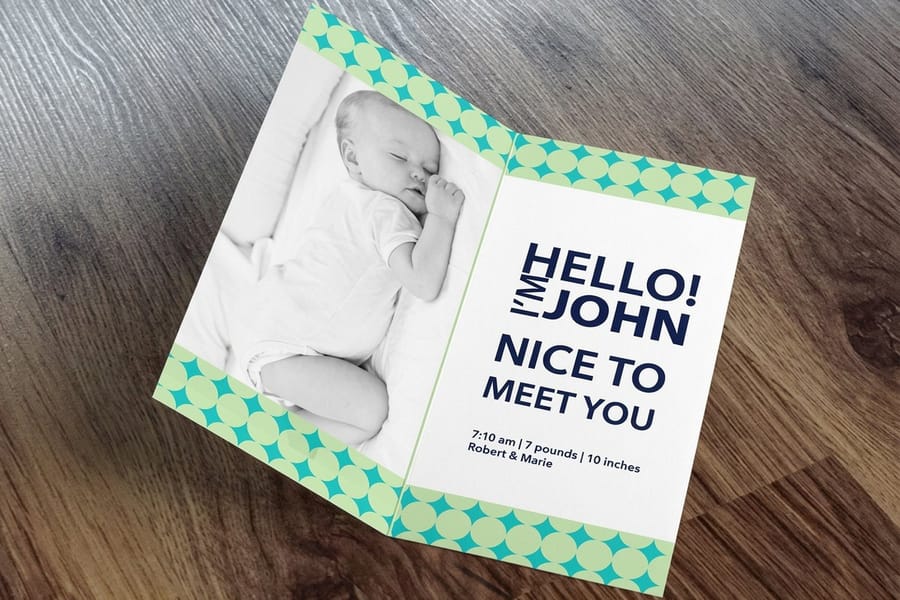
A folded postcard outline is a flat sheet with fold positions marked on it, and the finished size is only one panel of that sheet. Build it as a single trim box and the fold lands in the middle of your headline.
The arithmetic is simple for a half fold. A 6 by 8 inch sheet folded once gives two 4 by 6 panels, so you build the file at 6.25 by 8.25 with bleed, mark the fold at the 4 inch line, and treat each panel as its own layout with its own 0.125 inch safe margin from the trim edges. Keep type back from the fold as well, not just from the outer edges, because a heavy fold through small text makes it hard to read.
Tri-folds carry one extra rule that catches people out. The panel that tucks inside has to be about a sixteenth to an eighth of an inch narrower than the outer panels, otherwise it hits the spine and the folded card will not sit flat. On a 12 by 11 sheet that folds to 6 by 11, that means the panels are not simply the sheet divided by two. Start from a template rather than dividing by hand. Folded cards and every other folded piece we print sit together in the folded printing collection.
Folded postcards come in 8 sizes in half fold and tri-fold, from a 6 by 8 sheet that folds to 4 by 6 up to a 12 by 11 sheet that folds to 6 by 11. Download the matching outline from the free postcard templates guide and the folds are already in the right place.
Reserving the Address Side Before You Design It
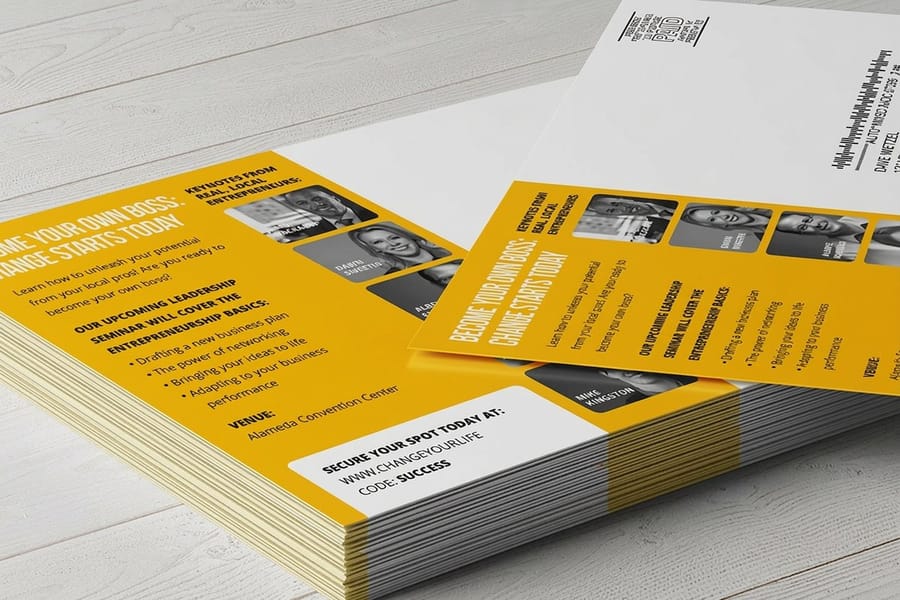
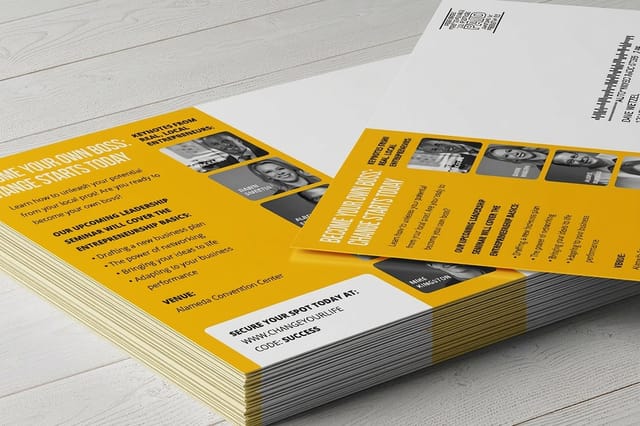
If the card is going in the mail, the address side is not a blank canvas. Roughly the right half of it is spoken for, and the cheapest time to find that out is before you design, not after.
Three areas are reserved. The postage area sits in the top right corner, whether that is a stamp, a meter mark or a printed indicia. The delivery address block sits below it, printed parallel to the longest edge. The lower right corner stays free of text and artwork so the postal barcode can be applied and read. Everything to the left of that, plus the entire front of the card, is yours for the message, the offer and the artwork.
Two practical habits keep the layout honest. Draw the reserved zones as a locked layer in your outline on day one, so nothing creeps into them during revisions. And keep the address area light, ideally plain white or a pale tint, because dark or busy backgrounds behind an address make the print hard for scanners to read and can knock a mailing into a slower, more expensive tier. The exact clear zone measurements are in our guide to the postcard address side layout and barcode clear zone.
Stock matters here too. A card thinner than 0.007 inch does not qualify for card postage at all, and an uncoated stock takes a handwritten note where a high gloss one will not, which the postcard paper and cardstock guide covers in detail. If the mailing list and the postage are being handled for you, direct mail postcards start at $89.68 and print in 9 sizes already cut to standard mailbox dimensions. Browse everything in one place on the postcard printing category.
Wally maps a postcard outline
Three boxes on the front, one reserved panel on the back
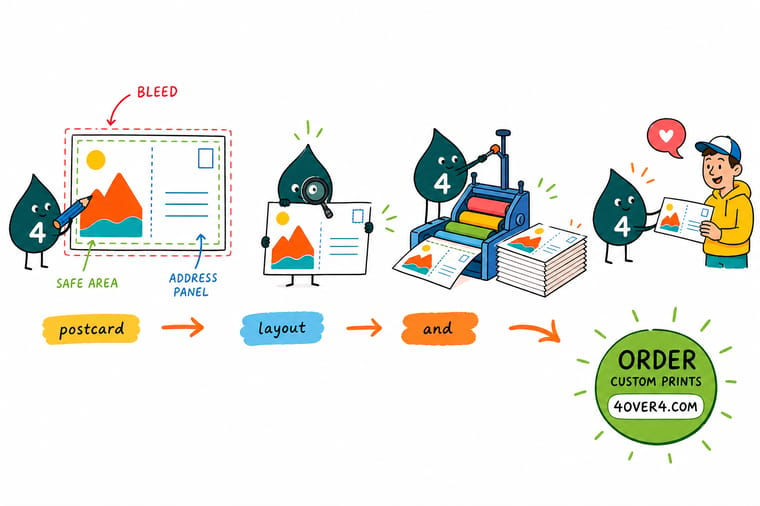
Wally draws the outer box first, an eighth of an inch bigger than the card all the way round, and runs the background out to it. Then the trim line, where the blade is aimed. Then the inner box, an eighth of an inch in, and every word he wants read goes inside it. He flips the card over and shades the right hand portion before he designs anything, because the postage area, the address block and the barcode corner are already spoken for. The stack shifts a little when it is cut, so he never puts a thin border on the trim line.
Order standard postcards →
Specs and pricing
Postcard sizes, stocks and starting prices
Standard postcards come in 14 sizes from $16.48, oversized postcards run from 5.5 x 8.5 in to the 6 x 11 in jumbo from $51.62, and folded postcards come in 8 flat sheet sizes from $84.36. Pick a trim size and a stock here, then build the outline around it: a 4 x 6 card becomes a 4.25 x 6.25 in file with type held inside 3.75 x 5.75 in. Live configuration options and starting prices come straight from the 4OVER4.COM configurator.


Print it
Print the card your outline was built for
Standard postcards from $16.48 for a 4 by 6 outline at card postage, oversized postcards from $51.62 for a 6 by 9 or 6 by 11 layout, and direct mail postcards from $89.68 in 9 sizes when we handle the list and the postage.


Explore more
Where to go next
The guides below cover the next measurement after the outline: bleed and trim on other products, the working postcard sizes, the exact address side clear zones, and which stock thickness keeps card postage.


By the numbers
Postcards printed to the outline you supply
Common Questions
Your postcard outline questions, answered
What size document do I build for a 4 by 6 postcard?
Build the file at 4.25 by 6.25 inches. That is the 4 by 6 finished size plus 0.125 inch of bleed on all four sides, and any background color or photograph has to run all the way to that outer edge. Set your trim guides at 4 by 6 and a second set of guides at 3.75 by 5.75, which is the safe area. Type, logos, phone numbers and QR codes stay inside the safe area. At 300 dpi that document is 1275 by 1875 pixels.
How much bleed does a postcard need?
0.125 inch on every side, which is the standard for postcards, business cards, flyers and most small format work at 4OVER4.COM. There is one exception worth knowing: if you order rounded corners, push your safe area to 0.25 inch instead of 0.125, because the corner radius cuts diagonally across the corner and eats content that would have survived a square cut. Our guide to bleed, trim and safe zones covers the same rules across other products.
Where does the address go on a postcard outline?
On the address side, running parallel to the longest edge, in the right hand portion of the card. The postage area sits in the top right corner, the delivery address block sits below it, and the lower right corner stays free so the postal barcode scans. The left portion of that side, and the whole of the reverse, is yours. The detailed measurements live in our guide to the postcard address side and barcode clear zone.
Do I need a separate outline for the front and the back?
Same outline, two pages. Both sides share the trim size, the bleed and the safe area, so the geometry never changes. What changes is what you are allowed to put where: the front is entirely yours, and the back gives up its right hand portion to the address block. Supply both pages in one PDF, front first, at the same dimensions. A file where page two is a different size is the most common reason a postcard job gets held.
Can I design a postcard without bleed?
Yes, if nothing touches the edge. Keep the background white and hold every element at least 0.25 inch inside the trim, and the card cuts cleanly with no bleed at all. The trap is the halfway version, a colored panel or a photograph that stops exactly on the trim line. A sixteenth of an inch of drift then shows as a white sliver on one edge and a cropped panel on the other.
What resolution should the artwork be?
300 dpi at the finished size, measured across the bleed box rather than the trim box. A 6 by 11 jumbo built at 6.25 by 11.25 inches is 1875 by 3375 pixels. Photographs pulled from a website are usually 72 dpi and will look soft no matter how sharp they appear on screen. Build in CMYK, because a bright RGB blue or orange shifts noticeably when it is converted for press.
Which postcard sizes still get the cheaper card postage?
Only pieces that stay within 4.25 by 6 inches, are at least 3.5 by 5 inches, are rectangular, and are between 0.007 and 0.016 inch thick. That is why the 4 by 6 dominates. Go to 5 by 7, 6 by 9 or 6 by 11 and the piece mails at letter prices, and a square card falls outside the length to height ratio the sorting machines want, so it picks up a nonmachinable charge.
Get Started
Outline ready? Print the cards.
Pick a trim size, choose a stock that mails well, and upload a file built with 0.125 inch of bleed. We handle the cut, and free proofs let you check the safe area before the run.
Legal Disclaimer
Gold Standard guarantees apply to all standard orders placed through 4over4.com. Price match requires verifiable proof of a competitor's published price for an equivalent product with matching specifications and turnaround time. Satisfaction guarantee covers manufacturing defects and print quality issues. Contact support with order number and documentation.
