
Enterprise Print Management Solutions for Large Teams


Enterprise print management gives a large team one approved catalog, locked brand templates, spend rules per location and direct-to-site shipping on a single invoice. It replaces the default at any company past roughly ten sites, where every branch buys its own print from whoever answers the phone, and the saving comes from fewer reprints and less rush freight rather than from a lower unit price.
Enterprise print capabilities at a glance
| Capability | Who owns it | What breaks without it | How it is enforced | Impact on spend |
|---|---|---|---|---|
| Template control | Brand or marketing | Wrong logo, old phone number, off-brand type | Locked master file, editable fields only | High |
| Catalog control | Marketing operations | Forty variants of the same flyer, none reorderable | A short approved item list per location type | High |
| Ordering rights | Operations | Anyone with a card orders anything, from anywhere | Roles, per item limits, an approver above a threshold | Medium |
| Cost visibility | Finance or procurement | Print shows up as scattered card charges, uncoded | Cost centre on every order, one consolidated invoice | High |
| Fulfillment | Supply chain or facilities | Boxes at head office that nobody forwards | Split shipping straight to each site address | Medium |
| Reporting | Marketing operations | No idea which location prints what, or how often | Order history by site, item and period | Low |
Buy the top three before the bottom three. Reporting is the capability most often bought first and used least, because a report on an uncontrolled catalog only tells you how uncontrolled it was. You can start the catalog with the property management print collection and add from there.
What an enterprise print program actually controls

Enterprise print management is a controlled ordering system: an approved catalog, brand templates that cannot be broken, spend rules per location, and shipping straight to each site on one invoice. It replaces the default pattern at any company past about ten locations, where every branch orders its own signs and postcards from whoever answers the phone, at whatever price they are quoted.
Four controls do the work, and they are usually bought together. What can be ordered. Who can order it. What it costs and against which budget. Where it ships. Remove any one of the four and the program leaks in a predictable direction, which is why a rollout that only fixes templates rarely shows up in the numbers.
None of this requires a platform migration. Most teams get the first three quarters of the benefit from a fixed catalog, locked artwork files, and a purchase order arrangement with one printer. The software layer matters at the scale where nobody can name every location from memory.
Template control, and where it usually goes wrong
A locked master file with a small number of editable fields, typically address, phone, manager name and a date, is the highest value control in the whole program. It kills the reprint that happens when a branch rebuilds a flyer in a word processor and the logo comes out stretched. It also removes the argument, because there is nothing to argue about.
It goes wrong when the lock is too tight. A regional manager who genuinely needs a different offer line, and cannot get one, will go around the system rather than wait a fortnight for brand approval. Leave one clearly marked field for local copy with a character limit, and set the expectation that everything else is fixed. Build the master files to press specifications first: our guide to creating commercial print ready files covers bleed, trim and colour setup so the locked template never needs a rescue.
Catalog control: a short list beats a big one
The instinct on a first rollout is to catalog everything anyone has ever printed. That produces a two hundred item list that no location manager will read, and the result is the same phone calls as before. Fifteen to twenty five items, grouped by what the location is trying to do, gets used.
Sort the list by job rather than by product. A property manager looking to fill vacancies does not browse for a paper weight, they look for the notice, the postcard and the yard sign that go with a lease-up. Grouping by task is why a curated set such as our property management print collection gets ordered from more often than a full catalog.
Governance: who can order what, and who signs off

Governance is three settings: roles, limits, and an approval threshold. A site manager orders from the standing catalog up to a value, a regional approves anything above it, and only marketing can create or change an item. That is enough structure for most companies, and every layer added past it costs speed.
Name the trade-off out loud, because it is real. Approval slows things down, and print is often needed the same week. A leasing office that has to wait three days for a signature on a $60 postcard run will print it at the shop on the corner and expense it, and now you have lost both the price and the brand control. Set the threshold high enough that routine reorders never touch an approver.
Reorders should skip approval entirely. If the item is in the catalog, the artwork has not changed and the quantity matches the last run, there is nothing for a human to review. Reserve the sign-off for new artwork, non-standard quantities and anything outside the catalog. Property management postcards at $16.48 are exactly the kind of routine reorder that should be one click.
Cost centres beat card numbers
The reason finance dislikes print is rarely the total. It is that print arrives as forty small card charges from twelve vendors with no coding, so nobody can answer what a location spends per year. Attaching a cost centre at the point of order, and consolidating into one invoice per period, turns print from an untraceable expense into a line item that can be planned.
It also changes behaviour without a policy. When a regional manager can see that one site spends four times what a comparable site spends on the same signage, the conversation happens on its own.
What to standardise and what to leave local
Standardise stock, size, finish and turnaround. Those are the decisions that create reorder friction and price variance, and no location benefits from choosing them independently. Colour belongs to brand: fixing a palette once and applying it everywhere is what makes a portfolio look like one company, and our breakdown of colour pairings that work in print is a useful starting point for that decision.
Leave quantity, timing and the local copy field to the site. They know their own leasing calendar and their own footfall better than head office does, and taking those away is what makes people route around a program.
Where the money actually leaks

Unit price is where procurement looks and it is rarely where the money goes. Four leaks account for most of the difference between what a large team thinks it spends on print and what it actually spends.
Rush shipping is the first. A poster ordered on Thursday for a Saturday open house costs the same to print and several times more to deliver, and it happens because nobody looked at the calendar in time. A standing reorder date per location removes most of it. The second is reprints from bad files: wrong bleed, RGB images that shift on press, or type inside the trim. That is a file setup problem with a permanent fix, and it is why locked templates pay for themselves.
The third leak is over-ordering to reach a price break. Printing 5,000 postcards instead of 1,000 looks smart on the per unit line and stops looking smart when the offer changes in March and 3,000 go in a skip. The fourth is quiet: dead stock in a cupboard at a site nobody audits. Both are fixed by ordering to a period rather than to a price.
The comparison worth running before you consolidate
Before switching every location onto one supplier, price the same three items at the current local vendors and at the proposed national one, including shipping and including the cost of the reprint rate you have been living with. Local is genuinely better for some jobs, usually the very large, very urgent and very heavy ones. Our comparison of local versus online printing lays out where each one wins.
The honest answer for most large teams is a split. Route the repeatable, shippable catalog items to one online supplier for price and consistency, and keep a local relationship for same day emergencies and anything oversized enough that freight dominates the quote.
Multi-location fulfillment without a warehouse

There are three ways to get print to sites, and picking the wrong one is what produces the boxes sitting in a head office corridor. Direct to site is the default: each location ships to its own address, and nothing needs to be re-handled. Central then distribute makes sense only when you have a facilities team already driving between sites. Kitting, where a printer assembles a per location box, suits a launch or a rebrand where each site needs a different mix of the same items.
Direct to site is cheaper than it sounds because it removes the second freight leg and the labour to break down and re-pack. It costs more in shipping lines on the invoice, which is why it gets rejected in a spreadsheet comparison that never counted the internal handling.
Size the shipment to the site, not to the campaign. A leasing office with one notice board needs two large format posters at $25 and a small stack of postcards, not a carton, and sending the carton is how you get dead stock. For the signage side of a portfolio, property management signs from $25 cover the yard and window formats most sites reorder on a cycle.
Large format is the piece that needs planning
Small format ships flat and cheap. Large format is where turnaround, packing and freight all get harder at once, so it is the category worth scheduling rather than reacting to. Posters, banners and site signage should sit on a known refresh cycle with a file already approved, so the order is a quantity decision and nothing else. If you are setting the artwork up in house, how to print large posters and our banner sizes and templates walkthrough cover the resolution and finishing choices that decide whether a file scales cleanly.
Browse the full large format printing range when you are deciding what belongs in the standing catalog. Anything a site orders more than twice a year should be in it.
Rolling it out without a six month project

Run it as a pilot, not a programme. Pick three locations that are different from each other, ideally your busiest, your smallest and one that has been the loudest complainer, and put only those three on the new catalog for a quarter. Three sites give you real feedback and a small enough blast radius to change your mind.
The sequence that works: audit what is actually being printed today from twelve months of invoices, cut that to a catalog of fifteen to twenty five items, rebuild those items as locked templates, set the roles and the approval threshold, run the three site pilot, then open it to everyone with the catalog already proven. Skipping the audit is the most common mistake, because the catalog then reflects what head office thinks locations need rather than what they order.
Expect resistance from the sites that had a good local printer, and take it seriously rather than overruling it. Usually they are right about one job, often something oversized or same day, and the correct answer is to leave that job local. Consolidating 90 percent and admitting the other 10 percent is a better outcome than a mandate that everyone quietly ignores. The wider operational picture, from scheduling to proofing, is covered in our article on print production management.
What to measure in the first quarter
Four numbers tell you whether it worked: reprint rate, share of orders that shipped standard rather than rush, spend per location against the same period last year, and the number of orders placed outside the catalog. The last one is the honest measure of adoption, and a rising count means the catalog is missing something real rather than that people are being difficult.
Do not measure success by unit price alone. A program that lowers unit price while the reprint rate climbs has moved the cost, not removed it.
Catalog pricing and specs at 4OVER4.COM
Print pricing moves with size, stock, finish and quantity, and the per unit cost drops as the run grows. The numbers below come straight from the live configurator, so a marketing operations lead can build a per location budget before committing to a catalog.
Quantity and price
Postcard pricing and specs
Real configurator numbers, showing where the price breaks sit so you can order to a period instead of chasing a unit price.
| Quantity | Price Per Unit | Total |
|---|---|---|
| 50 | 33.0¢ | $16.48 |
| 100 | 24.2¢ | $24.16 |
| 200 | 15.9¢ | $31.86 |
| 300 | 12.8¢ | $38.45 |
| 400 | 11.3¢ | $45.04 |
| 500 | 10.3¢ | $51.62 |

You can also earn coins on every order and redeem them against future printing, which is easier to justify to finance when the spend is consolidated on one account instead of scattered across location cards.
Stock and finish decisions worth standardising
Standardise stock, size, finish and turnaround across the catalog. These are the four choices that create reorder friction and price variance, and no individual location gains anything from picking them independently. A 14pt or 16pt cardstock covers almost every small format piece a site needs; 16pt is noticeably more rigid on anything above 4 by 9 inches, which matters for a door hanger that has to survive a windy corridor.
Print it
Signage sites reorder on a cycle
Yard and window formats built for portfolios where every property needs the same piece.

Finish changes both look and durability. Gloss lifts photography and shrugs off moisture, matte reads calmer and cuts glare under strip lighting, and uncoated stays writable for a hand-added date or unit number. For outdoor signage the substrate matters more than the finish, which is why exterior pieces belong on a different standard from anything that lives behind glass. Property management door hangers at $290.41 sit at the volume end of the catalog, so they are worth scheduling rather than reordering ad hoc.
What each kind of team needs
The controls are the same everywhere; the catalog is not. Here is how the item list usually differs by business type.
- Property and facilities groups. Per site signage, resident notices and lease-up postcards on a standing catalog, shipped direct to each building rather than through a central office.
- Multi-site retail. Seasonal poster and window graphic refreshes on a fixed calendar, one locked template per campaign, quantities set per store footprint.
- Franchise networks. A catalog the franchisee pays for and head office controls, which is the only arrangement where brand consistency and local budget both survive.
- Healthcare and clinic groups. Wayfinding and patient notices standardised across sites, with a single editable field for the clinic name and hours.
- Field sales and service teams. Small format collateral reordered per rep on a low approval threshold, because the friction of an approval costs more than the print does.
If you are still deciding what deserves a full campaign rather than a standing reorder, the creative side is worth a look too: our roundup of large format print advertisements shows what the format does well, and print industry trends and what they mean for buyers covers where the category is heading.
Templates and print-ready blanks
Locked templates are the control that saves the most money, and they are easier to build on top of a correct blank than from a blank page. 4OVER4.COM sizes its blanks to exact product specs so artwork lines up with the cut lines and bleed. Pull a print ready blank from the blank template library with bleed and trim already marked, then lock everything except the local copy field.
Start fast
Templates and print-ready blanks
Design templates and exact size blanks so every location artwork file lands inside the cut line.







Wally runs print for thirty locations without the chaos
One catalog, locked templates, direct-to-site shipping
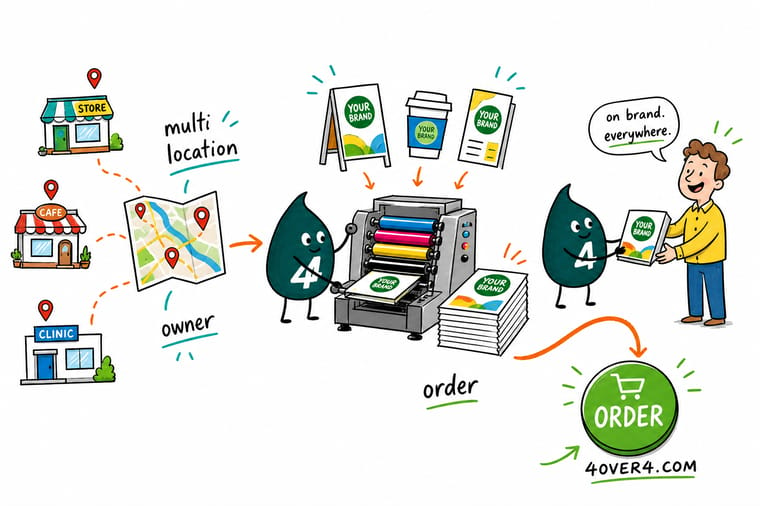
Audit twelve months of invoices, cut the list to fifteen to twenty five items, rebuild them as locked templates with one editable local field, set an approval threshold high enough that routine reorders never wait, and ship straight to each site. Pilot three locations for a quarter before you open it to everyone.
Browse the property management collection →What to remember about enterprise print programs
Rules worth writing into the program
- Write the catalog from invoices. Twelve months of actual orders tells you what locations need. A workshop tells you what head office imagines they need.
- Lock everything except one field. A single marked local copy field with a character limit keeps people inside the system. A total lock pushes them outside it.
- Set the approval threshold high. Routine reorders should never wait on a signature. Reserve sign-off for new artwork and anything outside the catalog.
- Order to a period, not to a price break. Buy what you will use before the artwork changes. The unit price saved on 5,000 disappears when 3,000 are binned.
- Ship direct to the site. The second freight leg and the re-packing labour cost more than the extra shipping lines on the invoice, and they are invisible in a spreadsheet.
Explore more
Products and categories a multi-site catalog starts with
The pieces large teams reorder most on 4OVER4.COM, one card each, so you can shape your own item list.
 Product Property Management Signs Yard and window formats sites reorder on a cycle.
  Product Large Format Posters Campaign posters shipped straight to each location.
  Product Property Management Postcards The routine reorder for lease-ups and resident mail.
  Product Property Management Door Hangers On-site notices delivered without postage. Category Large Format Printing Posters, banners and signage in one catalog. Category Property Management Print Collection The curated set multi-site teams order from.
 Ready to build your catalog?
Pick the items your locations actually reorder, drop in your artwork or a free template, and 4OVER4.COM prints and ships to every site on one account.
Common questions about enterprise print management
What is enterprise print management in plain terms?
It is a controlled way for a company with many locations to order print: an approved catalog, brand templates that cannot be broken, rules about who can order what and against which budget, and shipping direct to each site on one consolidated invoice. The alternative, which is what most companies do by default, is every branch buying its own signs and flyers from whoever answers the phone. The controlled version costs less per year, but the saving comes from fewer reprints and less rush shipping rather than from a lower unit price.
Do we need software, or is a catalog and one printer enough?
For most teams under roughly fifty locations, a fixed catalog, locked artwork files and a purchase order arrangement with a single printer gets you most of the benefit with none of the implementation. Software earns its cost when nobody can name every location from memory, when approval routing has to be automatic, or when finance needs order data coded by cost centre without anyone re-keying it. Start with the catalog either way, because a platform loaded with an unaudited item list produces the same mess faster.
How do we stop locations ordering off-catalog?
Make the catalog faster than the alternative. Most off-catalog ordering is not defiance, it is a manager who needed something on Friday and could not get it through the process. Set the approval threshold high enough that routine reorders never wait for a signature, leave one editable copy field so local offers are possible inside the template, and track off-catalog orders as a signal rather than a violation. A rising count usually means the catalog is missing an item people genuinely need.
Should every location ship to head office or direct to site?
Direct to site for almost everything. Shipping to a central point adds a second freight leg plus the labour to break down and re-pack, and both costs are invisible in the spreadsheet that compares shipping lines on an invoice. Central distribution only makes sense when a facilities team is already driving between sites on a schedule. Kitting, where the printer assembles a per location box, is worth the setup for a rebrand or a launch where each site needs a different mix of the same items.
What should we measure in the first quarter of a print program?
Reprint rate, the share of orders that shipped standard rather than rush, spend per location against the same period last year, and the number of orders placed outside the catalog. Unit price on its own is a misleading measure, because a program can lower it while the reprint rate climbs and the total goes up. The off-catalog count is the most useful adoption signal you have, and it tells you what to add to the catalog rather than who to chase.
