
Print Production Management Guide for 2026


Print production management, from concept to finished product
Print production management is the work of planning, coordinating, and overseeing every step of a print job, from file preparation through final delivery. Get it right and you avoid costly mistakes, hit deadlines, and hold consistent quality across every run. 4OVER4.COM has printed 10 billion+ cards and serves 150,000+ businesses, so the strategies here come from real production floors, not theory.
Whether you are ordering 250 business cards or 50,000 brochures, understanding how print production works gives you more control over timelines, costs, and results. This guide walks the entire process so you can make smarter calls on your next project.
Building your print production foundation

Managing print production well is genuinely complex. It means understanding the elements that make a print operation work and combining them into a process you can repeat. A few core principles carry most of the weight.
High-performing operations push on several fronts at once. It is less about what to do and more about how you execute it every day.
- Efficiency. Cutting waste and optimizing resources hits your bottom line directly, whether through lean manufacturing or automation. If you are weighing methods, start by learning the different types of printing so you know when offset beats digital.
- Quality. High standards keep customers coming back and cut expensive reprints. Consistent checks at preflight, proofing, press, and finishing are non-negotiable.
- Profitability. Balancing cost against quality and client expectations is the real goal, and smart managers analyze every operation to protect margins without cutting corners.
Print is not going anywhere, and here is why
Despite decades of print is dead predictions, the industry keeps growing. Packaging, textiles, promotional materials, and direct mail all drive demand, and digital printing has opened doors that did not exist ten years ago.
That growth brings more competition, and more competition rewards a tighter production process. Knowing when to reach for digital printing gives you an edge whenever short runs, variable data, or faster turnaround matter most.
Technology that changes how you print

Print production has moved well beyond managing presses and paper inventory. Today it means integrating technology at every step, from the moment an order arrives to the second it ships. The right tools automate tasks and hand you data that makes every future decision better.
AI in print production, practical not hype
Artificial intelligence is making real changes on the print floor. Predictive maintenance forecasts equipment problems before they cause downtime, which means fewer emergency repairs and steadier schedules.
AI also sharpens inventory. Instead of guessing how much 14pt cardstock you need next month, the system reads historical patterns and tells you, so there is no excess stock in the warehouse and no panic orders when you run short. On the marketing side, variable data printing paired with AI targeting produces direct mail that speaks to each recipient. If you run promotions, these logo sticker design ideas show how branded print fits a larger strategy.
Automated quality control that catches defects early
Quality control is where print production either shines or falls apart. Automated systems use sensors and image recognition to catch defects during the run, not after 10,000 pieces are already cut and packed. They flag color shifts, registration errors, hickeys, and finishing flaws in real time, which means fewer reprints and less waste.
The result is customers who get exactly what they approved in proofing. 4OVER4.COM builds multiple checkpoints into every job, a big reason 82% of orders ship early. For print advertising that is both creative and cleanly produced, browse these funny print ad examples.
- Color accuracy. Aim for a Delta E under 1.5, measured with a spectrophotometer.
- Registration. Hold within 0.25 mm using registration targets.
- Dot gain. Keep it near 20%, tracked on a densitometer.
- Print density. Target 1.7 across the run.
- Ink coverage. Hold at 100% with image analysis.
Web-to-print and online design tools
Web-to-print platforms simplified the ordering side of production. Customers upload files, choose specs, approve proofs, and place orders without a single phone call, which removes bottlenecks and cuts order errors.
The 4OVER4.COM online designer takes it further. You can build a design from scratch or customize a template right in the browser, and the tool enforces bleed, trim, and safe zones automatically, so you get fewer file rejections and a faster path to press.
The print production workflow, step by step
A production guide is not complete without the actual workflow. Here is how a job moves from idea to finished product, one stage at a time. The diagram below draws the same five stages left to right, plus the two branches that send work backwards: a proof that does not get approved, and a piece that fails final inspection.
Step 1: Prepress and file preparation
Everything starts with the file. Prepress also handles imposition, the layout of your pages or cards on the big press sheet so they trim and fold into the right order. Prepress checks it for print readiness, which means verifying resolution at 300 DPI minimum for offset, color mode in CMYK rather than RGB, bleed setup, and font embedding. The common failures here are low-resolution images, missing bleeds, and RGB files that shift color when converted to CMYK. A good prepress pass catches these before they become expensive press problems.
Step 2: Proofing
Proofing is your last chance to catch errors before ink hits paper. Digital soft proofs cover most jobs. For color-critical work like brand collateral or packaging, a hard proof is worth the extra time and cost. Never skip it, because a $15 proof can save you from a $5,000 reprint.
Step 3: Press setup and printing
Press setup covers plate mounting for offset, ink mixing, registration alignment, and test sheets. Digital skips some of these steps, which is why it is faster for short runs. During the run, operators watch color consistency, registration, and density, and modern presses measure color in real time and auto-correct. Even so, experienced operators still catch context problems a machine misses. Color on coated stock is usually aimed at GRACoL, the published offset standard, so the result is repeatable across plants and across reorders instead of depending on one operator’s judgment.
Step 4: Finishing and binding
Finishing turns printed sheets into final products through cutting, folding, scoring, laminating, embossing, foil stamping, and binding. Each process carries its own tolerances. For specialty items like 3D lenticular postcards, finishing is where the magic happens, since the lens overlay has to register with the printed image within a fraction of a millimeter or the 3D effect breaks.
Step 5: Quality inspection and shipping
Final inspection checks the finished product against the approved proof for color accuracy, trim precision, binding integrity, and overall presentation. Then it is packed and shipped. 4OVER4.COM holds 10,000+ reviews and a 4.8 out of 5 star rating because this last step never gets rushed.
The pre-press checklist to run before you send files
Print this list, or keep it open in a second window, and walk it top to bottom before every upload. Eight lines, and they catch the failures that cause almost every reprint.
- File format. Press-ready PDF, ideally PDF/X-1a. Not a Word file, not a screenshot, not a JPEG pulled off a website.
- Bleed. 0.125 inch past the trim on all four sides, with background art running all the way into it so a slight cut shift never leaves a white sliver.
- Safe zone. Every piece of text and every logo pulled 0.125 inch inside the trim line, so nothing lands in the blade path.
- Color mode. CMYK throughout, with Pantone spot colors called out by number if a brand color has to match exactly. RGB files shift when they convert.
- Fonts outlined. Convert type to outlines, or embed every font in the PDF, so nothing gets substituted on the press side.
- Image resolution. 300 DPI at final print size for offset and digital. Enlarging a 72 DPI web image will not save it.
- Proof approved. Soft proof read and signed off, hard proof ordered first if the job is color critical or the piece is expensive to redo.
- Quantity and delivery date confirmed. Final count locked and the in-hands date checked against the turnaround plus transit, not just the production time.
Choosing the right print method
The most common decision in any production guide is offset versus digital. The right answer depends on quantity, timeline, budget, and quality.
Offset printing
Offset is the go-to for large runs, typically 1,000 pieces and up. It delivers the most consistent color across long runs and supports a wider range of stocks and specialty inks like Pantone spot colors and metallics. Setup costs run higher, but per-unit cost drops fast as quantity climbs. It is the right call for bulk business cards, brochures, catalogs, packaging, and anything that needs Pantone matching.
Digital printing
Digital printing skips plates entirely, so files go straight from computer to press. That means faster turnaround, lower setup costs, and the ability to print variable data, with a different name, address, or image on each piece. It fits short runs under 1,000, personalized direct mail, prototypes, and rush jobs. If you need 3D postcards or other specialty items in smaller quantities, digital is usually the smarter path.
Hybrid approaches
Many modern workflows combine both. You might offset-print the static shell and digitally overprint the variable data, which gives you the color quality of offset with the personalization of digital. Knowing when to use each method, and when to blend them, is one of the most valuable skills in print production.
Managing costs without sacrificing quality

Cost management is where production gets real. Every choice, from paper to quantity to finishing to turnaround, moves the total. Here is how to keep budgets in check.
Paper selection
Paper is typically 30 to 40% of your total print cost, so the stock you pick drives the budget more than anything else. It is a balance of feel, appearance, durability, and price, and our guide to the best paper for printing breaks down the tradeoffs. 4OVER4.COM offers 60+ paper types, so there is always an option that fits. A 14pt uncoated stock works for everyday business cards, while a 32pt ultra-thick stock with soft-touch lamination makes a statement at trade shows.
Quantity and gang runs
Gang runs place multiple jobs on a single press sheet, which spreads setup costs across several orders and lowers per-unit pricing for everyone. The tradeoff is a little less control over exact color matching and a slightly longer turnaround. For most standard jobs, that tradeoff is well worth it.
Rush fees and planning ahead
Rush fees exist because expedited jobs disrupt the schedule. The simplest way to save money is to plan ahead and give your printer real lead time. If you are working on invitations or greeting cards, planning early pays off, and 4OVER4.COM invitation cards are easy to customize and order well before the event date.
Common print production mistakes to avoid
Even seasoned marketers and designers make production errors, and most trace back to avoidable print quality problems. These are the ones that cost the most time and money.
File errors
RGB files sent for CMYK printing. Images at 72 DPI instead of 300. Missing bleed. Fonts that are not outlined or embedded. Those four account for the majority of production delays. The fix is a preflight checklist before every submission, and most design software has built-in preflight tools, so use them.
Skipping the proof
You approved the design on your laptop screen, but the screen is not calibrated, so colors look different on paper, and that headline typo is now on 5,000 flyers. Always request a proof, review it carefully, and if you run volume, these online proofing software solutions keep approvals organized.
Ignoring paper grain direction
Paper has a grain direction, and folding against the grain causes cracking, especially on heavier stocks. If your job involves folding or scoring, specify grain direction in your production notes.
Finishing tolerances
Die-cutting, folding, and binding all carry tolerances. Text or critical elements too close to the trim line will get cut off on some pieces, so keep important content at least 0.125 inches from the trim edge.
Sustainability in print production
Sustainability is a real operational consideration in print, not a buzzword. Paper sourcing, ink chemistry, energy use, and waste management all shape your footprint. FSC-certified papers come from responsibly managed forests, soy-based and vegetable-based inks cut VOC emissions next to petroleum inks, and efficient imposition reduces paper waste.
If sustainability matters to your brand, ask your printer about their practices. 4OVER4.COM has been in business for 25+ years, and sustainable production has become standard across the operation. For more on print topics from design to production, browse the full library of printing articles.
Configure and price
Price a real print run
Live configurator numbers for brochures, where per-unit cost drops as your quantity climbs.
| Quantity | Price Per Unit | Total |
|---|---|---|
| 50 | $1.14 | $57.11 |
| 100 | 82.4¢ | $82.38 |
| 200 | 53.3¢ | $106.55 |
| 300 | 41.0¢ | $123.02 |
| 400 | 34.9¢ | $139.49 |
| 500 | 31.2¢ | $155.97 |
Popular formats
Two workhorses of marketing print
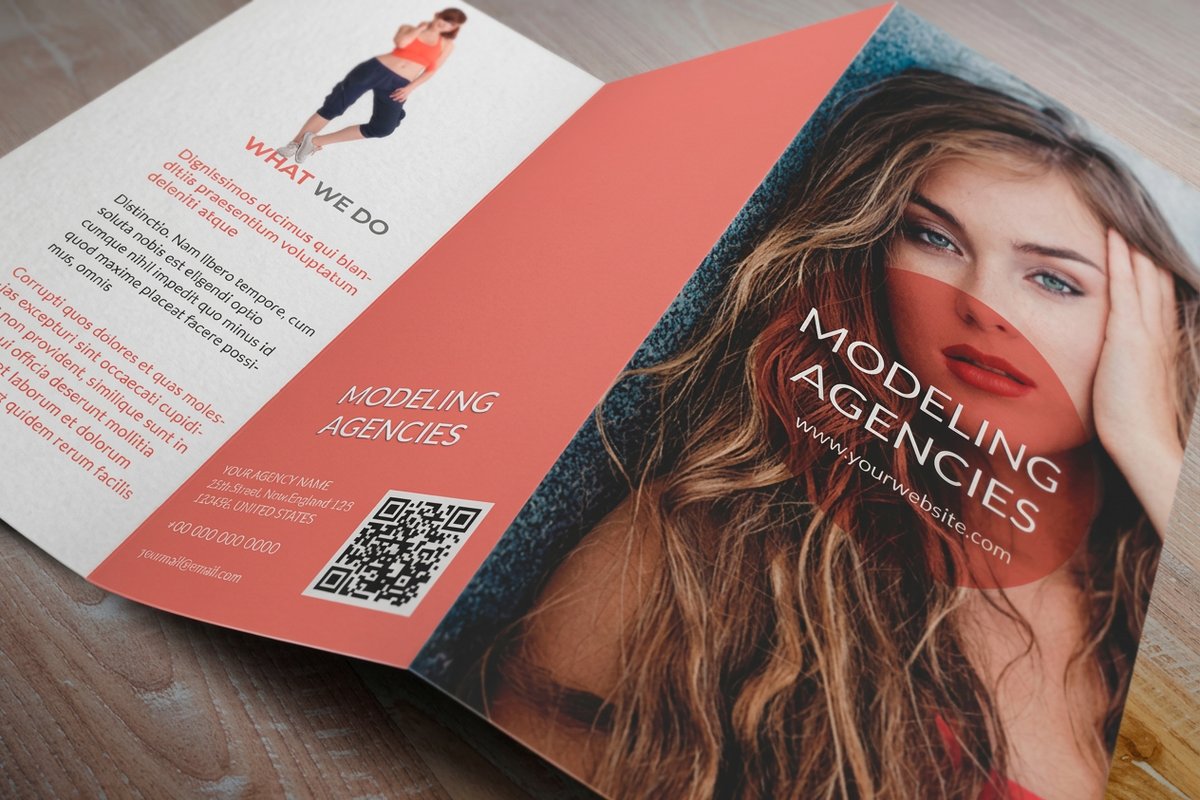
Brochures and booklets cover most multi-page and folded projects, from sales sheets to catalogs.
Booklet specs
Multi-page stocks and binding
Page counts, binding, and paper options for booklets built to be flipped through.

Start fast
Templates and print-ready blanks
Ready layouts and exact-size blanks so your artwork lands inside the cut line and bleed.

Need a specific size? Grab blank templates for acrylic prints and dry erase prints.
Wally runs the print job start to finish
Prepress, proof, press, finish, inspect, ship
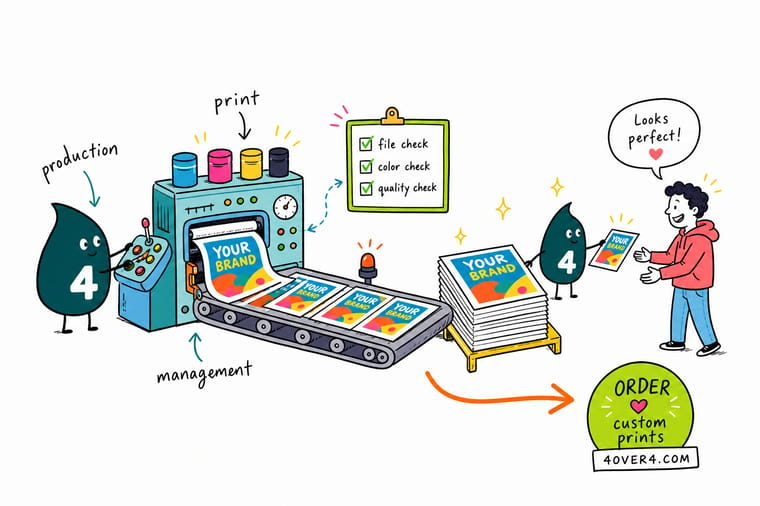
Good print production management is a repeatable process. Prep the file at 300 DPI in CMYK with real bleed, approve a proof, pick offset for big runs or digital for short ones, and build quality checks into every stage. Plan ahead to skip rush fees, and 4OVER4.COM handles the press, finishing, and inspection so your job ships early and on brand.
Start your print project →What to remember about print production management
Where production management pays off
- Efficiency. Lean workflows and automation cut waste, and automated job intake alone trims processing time by about 20%.
- Pre-press speed. Automated preflight checks and simplified approvals reduce pre-press time by roughly 15%.
- Faster press setup. Pre-set press configurations cut printing setup time by around 10%.
- Consistent finishing. Automated cutting and finishing improve consistency and shave about 25% off post-press time.
- Reliable delivery. Automated scheduling and tracking trim delivery time by roughly 12% and protect your deadlines.
- Healthy margins. Balancing cost, quality, and client needs keeps profitability intact without cutting corners.
Explore more
Keep going with print production
Related products, guides, and tools on 4OVER4.COM, one card each, so you can dig deeper into any stage.
 Article Enterprise Print Management Solutions for Large Teams Enterprise print management solutions explained: central ordering, template control, cost tracking, and multi-
  Product Custom Brochures Fold, print, and share your story in print.
  Product Custom Booklets Multi-page print for catalogs and guides.
  Product Business Cards The workhorse of professional print.
  Product Postcards Direct mail that lands in the mailbox.
  Article Different Types of Printing Offset, digital, and when to use each.
  Article Best Paper for Printing How to match stock to the project. Hub Marketing Materials Every promotional print format in one place.
  Benefit Online Designer Build print-ready art right in the browser.
  Article Print Quality Problems Spot and fix defects before they ship.
  Article Online Proofing Software Keep approvals fast and organized.
 Ready to run your next print project?
Prep your file, approve a proof, and 4OVER4.COM prints it sharp with quality checks at every stage, as fast as same day.
Print production glossary
Eight terms that come up in every job ticket and every conversation with a printer. If a quote or a proof note uses one of these and you are not sure what it means, start here.
- prepress
- Everything that happens to a file between the moment you upload it and the moment ink touches paper: preflight checks, color conversion, bleed and trap setup, and imposition. It is the cheapest place in the whole process to catch a mistake.
- imposition
- The arrangement of individual pages or cards on a large press sheet so that, once printed, folded, and trimmed, everything lands in the right order and the right position. Get it wrong on a booklet and page 7 shows up where page 9 should be.
- proofing
- The approval step where you review the job before the run starts, either as a soft proof on screen or a hard proof printed on stock. A soft proof confirms content and layout, a hard proof confirms color.
- GRACoL
- A published set of color specifications for commercial offset printing on coated stock, used as the shared target so a press in one plant matches a press in another. When a printer says a job runs to GRACoL, it means the color is aimed at a standard rather than at one operator’s eye.
- gang run
- A press sheet that carries several unrelated jobs at once so the setup cost is split between them. It is why short runs of business cards are so inexpensive, and why gang-run color is held to a shared average rather than tuned to one job.
- bleed
- The extra 0.125 inch of artwork extended past the trim line on every side, so a slight shift in the cut still leaves color running to the edge. Without it you get a thin white line along one side of the finished piece.
- registration
- How precisely the separate ink layers line up with each other on the sheet. Poor registration shows as color fringing around type or a soft, doubled look on fine detail.
- finishing
- The work done after printing that turns flat sheets into a product: cutting, folding, scoring, laminating, embossing, foil stamping, die cutting, and binding. Each of these has its own tolerance, so finishing is where tight designs succeed or fail.
Common questions about print production management
What are the best practices for print production management?
Start with thorough prepress checks: verify 300 DPI resolution, CMYK color, and proper bleed. Always request a proof before the full run, and build quality checkpoints at prepress, press, finishing, and final inspection. Track waste rates and turnaround so you can improve over time. For multi-page projects like custom booklets, proofing matters even more because pagination errors are easy to miss on screen.
How do I choose the right print production approach?
It comes down to three things: run length, timeline, and quality needs. For runs over 1,000 pieces where Pantone matching matters, offset is your best bet. For short runs under 500, personalized pieces, or tight deadlines, digital makes more sense. Factor in specialty finishing like embossing or foil stamping too, since that shapes the production path.
What makes print production management effective for marketing?
Effective production means your materials look exactly as designed, with consistent color, sharp images, and clean finishing. When your custom brochures arrive with accurate brand color and crisp folds, they build credibility. Poor production undermines even the best design, and tight management also means hitting campaign deadlines reliably.
How much should I budget for print production?
Budget depends on scope, but a rough split helps: paper is 30 to 40% of total cost, printing 25 to 35%, and finishing 15 to 25%, with the rest covering prepress, proofing, and shipping. Planning ahead saves real money, since rush fees can add 25 to 50%. For recurring needs, a relationship with a printer like 4OVER4.COM, which offers 1,000+ products across 60+ paper types, gives you volume pricing and consistent results.
